Animation
Animate technical diagrams step by step
.anim.json Available in the Nimbalyst Extension Marketplace
Don't have Nimbalyst yet? Download it
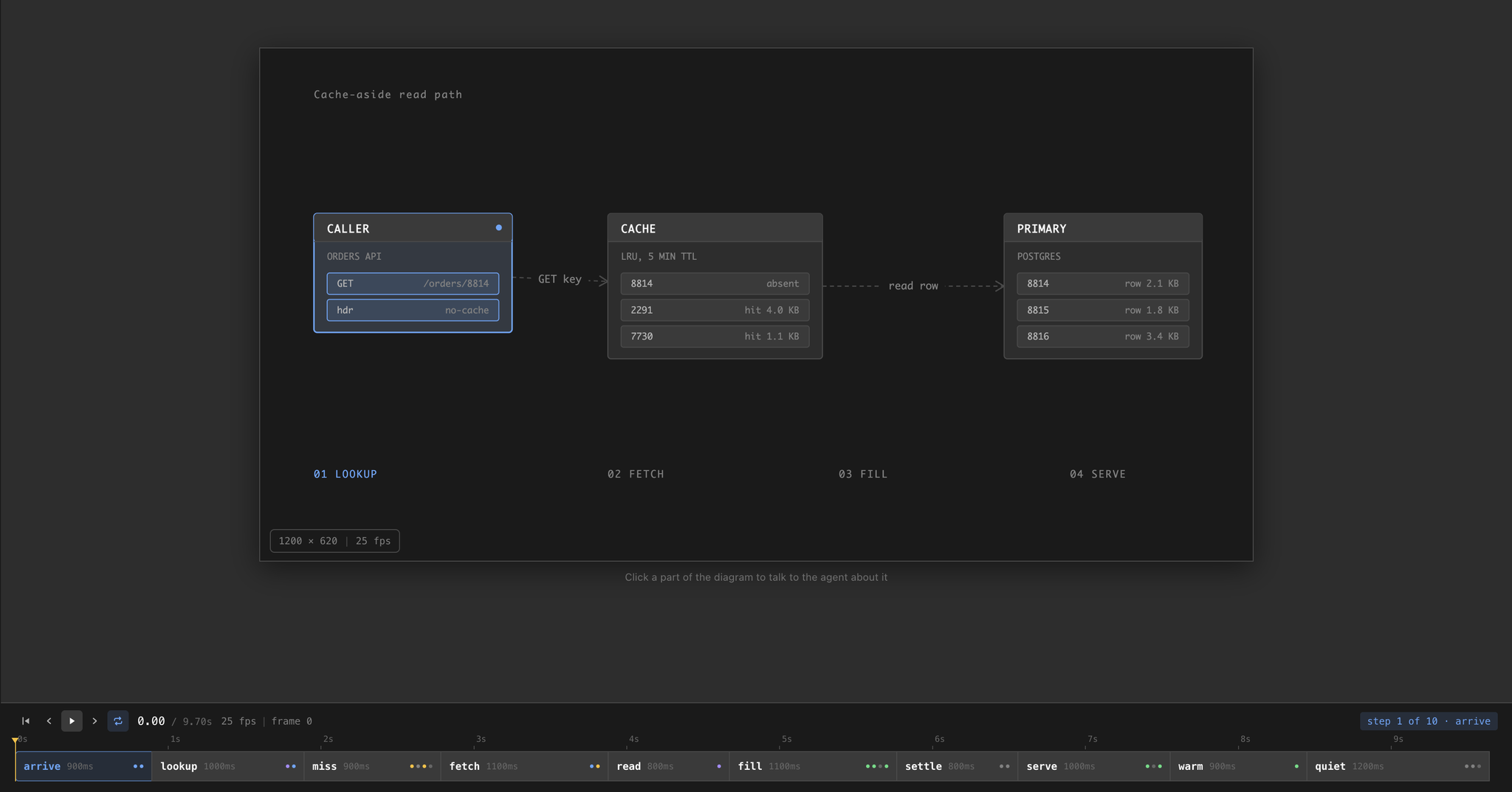
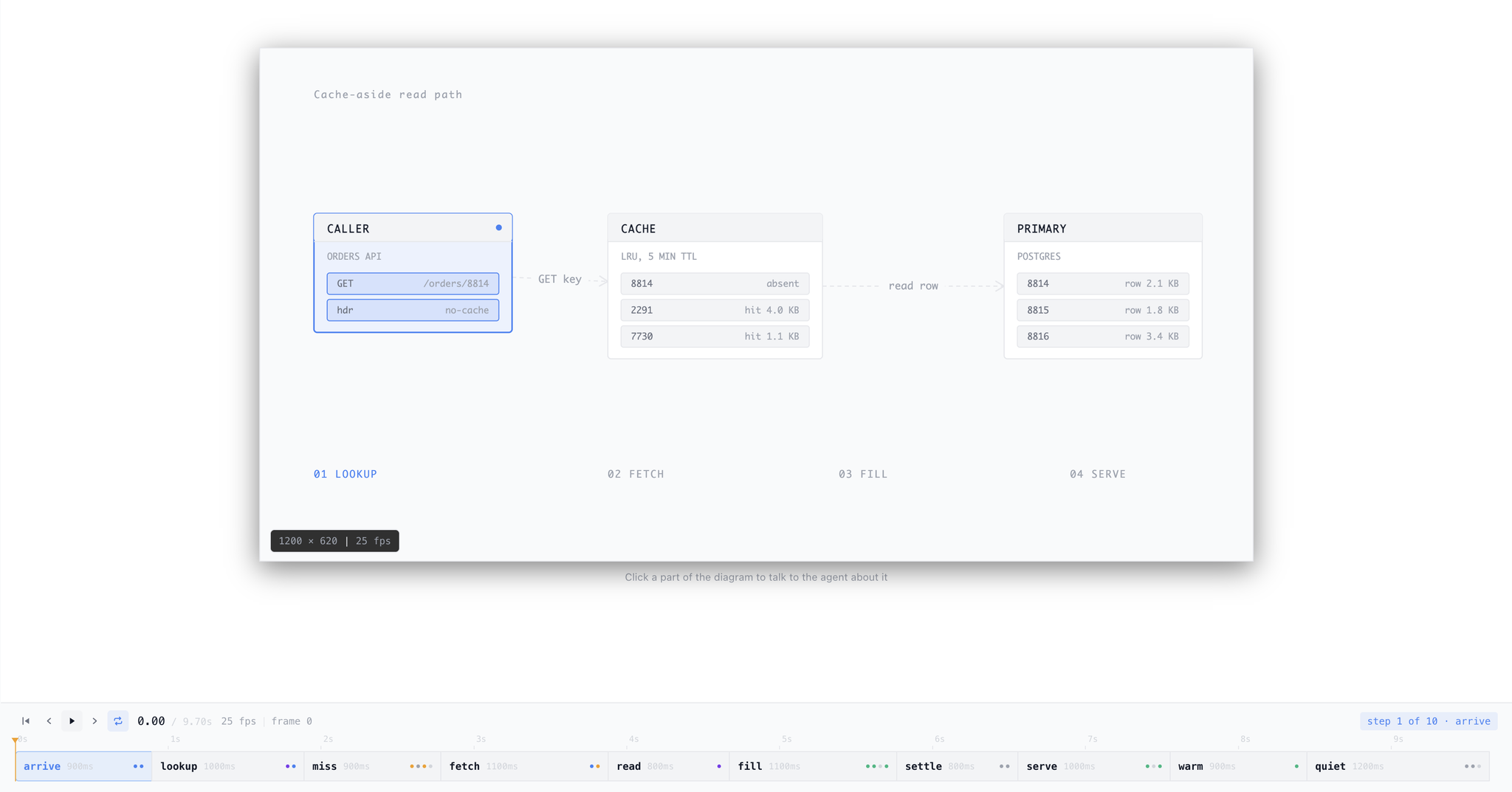
Some Things Only Make Sense Moving
A static architecture diagram tells you what the parts are. It cannot tell you what happens when the cache misses, when the retry fires, or when the review sends the work back. Those are the parts people actually get wrong, and they are the parts a box-and-arrow drawing is worst at.
The Animation extension gives you a diagram that plays. Describe the flow to the agent and it writes the scene and the beats; scrub the timeline to check it; drag a step boundary when a beat needs longer to read.
Steps, Not a Dope Sheet
Most animation tools ask you to think in keyframes and easing curves. This one asks you what is true at each beat.
You name the parts of your scene once, then write an ordered list of steps. A step says things like “the cache is now waiting” or “this edge is flowing” — and the editor interpolates between them. States are cumulative, so each step only describes what changed.
The practical difference: adding motion means naming a state, not scripting a timeline. And because the whole document is a description rather than a recording, an agent can edit it as confidently as you can.
Key Features
- Step-based timeline — an ordered list of beats with captions, not a track editor. Scrub the playhead or drag a boundary to retime.
- Click a part to talk about it — clicking any node, edge, or label puts it in chat context with its current state and time, so “make this one turn amber here” lands on the right thing.
- Semantic tones — accent, data, success, warning, error, muted. They map to theme tokens, so an animation follows the reader’s light or dark theme instead of fighting it.
- Plain JSON on disk — no binary format and no required tool calls. Any agent can author or edit an animation with ordinary file edits.
- Export — render to standalone HTML, GIF, or MP4 to drop into a doc, an issue, or a deck.
Use Cases
- Protocol and request flows — a read crossing a cache to a primary, a handshake, a retry after a timeout.
- Distributed systems behavior — a consensus round, a queue draining, a partition healing.
- Build and release pipelines — what runs when, and what happens when a stage fails.
- Onboarding docs — the ten seconds of motion that saves a new engineer an afternoon of reading.
- Failure modes — the rollback, the rejected review, the cache stampede. The happy path rarely needs animating.
How It Works
Create a .anim.json file from the New File menu, or ask the agent for an animation of something in your project. The editor opens with the stage on top and the step strip below.
The bundled skill teaches agents the format in full — part types, the state vocabulary, layout geometry, and the design rules that separate an explainer from a light show. There is also an /animate command that takes a description and produces a finished diagram.