Project Canvas
An infinite board whose cards are live editors on your real files
.canvas Available in the Nimbalyst Extension Marketplace
Don't have Nimbalyst yet? Download it
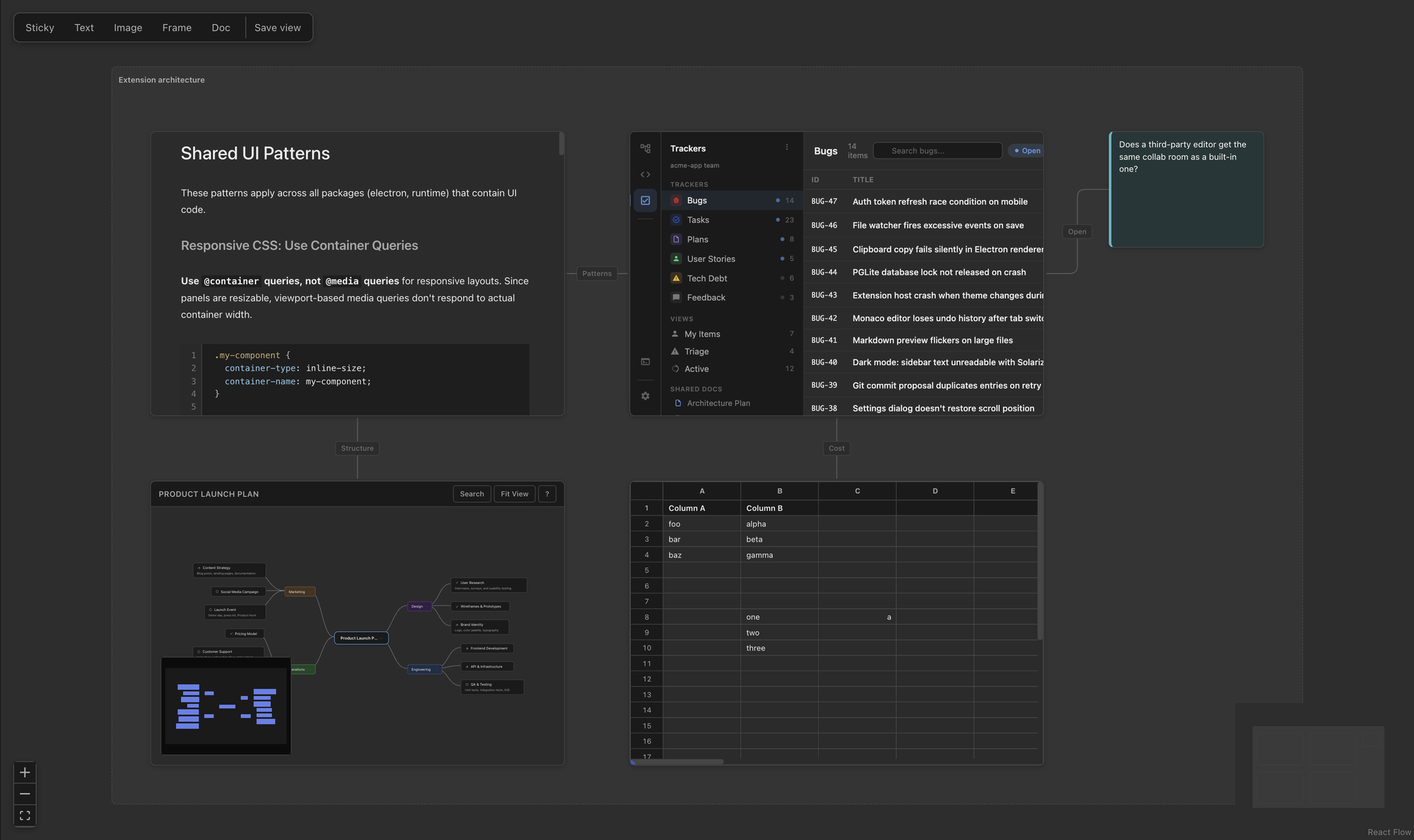
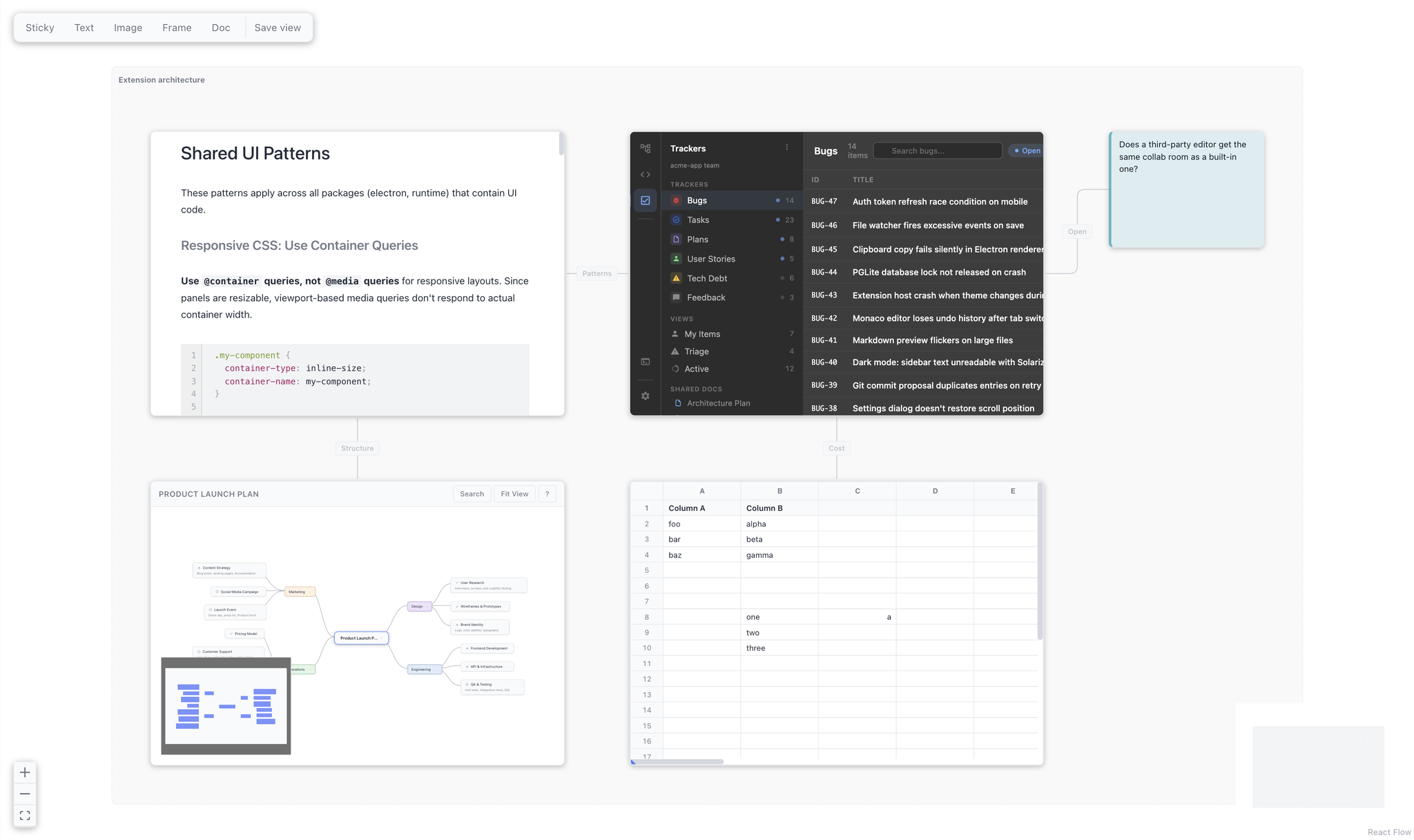
The Cards Are the Real Editors
Most boards hold pictures of your work. Someone exports a mockup, drops the PNG on the canvas, and it is wrong within a week.
A Project Canvas card points at a file in your workspace and mounts that file’s actual editor. The mockup card renders the mockup. The spreadsheet card renders the grid, with the real numbers. The markdown card renders the document. Click into a card and you are editing the file — not a copy, not a preview, the file. Close the board and the changes are simply in your repository, where they were always going to end up.
That is the whole idea: a board is a view over work that already exists, so it cannot drift from it.
Built In, With an Extension for Authoring
The Canvas editor ships inside Nimbalyst — any workspace can open a .canvas file without installing anything.
What this extension adds is the authoring skill. With it installed, you can describe the board you want — “put the three onboarding screens in a row, the plan on the left, and a sticky with the open question” — and an agent writes it: real paths, cards sized to be legible, geometry on the grid, edges wired in reading order. Without it, an agent has to guess at a format it has never seen, and you get a board you have to clean up by hand.
Key Features
- Live editor cards — any file type with a registered editor works: markdown, mockups, spreadsheets, mindmaps, diagrams, and anything an extension adds.
- Agent-authored layouts — describe a board and get one, snapped to the grid and wired with labeled edges.
- Frames, stickies, and edges — group related cards, park an open question next to the thing it is about, and show how screens connect.
- A deliberate home view — set where a reader lands when they open the board, separately from your own scroll position.
- JSON Canvas 1.0 on disk — a superset, not a fork. Boards written by other JSON Canvas tools open here, and unknown fields round-trip untouched.
Use Cases
- Screen flows — mockups in reading order with the transitions between them labeled.
- Workstream overviews — the plan, the spec, the design, and the data behind one piece of work, on one surface.
- Review boards — everything a reviewer needs in front of them at once, instead of eleven tabs.
- Research and synthesis — notes, sources, and a spreadsheet of findings arranged the way you actually think about them.
- Project home — the board you open first, that shows the state of things rather than describing it.
How It Works
Create a .canvas file, or ask an agent for a board. Cards mount their editors as you zoom in and go quiet when you zoom out, so a board with thirty cards stays responsive.
The file is JSON Canvas 1.0 with Nimbalyst’s card data under an x-nimbalyst key. The spec fields keep their spec meaning, so a board stays readable to any tool that understands the format.