Conductor for Windows and Linux
Conductor is Mac only. Nimbalyst runs the same workflow on Windows and Linux.
Conductor's installation docs state that it is not available for Windows or Linux yet. Nimbalyst gives you parallel Claude Code and Codex sessions, optional one-click git worktree isolation, and file-by-file diff review, with desktop builds for Windows, Linux, and macOS.
Free for individuals. Works with your existing Claude Code or Codex subscription or API key.
Why the platform question comes first
Conductor is a well-made macOS app for running Claude Code, Codex, Cursor, and OpenCode in parallel, each task in its own workspace, branch, terminal, and diff, with pull request, merge, and check flows on top. Its own installation documentation says it is available for macOS and not available for Windows or Linux yet, so for a large part of the market no feature comparison is needed until the platform filter is applied.
Conductor Cloud runs agents inside isolated Linux sandboxes on the paid tiers, which reads like a Linux answer but is not one: the workspaces are reached through the Conductor Mac app, so a Linux or Windows desktop still has no client.
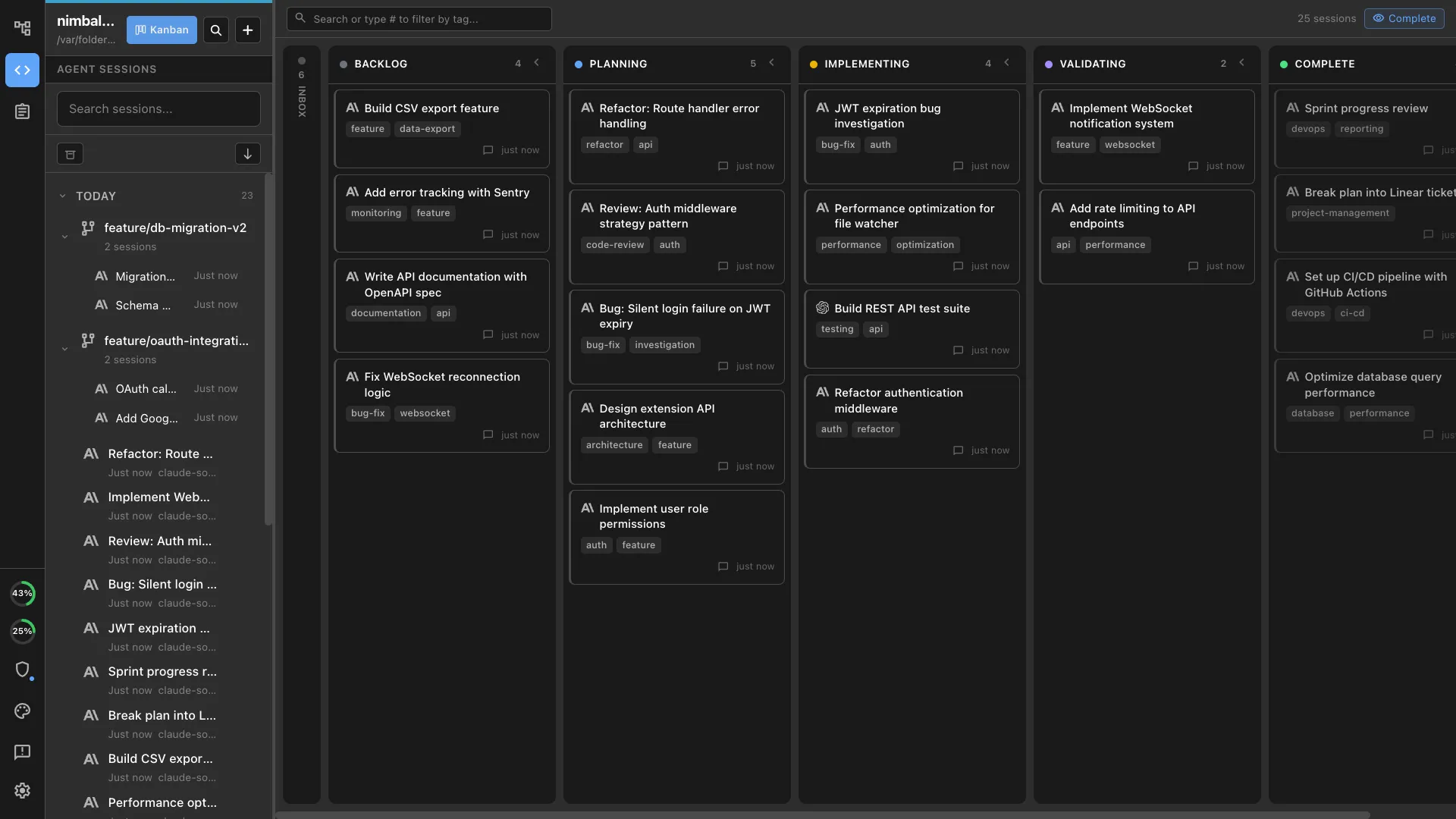
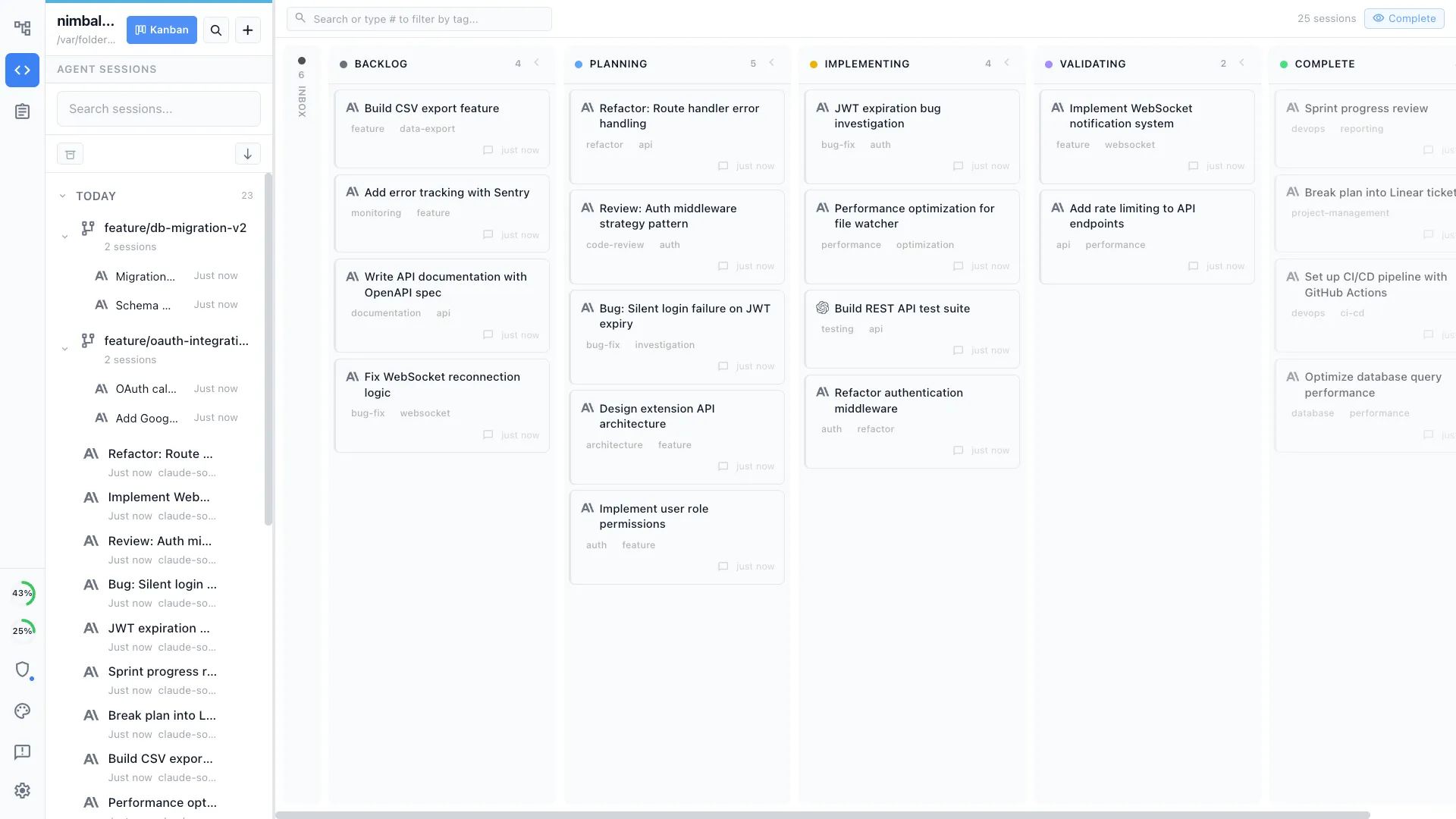
Nimbalyst runs the same shape of workflow on Windows, Linux, and macOS. Launch a Claude Code or Codex session per task, isolate each one in its own git worktree with a click, watch them all on a session kanban board, then review every changed file and accept or reject it before anything merges. A native iOS app covers session monitoring and review away from the desk.
Why Nimbalyst
What you get on Windows and Linux
Parallel sessions on a kanban board
Run six or more Claude Code and Codex sessions at once and keep them legible. Each card carries its own transcript, status, changed files, and phase, on every desktop platform.
One-click git worktree per session
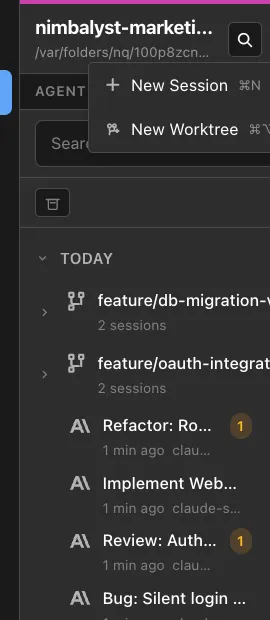
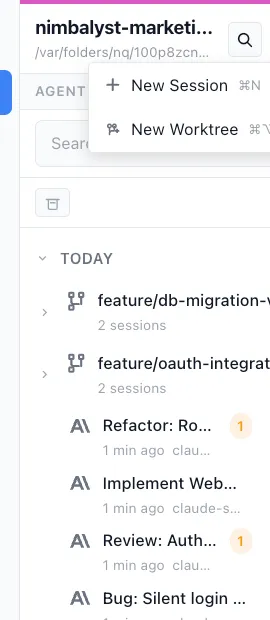
Give each session an isolated worktree so parallel agents never collide on the same working tree. Optional, per session, and the same on Windows, Linux, and macOS.
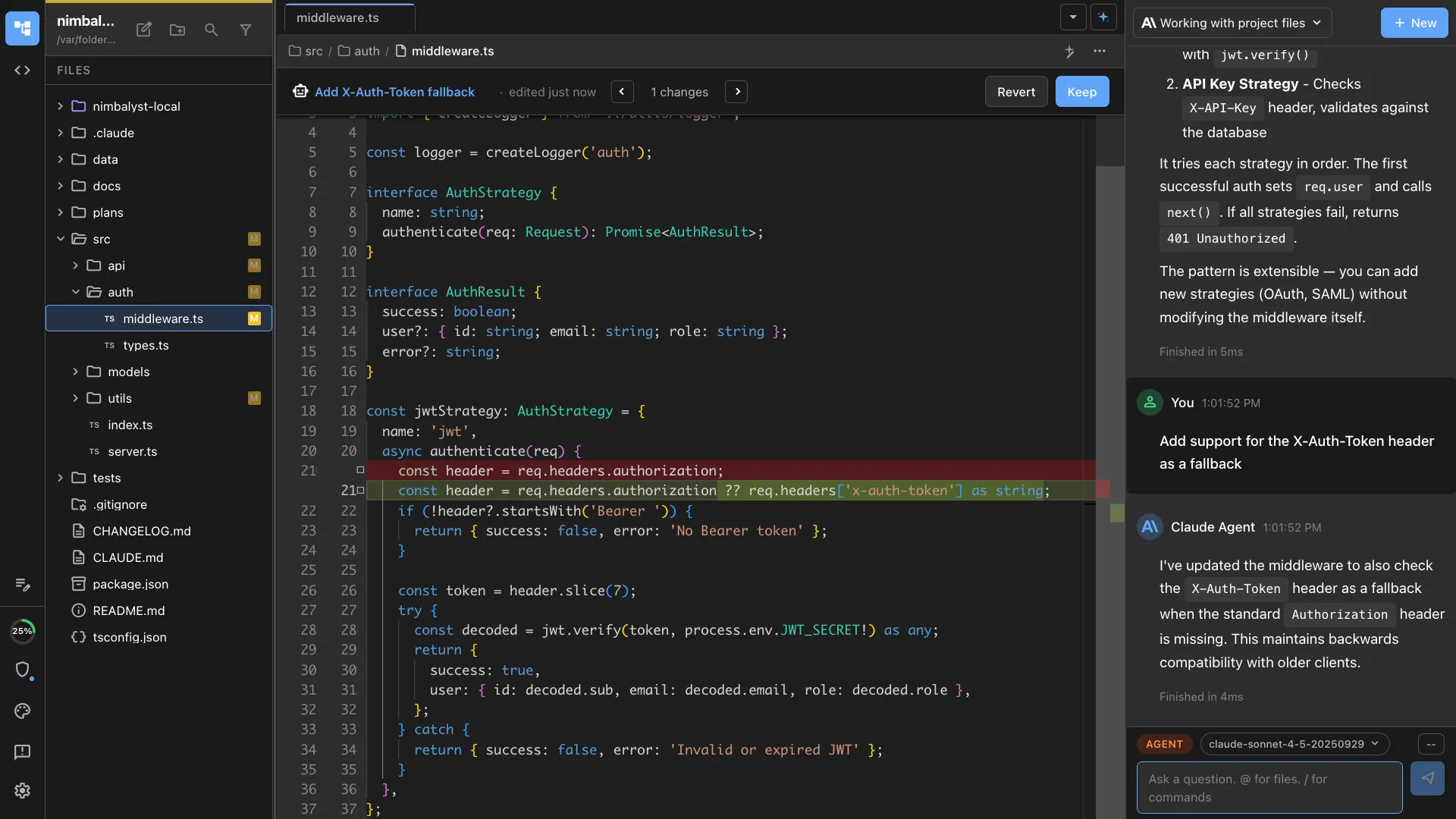
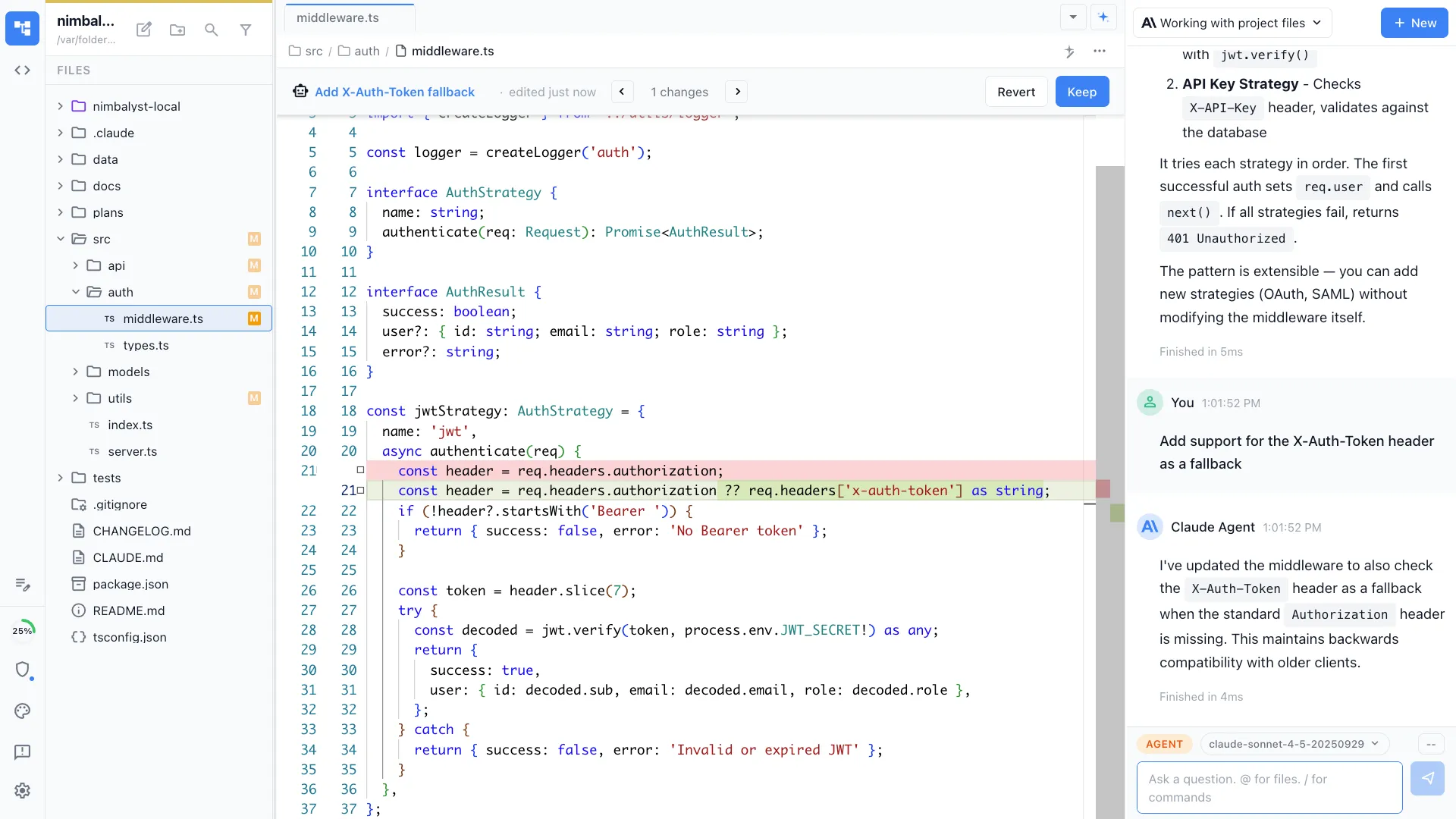
File-by-file diff review
Review agent changes as inline red and green diffs. Accept, reject, or hand-edit each change before it merges, across code, markdown, and config.
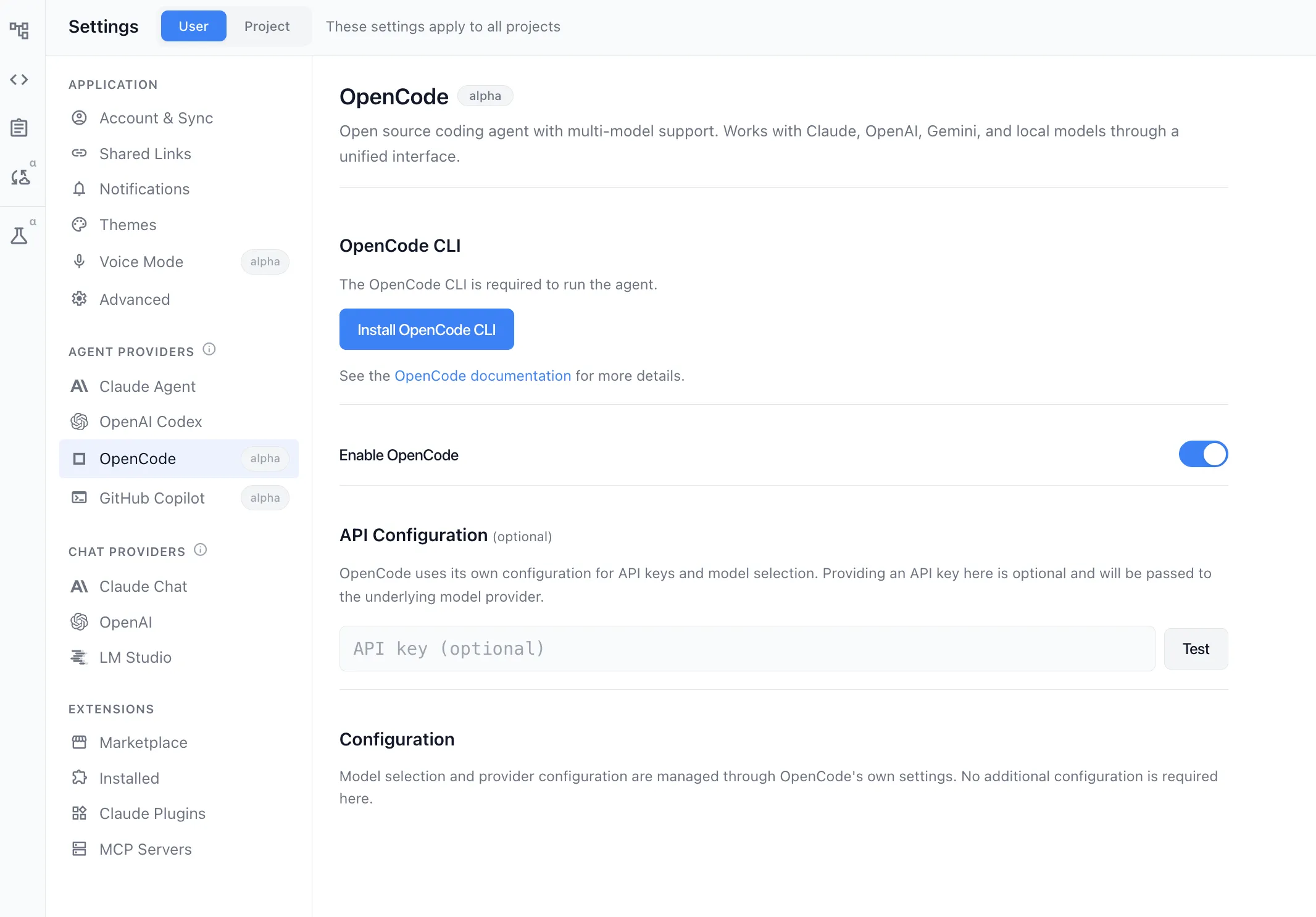
More than one agent engine
Claude Code and Codex run side by side on the same board, with OpenCode supported and Gemini CLI in alpha. Choose the engine per task rather than per app.
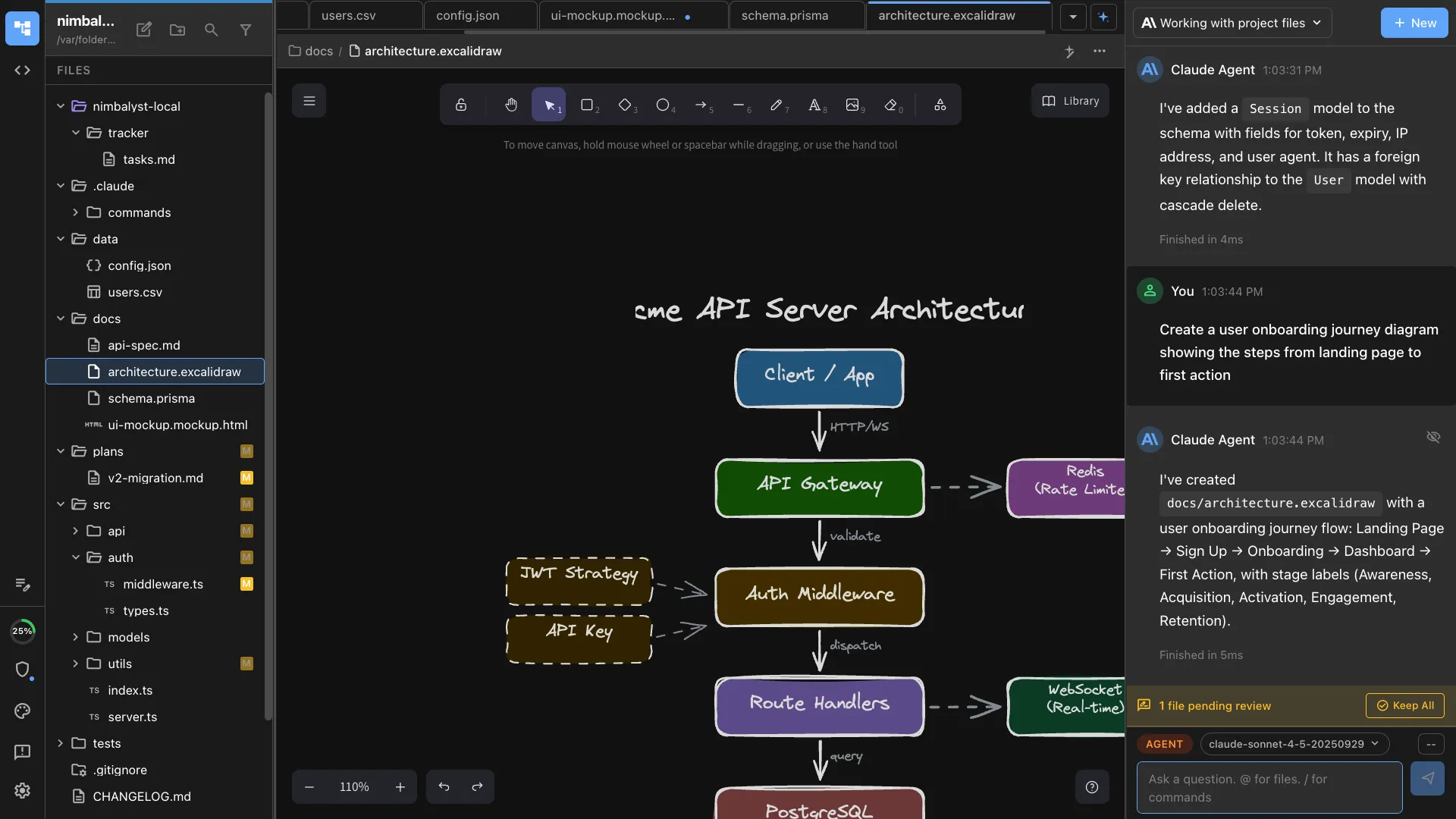
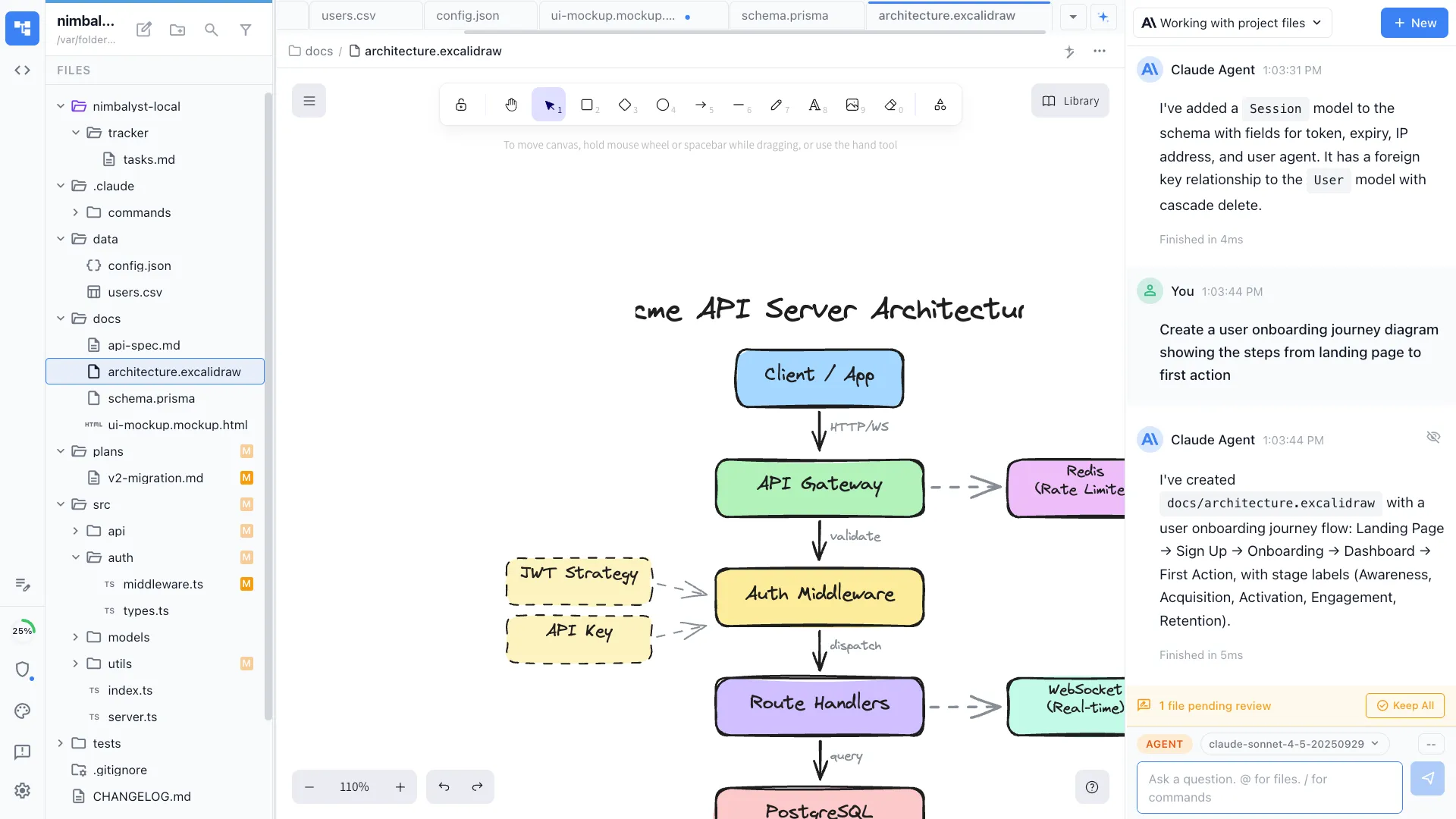
Editors for the work around the code
Markdown, mockups, Excalidraw diagrams, data models, spreadsheets, and code each open in a dedicated editor your agent can read and write, so specs and diagrams stay in the same app as the sessions that produced them.
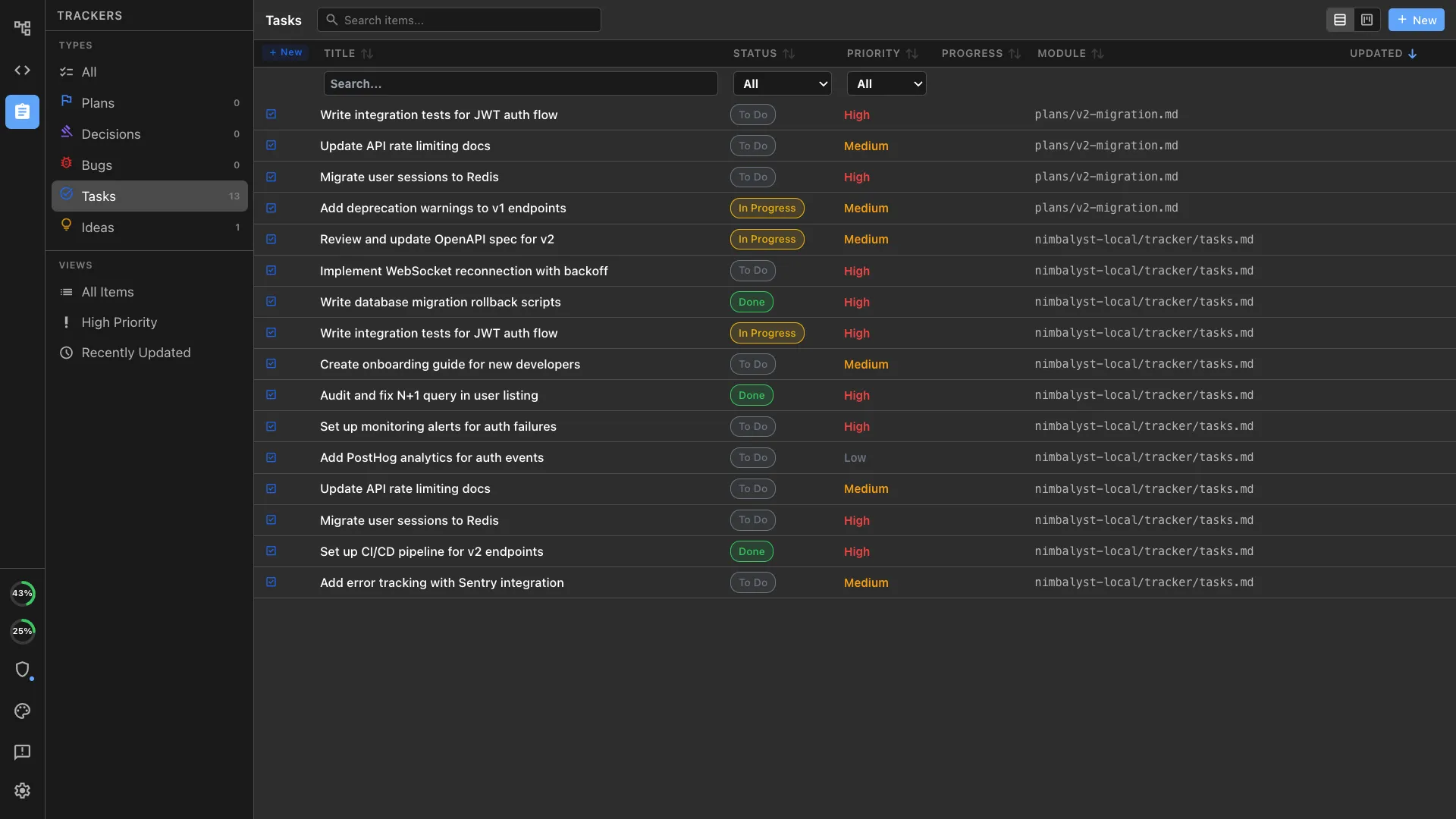
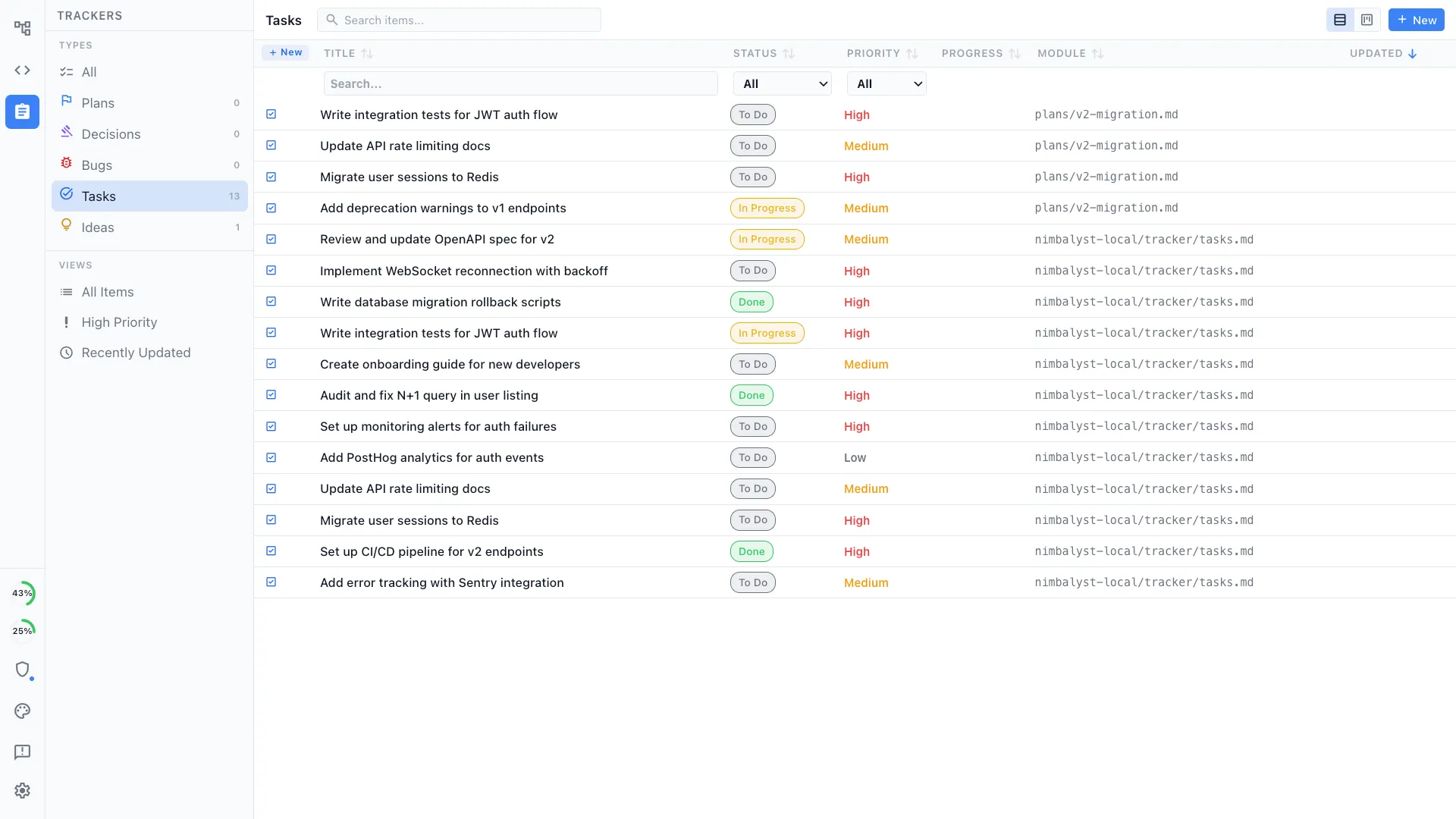
Plans and trackers tied to sessions
Write the plan as markdown, split it into tracker items, and launch a session from each one, so the work and the record of the work stay in the same place.
Open source
The Nimbalyst desktop and iOS apps are MIT licensed and free for individual use. Read the source, audit how it drives your agents, or fork it.
Comparison
Conductor vs Nimbalyst on platform coverage
| Feature | Conductor | Nimbalyst |
|---|---|---|
| Windows | Not available (per Conductor's install docs) | Windows desktop build |
| Linux | Not available (per Conductor's install docs) | Linux desktop build |
| macOS | Yes, and Mac-only by design | Yes |
| Mobile | Conductor mobile app listed as coming soon | Native iOS app for session monitoring and review |
| Agent engines | Claude Code, Codex, Cursor, OpenCode | Claude Code and Codex side by side, OpenCode supported, Gemini CLI in alpha |
| Isolated workspace per task | Workspace, branch, files, terminal, diff per task | Optional one-click git worktree per session |
| Review and merge | Diff viewer, checks, pull request and merge flow per workspace | File-by-file visual diffs with accept and reject, plus commit proposals |
| Editors for other artifacts | Code, terminal output, and diffs | Markdown, mockups, diagrams, data models, spreadsheets, code |
| Planning and tracking | Repo and workspace level workflow | Built-in plans and trackers linked to sessions |
| Cloud sandboxes | Conductor Cloud on paid tiers, managed by the vendor, reached through the Mac app | Agents run locally on your own machine |
| Team collaboration | Multiplayer on Pro and Teams, plus the Conductor API | Real-time multiplayer on docs, mockups, diagrams, and trackers |
| Licensing | Closed source, commercial | MIT for the desktop and iOS apps |
FAQ
Frequently asked questions
Is Conductor Mac only?
Does Conductor run on Windows?
Does Conductor run on Linux?
Does Nimbalyst work with WSL?
Is Nimbalyst a drop-in replacement for Conductor?
What is the best open-source Conductor alternative?
Can I run Claude Code and Codex at the same time?
Do I need new subscriptions?
Learn More
Related guides and comparisons
Best Conductor Alternatives 2026
The full round-up, with dedicated Windows and Linux sections and every cross-platform option compared.
Nimbalyst vs Conductor
The head-to-head feature comparison of the two products.
Parallel Claude Code sessions
How the multi-session worktree workflow works day to day.
Session management
Deep dive into the session kanban and parallel agent workflow.
AI diff review
Reviewing and accepting agent changes file by file.
Use existing Claude Code and Codex access
How provider accounts, API keys, billing, and usage limits fit into one workspace.
Nimbalyst is the open-source visual workspace for building with Codex, Claude Code, and more
Free for individuals. Works with your existing Claude Code or Codex subscription or API key.
Nimbalyst Teams is multiplayer. Your whole team, Codex, and Claude Code in one shared workspace.