Comparison
Best Google Docs Alternative for Developers
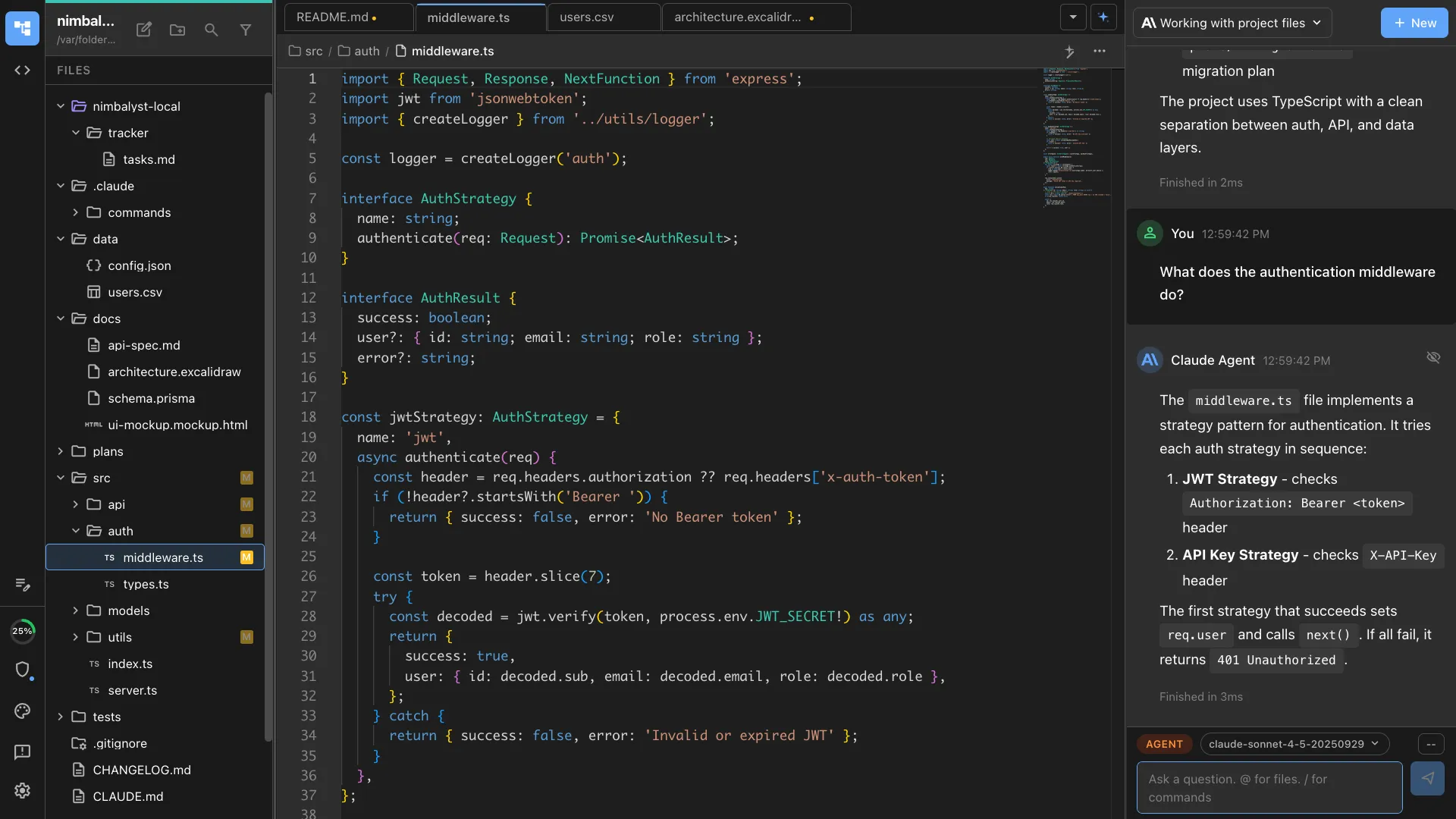
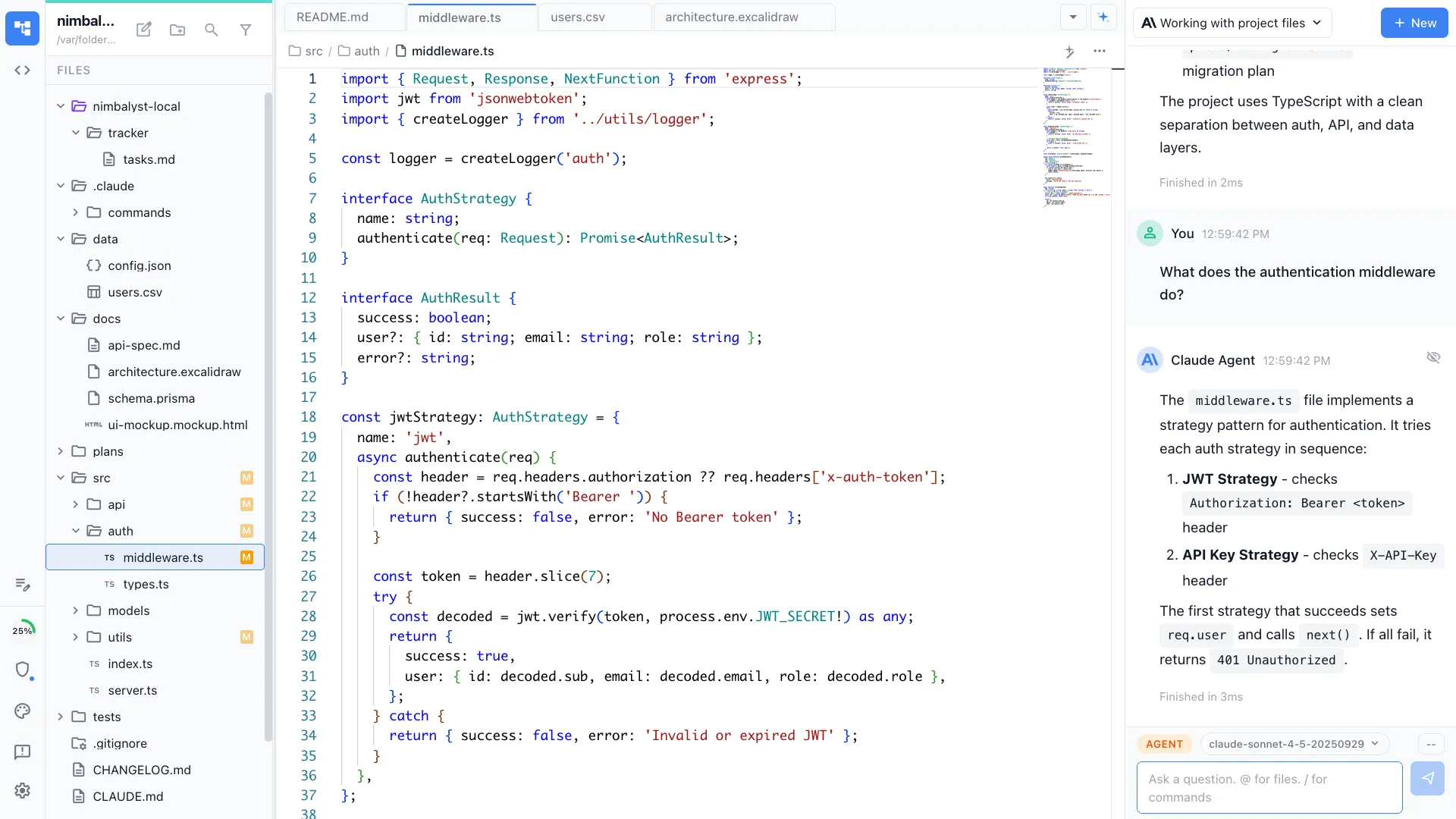
Looking for a Google Docs alternative for engineering work? Google Docs is a general-purpose document editor. Nimbalyst is the open-source visual workspace for building with Codex, Claude Code, and more, where docs are native to your coding agents. Plans, specs, and notes live next to sessions, tasks, diagrams, and code, and your agents can read them and act on them.
Free for individuals. Works with your existing Claude Code or Codex subscription or API key.
Overview
Two tools, different approaches
Nimbalyst
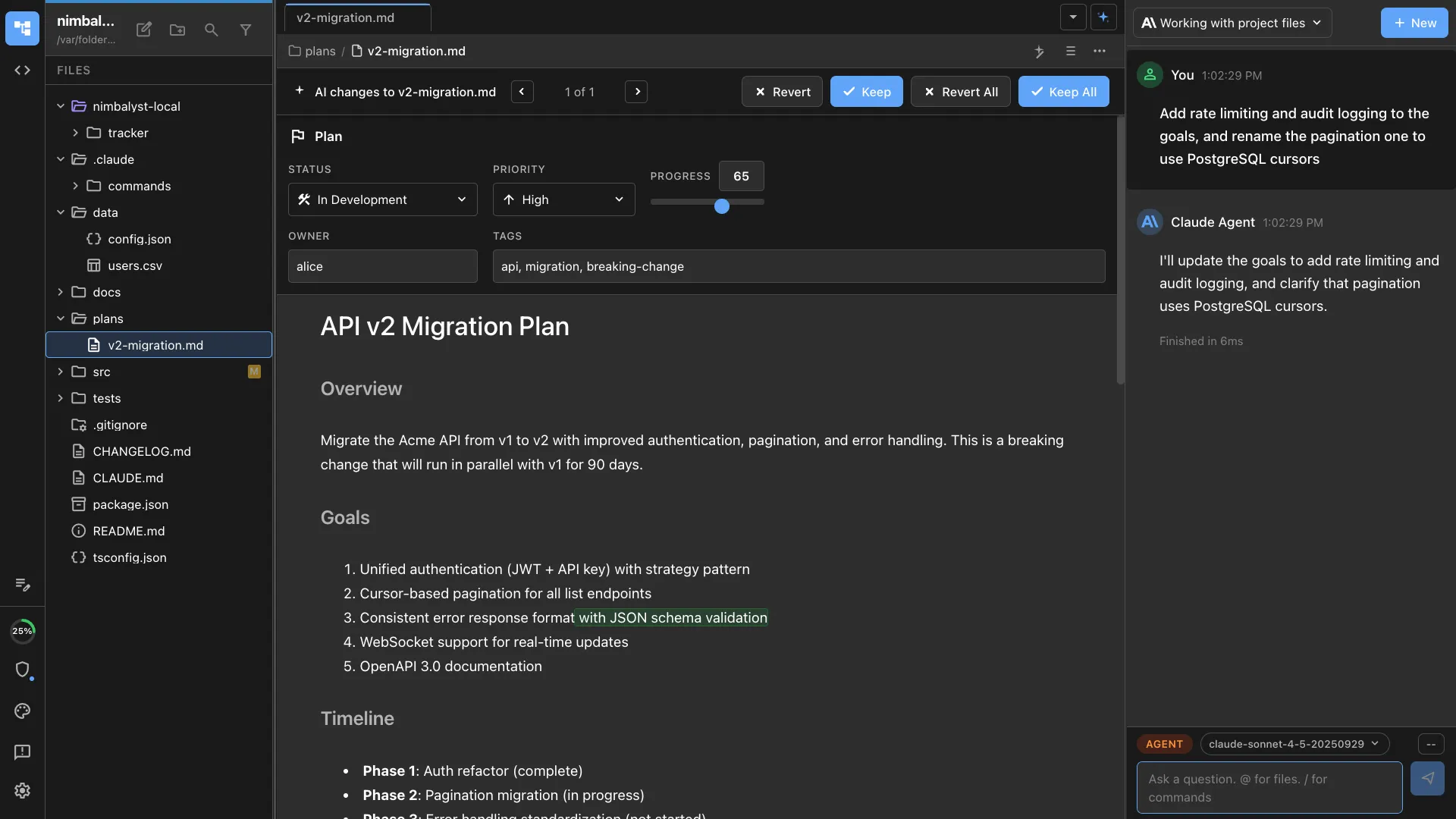
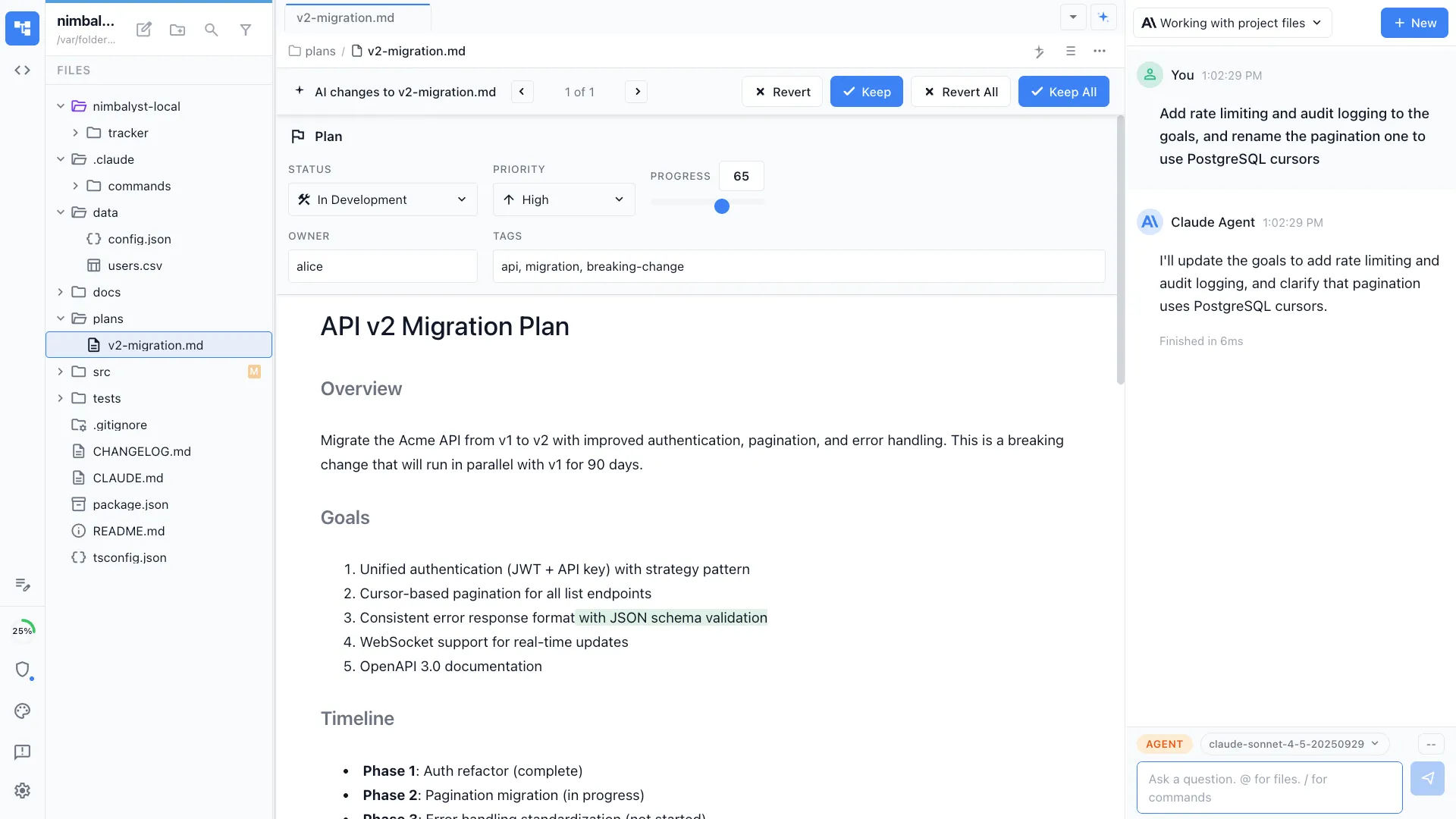
Nimbalyst is an open-source visual workspace that runs Claude Code and OpenAI Codex side by side. Docs are written in markdown and live in the same workspace as sessions, tasks, diagrams, and code, with real-time multiplayer editing and red and green diff review. The desktop and iOS apps are MIT licensed and free for individual use.
Google Docs
Google Docs is a cloud document editor built for general-purpose writing and collaboration. It is strong for company-wide docs and comments, but it sits apart from your repository and your coding agents, so an agent cannot read a spec and act on it.
Feature Comparison
Side-by-side breakdown
Nimbalyst Advantages
Where Nimbalyst shines
Docs your agents can act on
Write plans and specs in markdown. Claude Code and Codex read them and implement the work, instead of a document sitting in a separate tool the agent cannot reach.
Docs connected to tasks and code
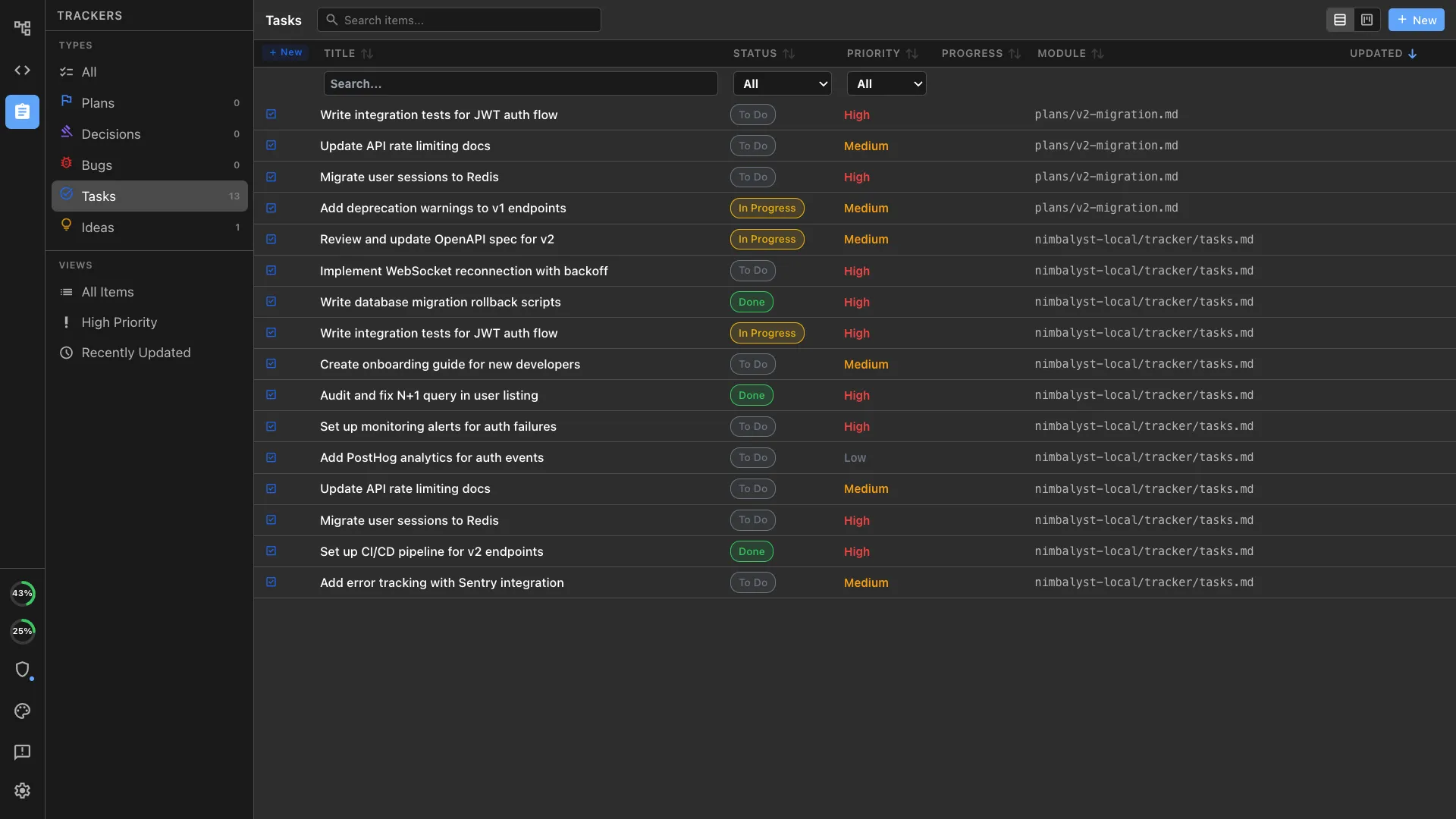
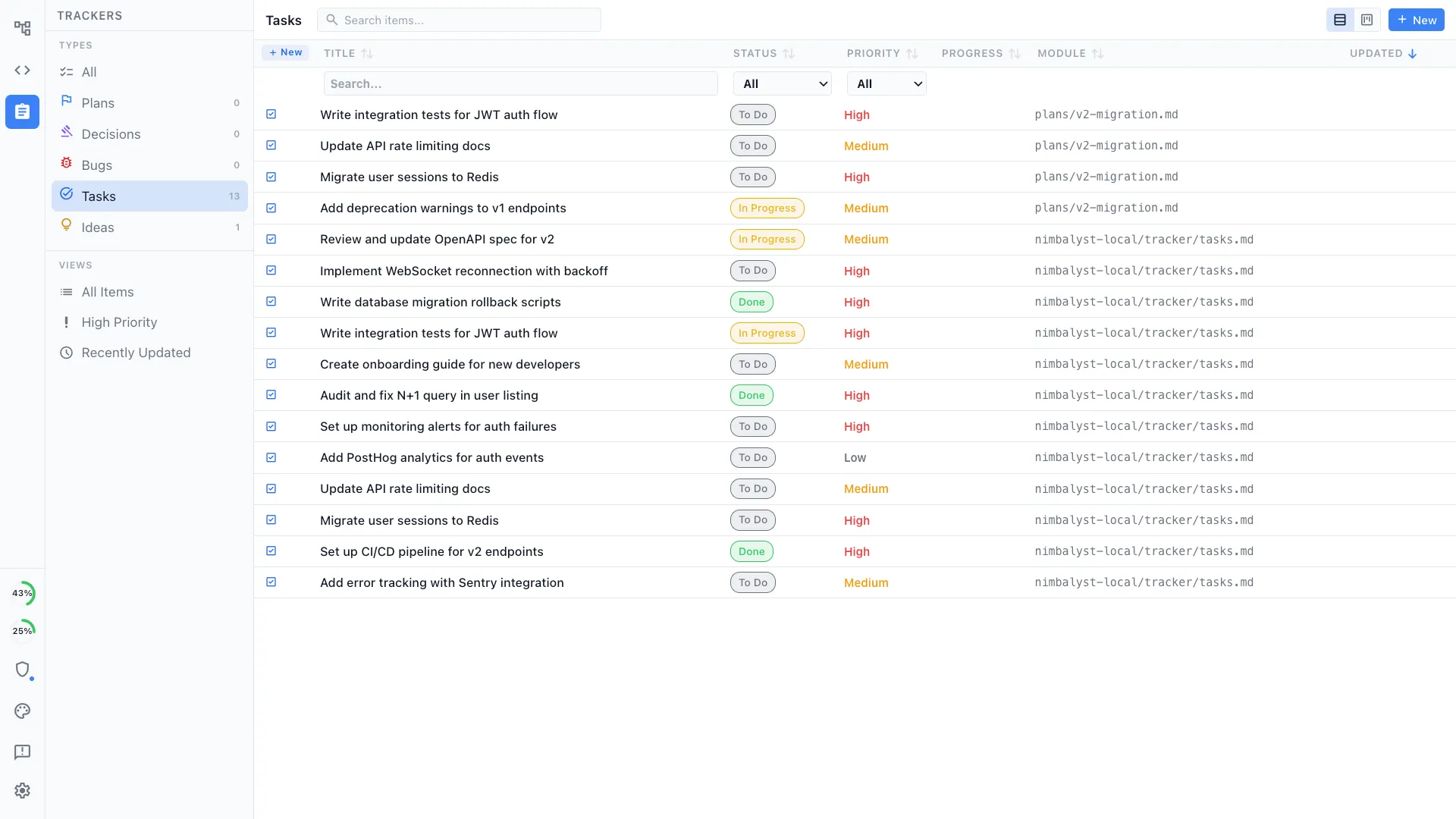
A spec links to the tracker item and the session that implements it, so the writing and the work stay in one graph rather than scattered across Docs, a tracker, and the repo.
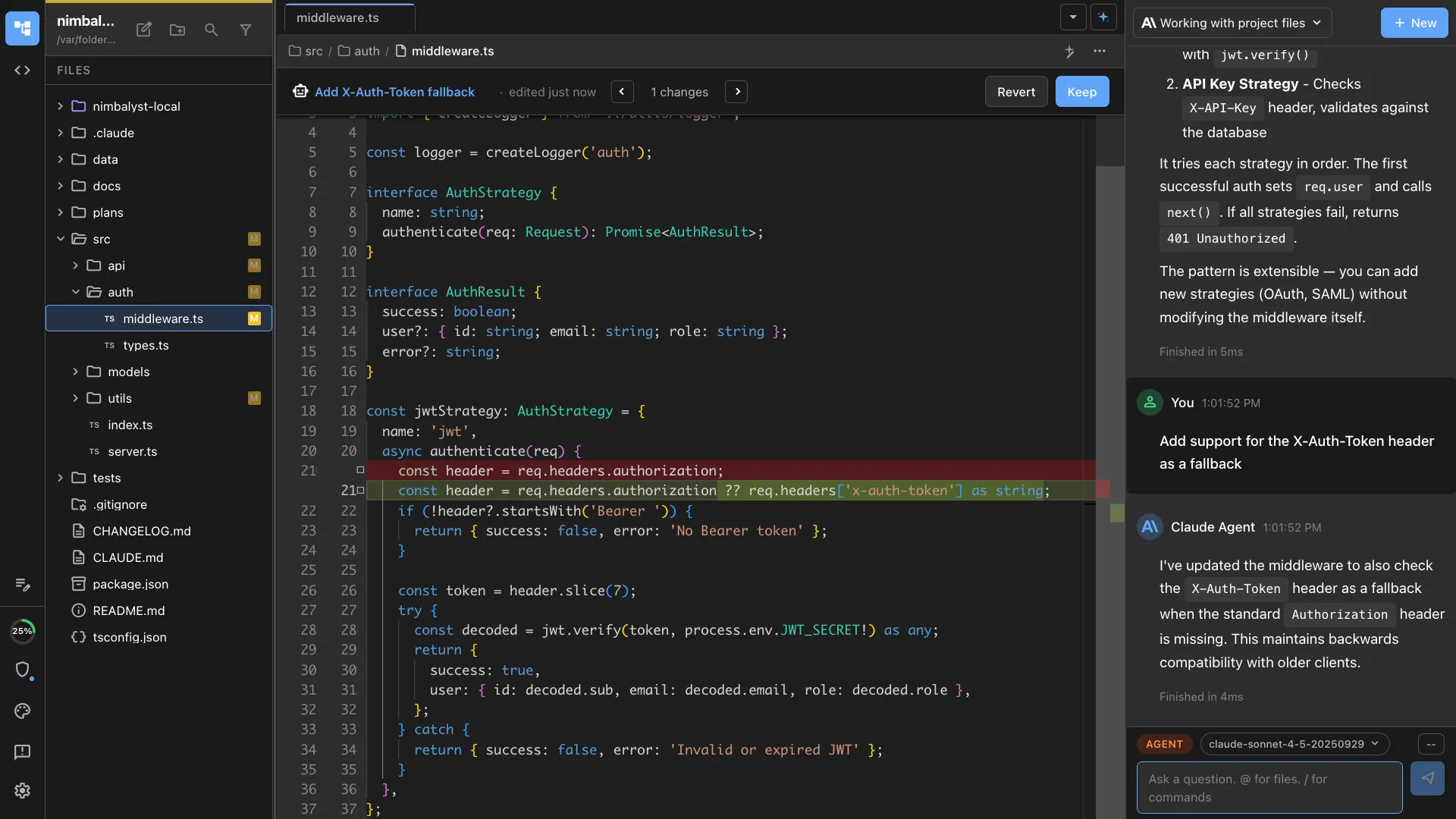
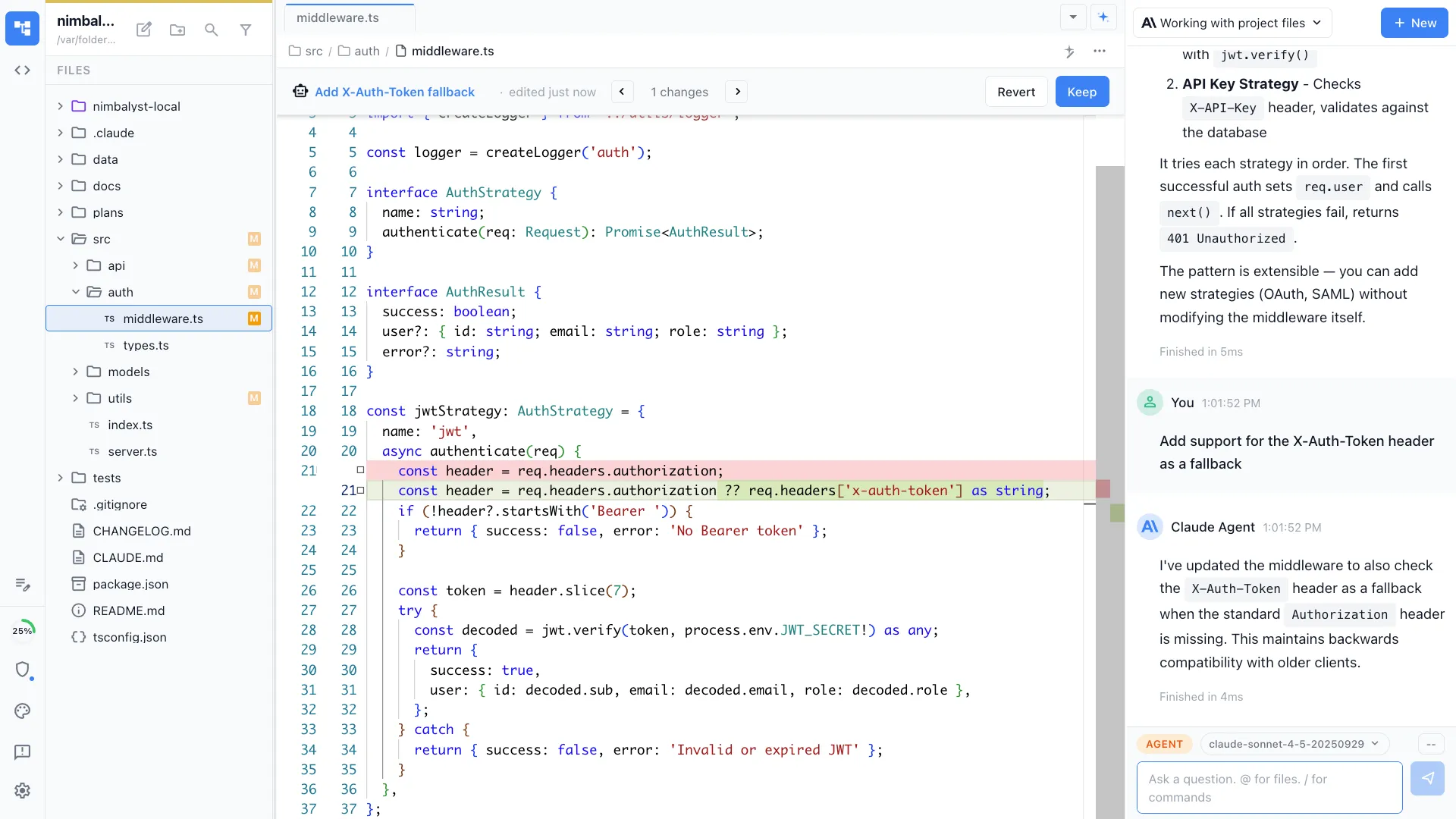
Review changes like code
Edits to docs show as red and green diffs you approve inline, the same review surface you use for code.
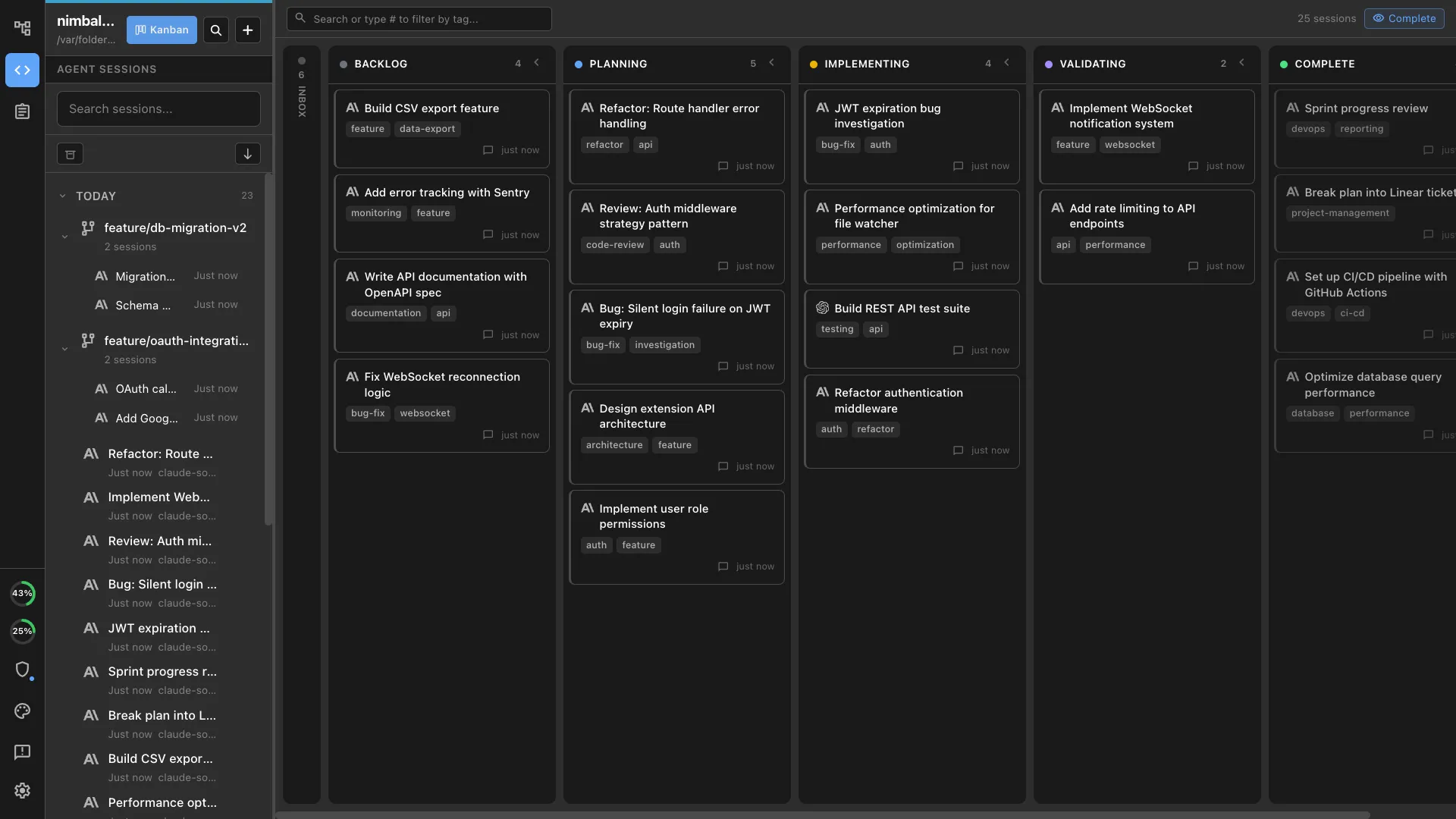
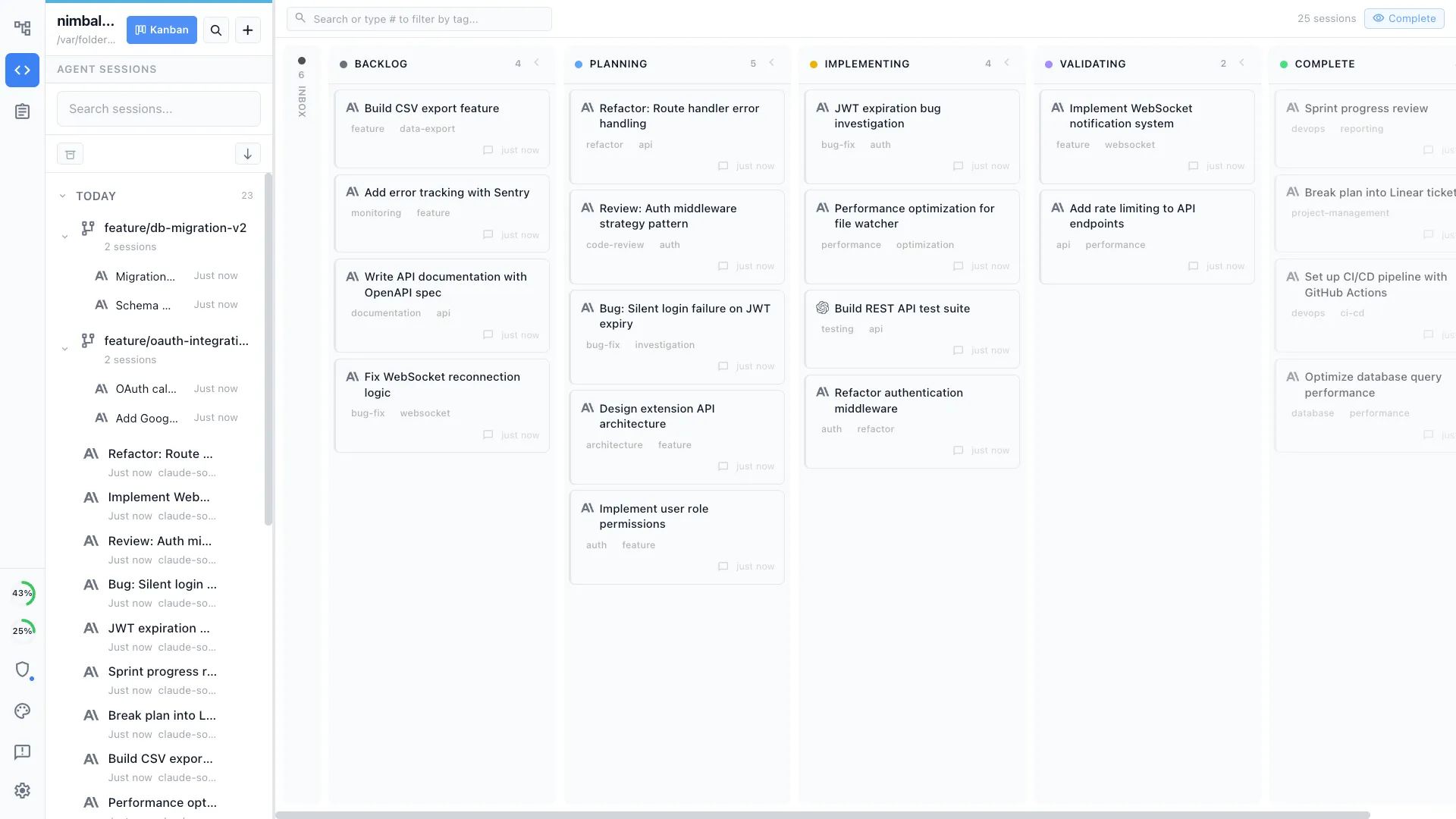
Your coding agents, integrated
Claude Code, Codex, and other supported agents work directly with the files, plans, tasks, and visual artifacts in the workspace.
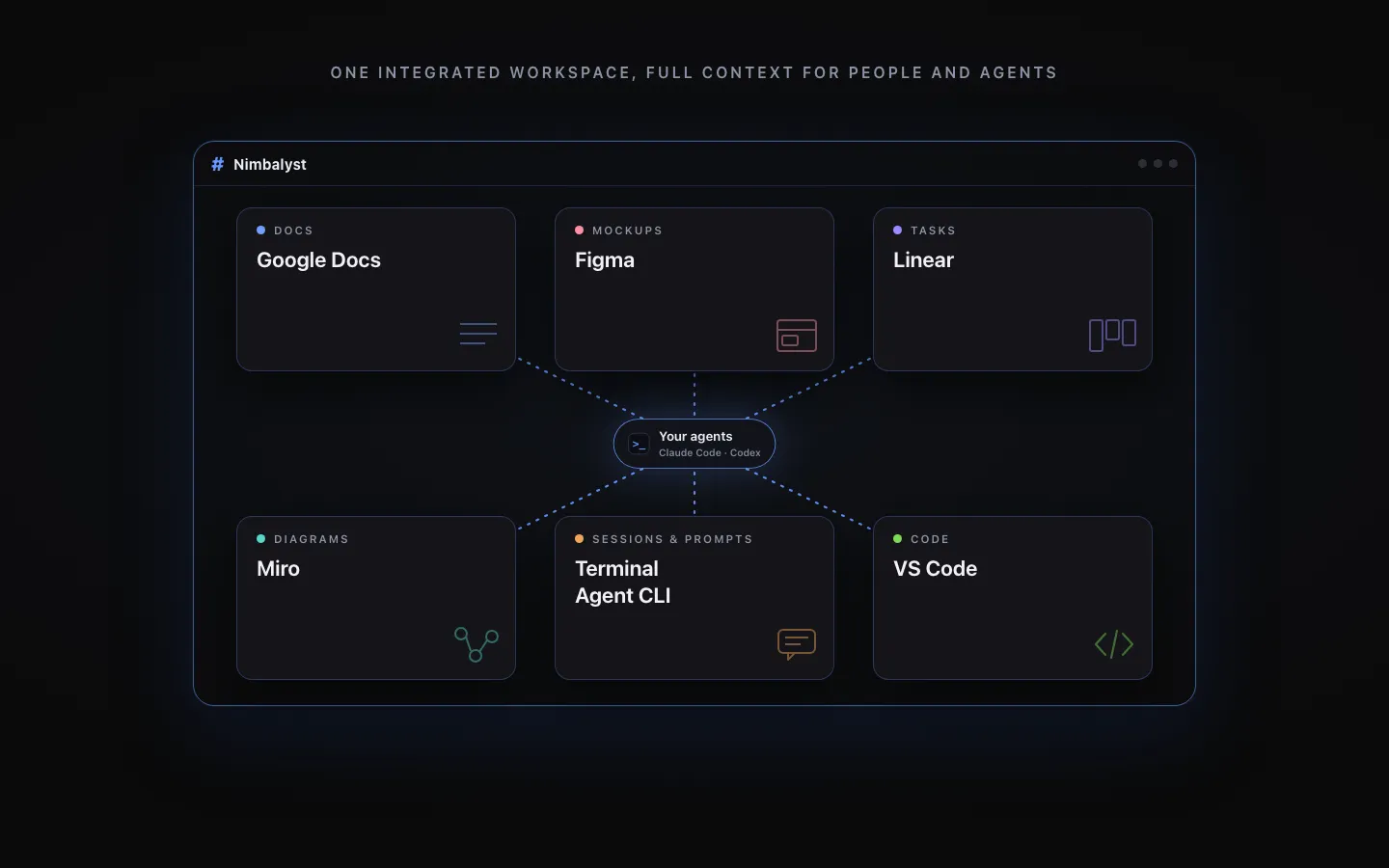
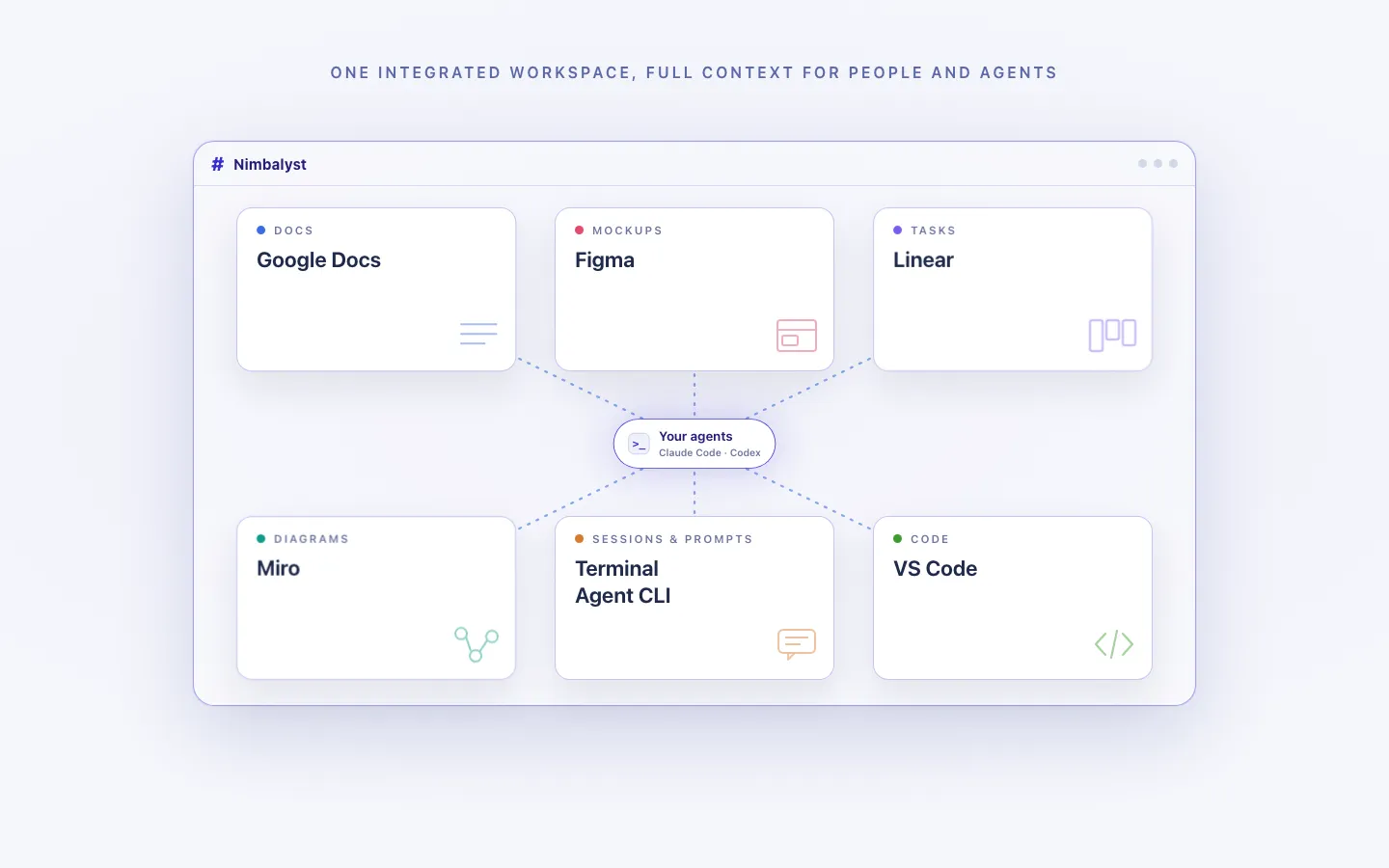
Every artifact in one workspace
Edit markdown, mockups, diagrams, code, and CSV data together, with the same project context available to people and agents.
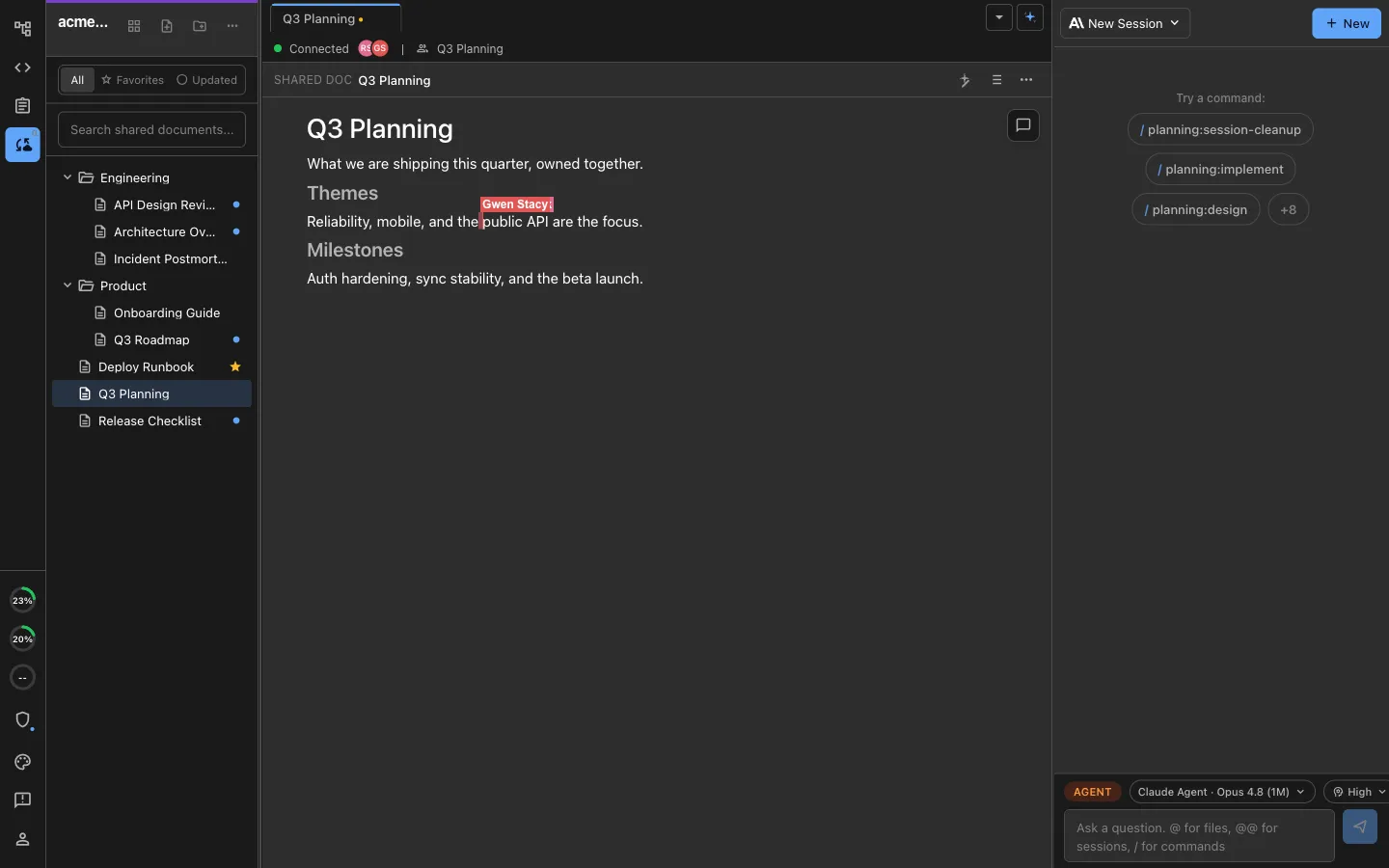
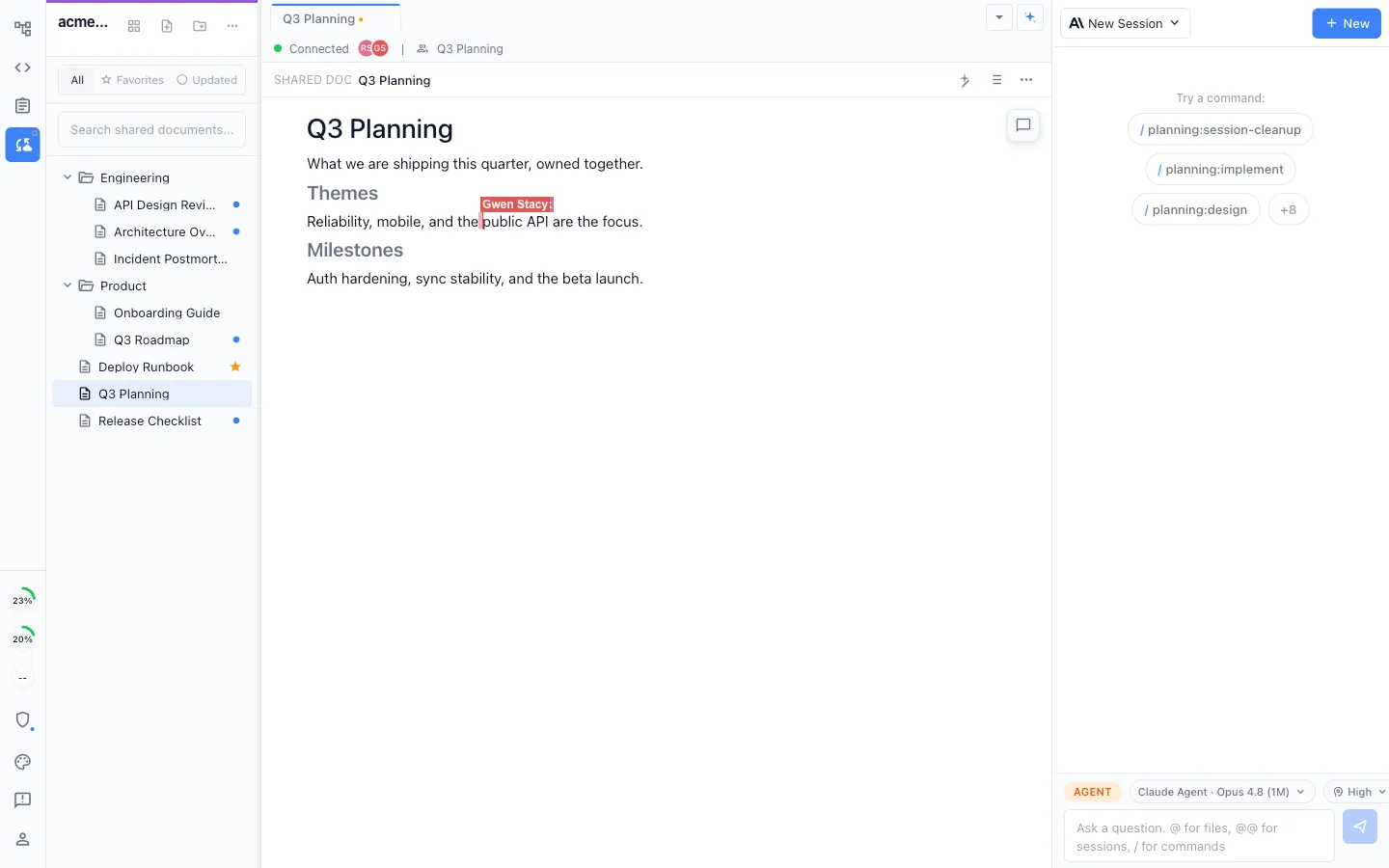
Local for individuals, collaborative for teams
Work locally in the MIT-licensed desktop app, or collaborate in real time on shared docs, diagrams, mockups, and trackers.
Honest Assessment
Where Google Docs is stronger
Best-in-class co-editing
Google Docs has excellent real-time collaboration and commenting for general-purpose documents, at very large scale.
Ubiquity and sharing
Almost everyone has a Google account, so sharing and commenting across a whole company is frictionless.
General-purpose formatting
For non-technical documents, letters, and rich formatting, Google Docs is a mature, familiar editor.
Recommendation
Who should use which
Choose Nimbalyst if…
Choose Nimbalyst when docs are part of building software: specs, plans, and notes your coding agents read and act on, next to sessions, tasks, and code.
Choose Google Docs if…
Choose Google Docs for general-purpose documents and broad, non-technical collaboration where coding agents are not part of the workflow.
Many teams keep Google Docs for company-wide documents and use Nimbalyst for the specs and plans that turn into agent work.
More Comparisons
Related comparisons
Best Notion Alternative for Developers
Code-aware docs and databases native to your agents.
Best Confluence Alternative for Engineering Teams
Docs, tasks, and code in one workspace instead of a wiki.
Best Obsidian Alternative for AI Coding
Markdown your agents can read and act on.
vs Claude Code
Compare Nimbalyst with Anthropic's official coding agent.
Want docs your coding agents can read, write, and act on, in one open-source workspace? Download Nimbalyst free.
Free for individuals. Works with your existing Claude Code or Codex subscription or API key.
Wiki Teams is one multiplayer wiki for your whole team and all of your agents.