Claude Code Artifacts: How They Work, Limits, and Use Cases
Claude Code Artifacts turn coding sessions into shareable web pages. Learn how they work, current limits, security considerations, and alternatives.
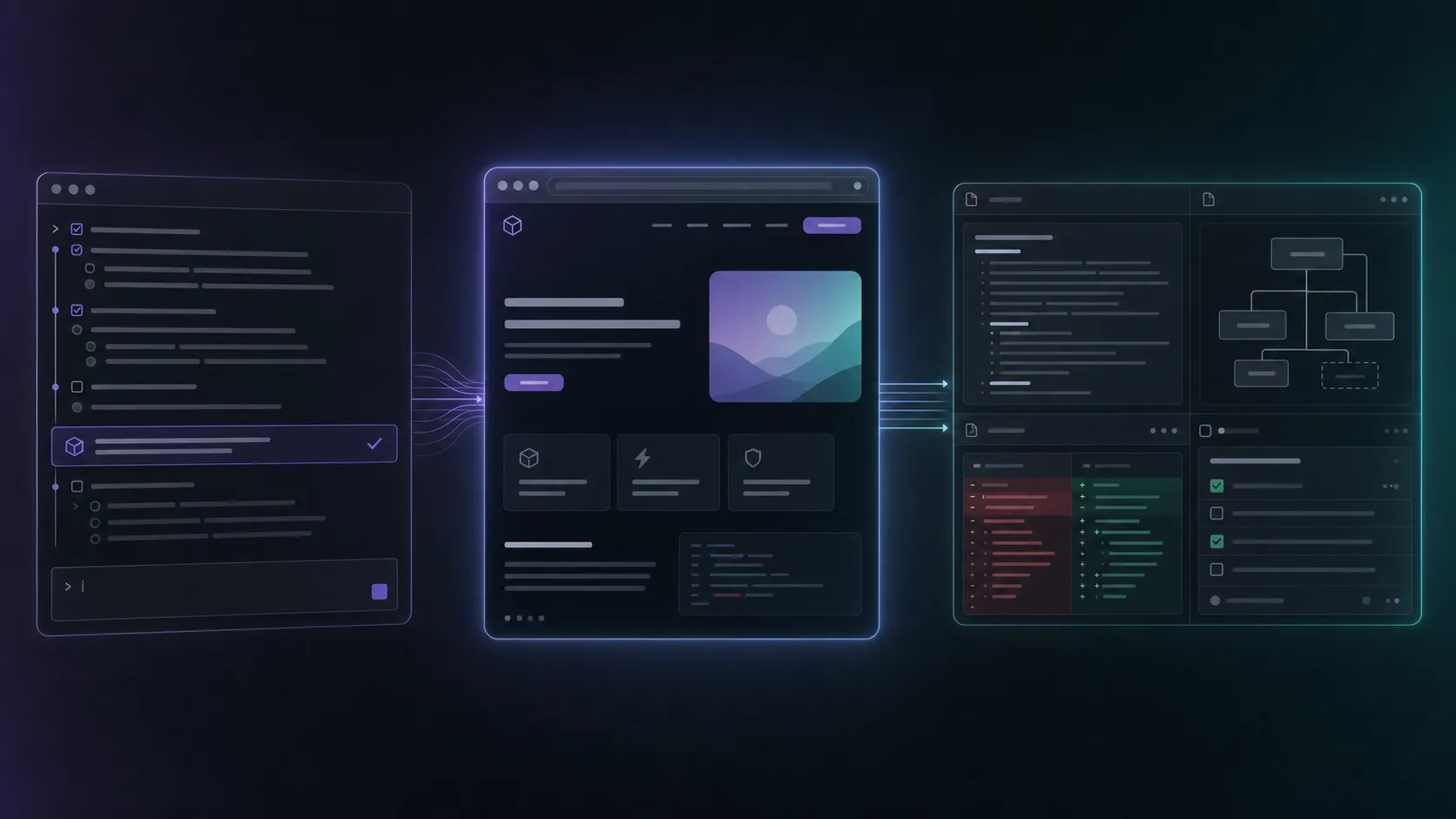
A Claude Code Artifact is a hosted web page published from a Claude Code session. It turns the work inside that session, including repository context, conversation, diffs, and connected tools, into something visual that another person can inspect in a browser.
Think of a pull-request walkthrough with the important changes annotated, an incident page assembled from logs, or a release checklist that updates while Claude works. The output is easier to understand than a wall of terminal text and faster to share than a hand-built status report.
The short answer stops there. The details that matter are what an artifact can contain, how publishing and sharing work, and when you should use a repository file or preview deployment instead.
What Claude Code Artifacts are
Anthropic’s API documentation describes a Code Artifact as “a hosted site published via Claude Code.” The artifact belongs to its creator and can have multiple published versions under the same identifier. Enterprise administrators can also manage artifact access through Claude roles and the Compliance API.
The feature arrived in beta in June 2026, initially for Team and Enterprise plans, as a way to make coding-agent work legible outside the terminal. Claude Code already knows what happened in the session: what you asked, which files it read, what it changed, what tests ran, and what data came back from connected tools. An artifact lets Claude reorganize that context into a purpose-built page.
Useful examples include:
- A pull-request walkthrough that explains the reasoning behind a diff
- A bug report with the reproduction, root cause, patch, and test evidence
- An incident page that combines logs, a timeline, and remediation tasks
- A release readiness checklist that tracks completed and remaining work
- A security review that groups findings by severity and affected file
- A system map or migration report derived from the actual codebase
- A stakeholder update that translates technical progress into a visual summary
The feature’s center of gravity is communication. Rather than showing source code, it turns a working session into a page designed for a reader.
How to create a Claude Code Artifact
Creation is prompt-driven. There is no special syntax you need to memorize. Ask Claude Code for the page you want and name the intended reader.
For example:
Create an artifact that walks through this pull request for a reviewer.
Show the goal, the important files, the meaningful diff sections, the tests
that passed, and the two decisions where I still want feedback.
Or:
Create an artifact for this incident. Include the timeline, the evidence we
found, the root cause, the fix, and the follow-up tasks. Make it readable by
an engineering manager who was not in the debugging session.
In current Claude Code versions, the workflow generally looks like this:
- Claude uses the session and project context to generate a self-contained page.
- You review the publish action before the page leaves your machine.
- Claude publishes the artifact and returns its hosted URL.
- Further publishes create new versions associated with the same artifact.
- You choose who can read the artifact using the sharing controls available to your account or organization.
The feature is still moving quickly, so exact UI wording and account availability may change. Anthropic’s Claude Code roles documentation is the best place to confirm current organization controls. The Code Artifacts Compliance API documents the underlying artifact, version, owner, and read-mode model.
What makes a good artifact prompt
“Make an artifact” works, but it gives Claude too much freedom. The result improves when you specify the reader, the decision they need to make, and the evidence that must be visible.
A good prompt answers four questions:
- Who is reading it? A code reviewer needs different detail from an executive or customer-support lead.
- What should they understand? Name the conclusion, decision, or workflow the page should make clear.
- What evidence matters? Ask for exact files, diff sections, test results, logs, or connected data.
- What should the reader do next? Request feedback, approval, a choice between options, or simply awareness.
For a PR walkthrough, do not ask for “a pretty summary.” Ask Claude to distinguish behavior changes from mechanical edits, link claims to files, show test evidence, and identify unresolved review questions. The value is compression: a complicated session distilled into a page that supports a decision.
Claude Code Artifacts vs Claude.ai Artifacts
The names are almost identical, but the source context and workflow are different.
Claude.ai Artifacts begin in a normal Claude conversation. They appear beside the chat and are commonly used for documents, code snippets, small interactive tools, visualizations, and prototypes.
Claude Code Artifacts begin in a coding-agent session. They can be informed by the repository, terminal work, diffs, tests, connected MCP tools, and the full conversation that produced the change. The result is published as a hosted page connected to that engineering session.
There is some visual overlap: both can produce polished interactive pages. The distinction is where the context comes from. A Claude.ai Artifact knows the chat and what you uploaded. A Claude Code Artifact can explain work performed against an actual project.
Current limits to understand
Claude Code Artifacts are hosted pages, not miniature production environments. This keeps them fast and safe to open, but it also creates boundaries.
They are designed to be self-contained
Current implementations package the page into a constrained hosted format. Independent testing of the launch version found a 16 MiB page cap and a strict content security policy that blocks external scripts, styles, fonts, images, and view-time network requests. Those implementation details can change during beta, so check Anthropic’s current product guidance if your artifact is close to the limit.
In practice, this means an artifact is a strong fit for an explanation, report, diagram, dashboard snapshot, or interactive presentation. It is a weak fit for anything that needs a live backend, third-party API, authenticated database, or external asset pipeline.
Version history is useful, but not permanent storage
Republishing creates versions. Anthropic’s Compliance API currently exposes roughly the 20 most recently published versions and notes that older versions are not retained indefinitely. Keep the source that matters in your repository or another system of record.
Hosting changes the privacy model
An artifact can be built from sensitive context: source code, internal logs, incident details, infrastructure configuration, customer information, or security findings. Review the generated page before publishing it. Do not assume that because the underlying Claude Code session was local, the published artifact is also local.
Anthropic’s API model includes owner, users, org, and public read modes. The choices you can actually select depend on your plan, organization settings, administrator policies, and rollout state. Confirm the active sharing setting rather than inferring it from the URL.
The artifact is an explanation layer, not the application
If someone needs to click through the running frontend, test authentication, submit data, inspect network behavior, or verify server-side integration, publish a preview deployment. If they need to understand what changed and why, an artifact is often the faster answer.
Claude Code Artifact vs local file vs preview deployment
| Choose | Best when | Main strength | Main limitation |
|---|---|---|---|
| Claude Code Artifact | Someone needs to understand work from a coding session | Fast, visual, shareable explanation built from session context | Constrained hosted page, not the running application |
| Local HTML or markdown | The output should live with the project | Portable, reviewable in git, editable by any tool | You need to arrange hosting or send the file yourself |
| Preview deployment | Someone needs to test the actual product | Runs the real application stack | Requires deployment infrastructure and is slower to assemble |
| Project-native visual workspace | The work must stay editable across sessions, files, and agents | Persistent docs, diagrams, mockups, diffs, and tasks remain connected to the project | It is a working environment rather than a one-link presentation |
These are complementary outputs. A team might keep the specification, diagram, and implementation plan in the repository; deploy the branch to a preview environment; and publish a Claude Code Artifact that guides a reviewer through both.
Where Nimbalyst fits
Claude Code Artifacts solve a genuine terminal problem: the person who did not sit through the session needs a visual explanation of the work. They turn a transcript into something another person can scan.
Nimbalyst solves a neighboring problem. The underlying work needs somewhere to live before and after that presentation. Plans change, mockups get revised, and architecture diagrams evolve. A reviewer approves some diff sections and rejects others. Another Claude Code or Codex session picks up the task next week.
In Nimbalyst’s visual editor for Claude Code, the same underlying deliverables can live as project files rather than a final hosted snapshot. They remain editable after the agent finishes, so a plan can be revised, a diagram can be rearranged, a mockup can be refined, and a document can continue evolving with the implementation.
Those editable artifacts also remain connected to the work that produced them. A document can link to its tracker item, the Claude Code or Codex sessions working on it, and the decisions, diffs, and follow-up tasks around it. This gives the next person, or the next agent, the context behind the artifact instead of only its latest rendered state.
For teams, shared documents and trackers can be collaboratively edited rather than passed around as frozen exports. Teammates can work in the same material, leave comments, review changes, and keep the artifact connected to the sessions and tasks moving it forward.
In practice, that means:
- Markdown stays editable in a WYSIWYG editor with inline AI diffs
- Excalidraw and Mermaid diagrams remain editable visual documents
- Mockups and data models stay connected to the implementation
- Artifacts can link directly to tracker items and the agent sessions working on them
- Every changed file remains traceable to the session that touched it
- Teams can collaboratively edit shared documents and trackers, comment, and review changes
- Plans, tasks, sessions, decisions, and diffs remain connected as the work evolves
- Claude Code and Codex can work in the same workspace
Nimbalyst is not a substitute for Claude Code Artifacts. Use a Claude Code Artifact when you need to publish the explanation. Use a project-native workspace when the material needs to keep evolving with the product.
Claude Code Artifacts make a session shareable. Nimbalyst keeps the work editable.
Security checklist before publishing
Treat an artifact like any other page leaving your development environment.
- Read the generated page from top to bottom before approving publication.
- Search for secrets, tokens, private URLs, customer data, and internal hostnames.
- Remove source code that the reader does not need.
- Verify the artifact’s current read mode and intended audience.
- Prefer the least-permissive sharing option that completes the task.
- Keep authoritative source material in git, not only in artifact history.
- For regulated environments, confirm that artifact publishing is allowed by organization policy.
Enterprise administrators should also understand that Claude Code Artifacts have explicit capability controls and Compliance API endpoints for listing, retrieving, and deleting organization-owned artifacts. This is a useful governance signal, but it does not replace careful review before publication.
When to use Claude Code Artifacts
Use one when:
- The work already happened inside Claude Code
- The reader was not present for the session
- A visual walkthrough will be clearer than terminal output or a long message
- The page can be self-contained
- The goal is understanding, feedback, approval, or status
Use something else when:
- The reader needs to test the real application
- The output needs a backend or live external data
- The source should remain a durable, editable project file
- The material contains sensitive information that should not be hosted
- The workflow spans multiple sessions and the artifact itself must continue evolving
Claude Code Artifacts are not a replacement for repositories, preview environments, project documentation, or visual workspaces. They are the explanation layer between a powerful coding session and the people who need to understand its result. Used for that job, they are one of the clearest improvements Anthropic has made to the Claude Code workflow.
Sources and further reading
Related pages
-
Visual editor for Claude Code
Keep markdown, diagrams, mockups, diffs, and code editable beside the agent that changes them.
-
Claude Code GUI & Workspace
What a full workspace adds beyond a terminal or single-session chat interface.
-
Nimbalyst vs Claude Code Desktop
Compare Anthropic's official app with an open-source visual workspace for multiple coding agents.
Related posts
-
Best Conductor Alternatives 2026: Windows, Linux, and Open Source
Conductor is macOS only. The best Conductor alternatives in 2026 compared on platform support, agent coverage, licensing, and worktree isolation.
-
Best AI Agent Orchestration Platforms 2026: Coding vs Workflow
AI agent orchestration means two different products. Compare control planes for your own coding agents (Nimbalyst, Orca, Emdash, Superset, Conductor, Warp) against workflow frameworks like LangGraph and CrewAI.
-
What Is an Agentic Development Environment (ADE)?
An agentic development environment is the workspace you use to direct several coding agents at once. Definition, origins, how an ADE differs from an IDE and a CLI agent, and criteria for evaluating one.