Comparison
Nimbalyst vs Superconductor vs Conductor: team workspaces for coding agents
Superconductor and Conductor are separate products from separate companies, and the similar names cause a lot of confusion. Superconductor, by Volition, is a multiplayer team workspace built around metered cloud sandboxes and shared agent sessions. Conductor, by Melty Labs, remains best known as a macOS app for isolated local agent workspaces, but it now also has Conductor Cloud plus early-access multiplayer and API features for Pro users. Nimbalyst keeps agents local and team members' sessions private while making the work around them, documents, mockups, diagrams, and trackers, shared and multiplayer. The durable difference is the collaboration surface: shared agent runs in Superconductor, local-or-cloud code workspaces in Conductor, and shared visual project artifacts around private local agents in Nimbalyst.
Free for individuals. Works with your existing Claude Code or Codex subscription or API key.
Overview
3 tools, different approaches
Nimbalyst
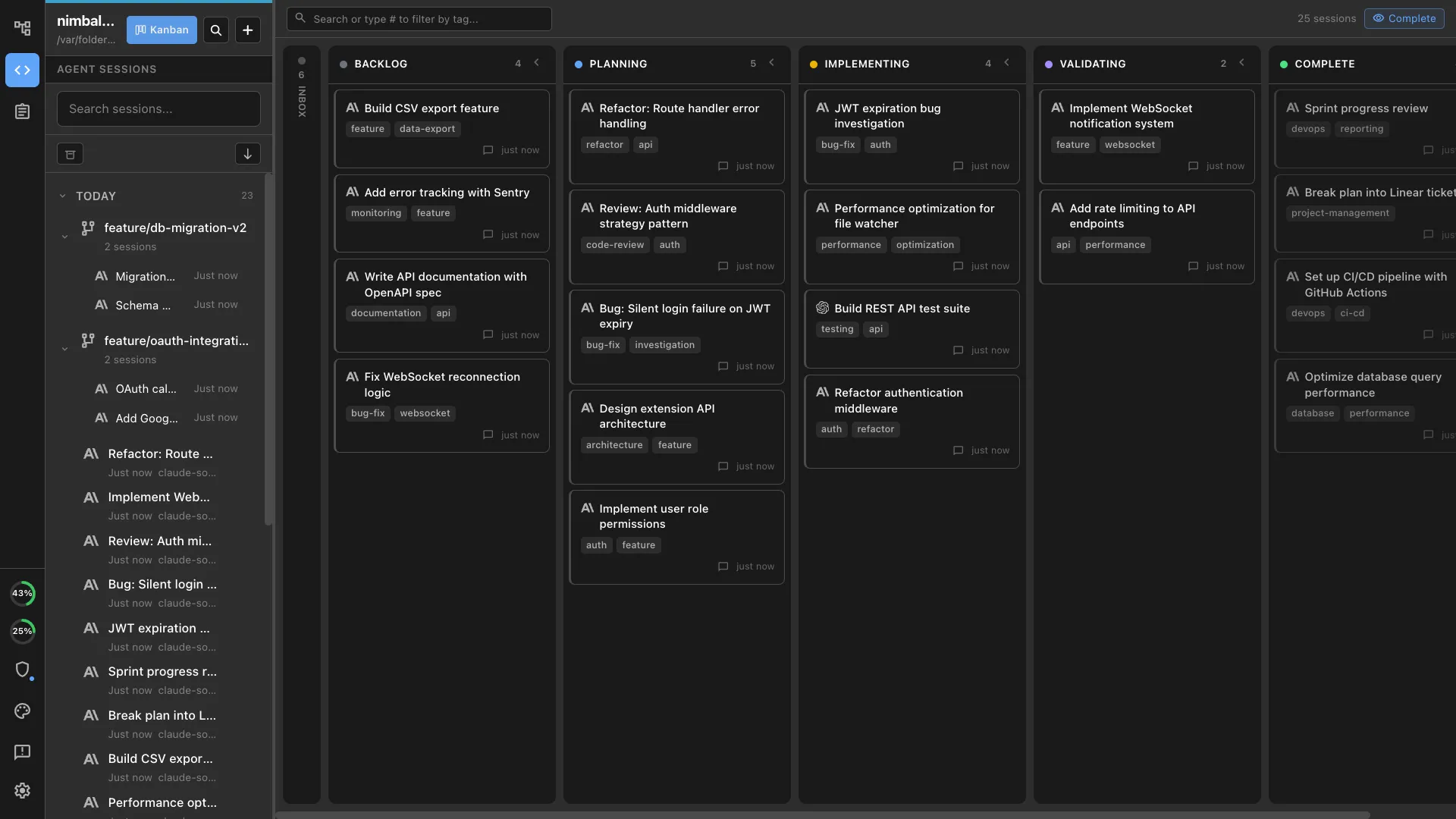
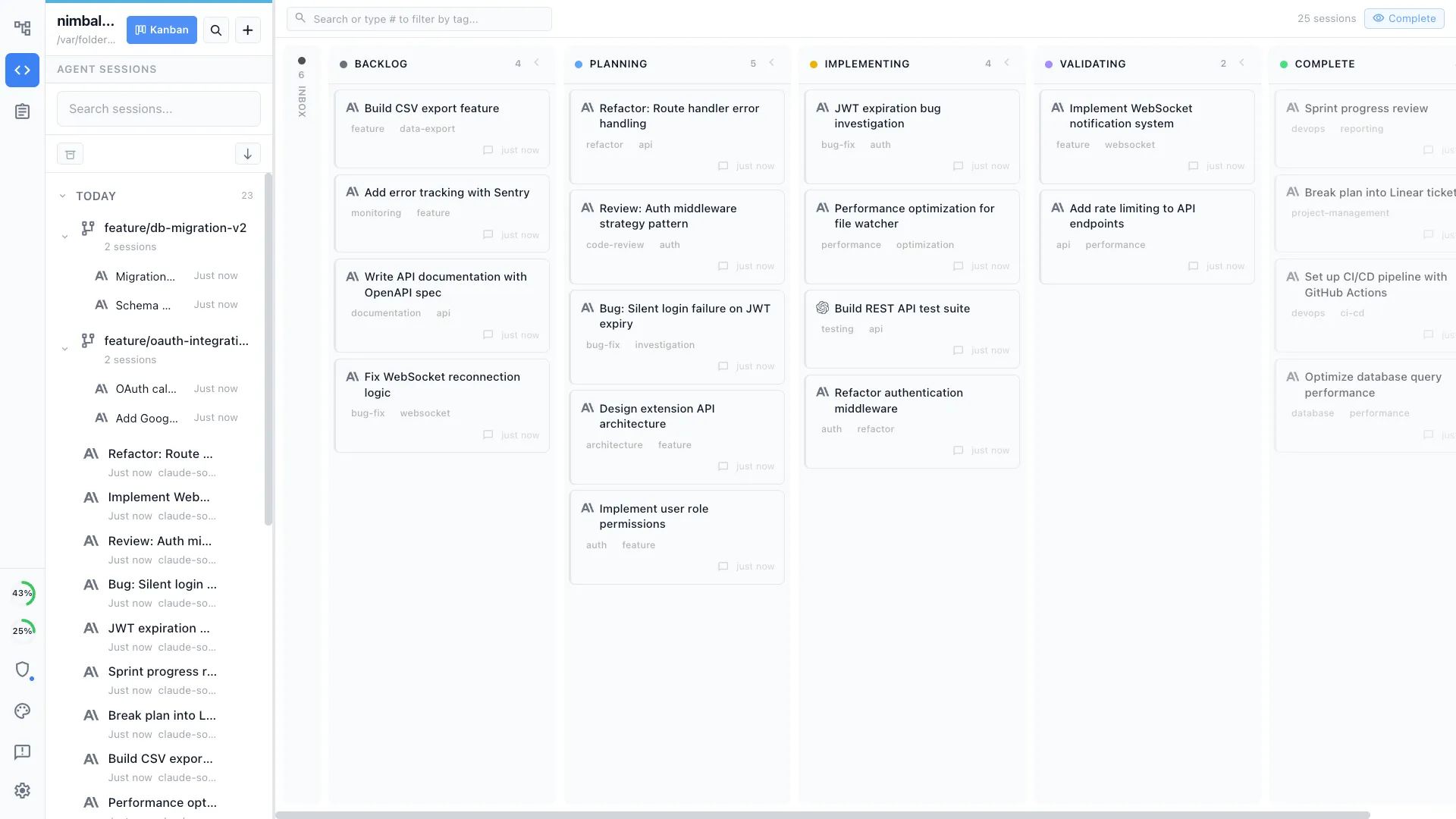
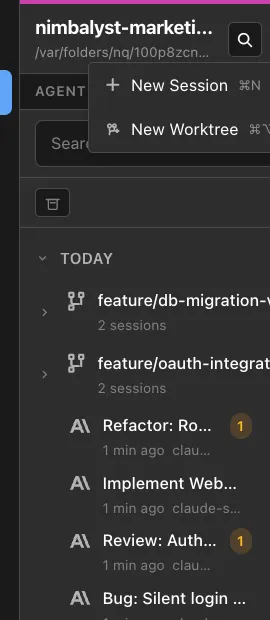
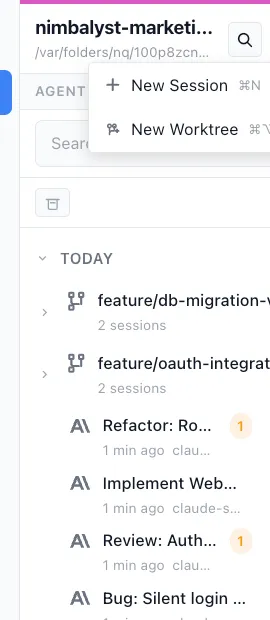
Nimbalyst is the open-source visual workspace for building with Codex, Claude Code, and more. Agents run locally on each teammate's machine, with optional one-click git worktree isolation per session and a private session kanban for managing parallel runs.
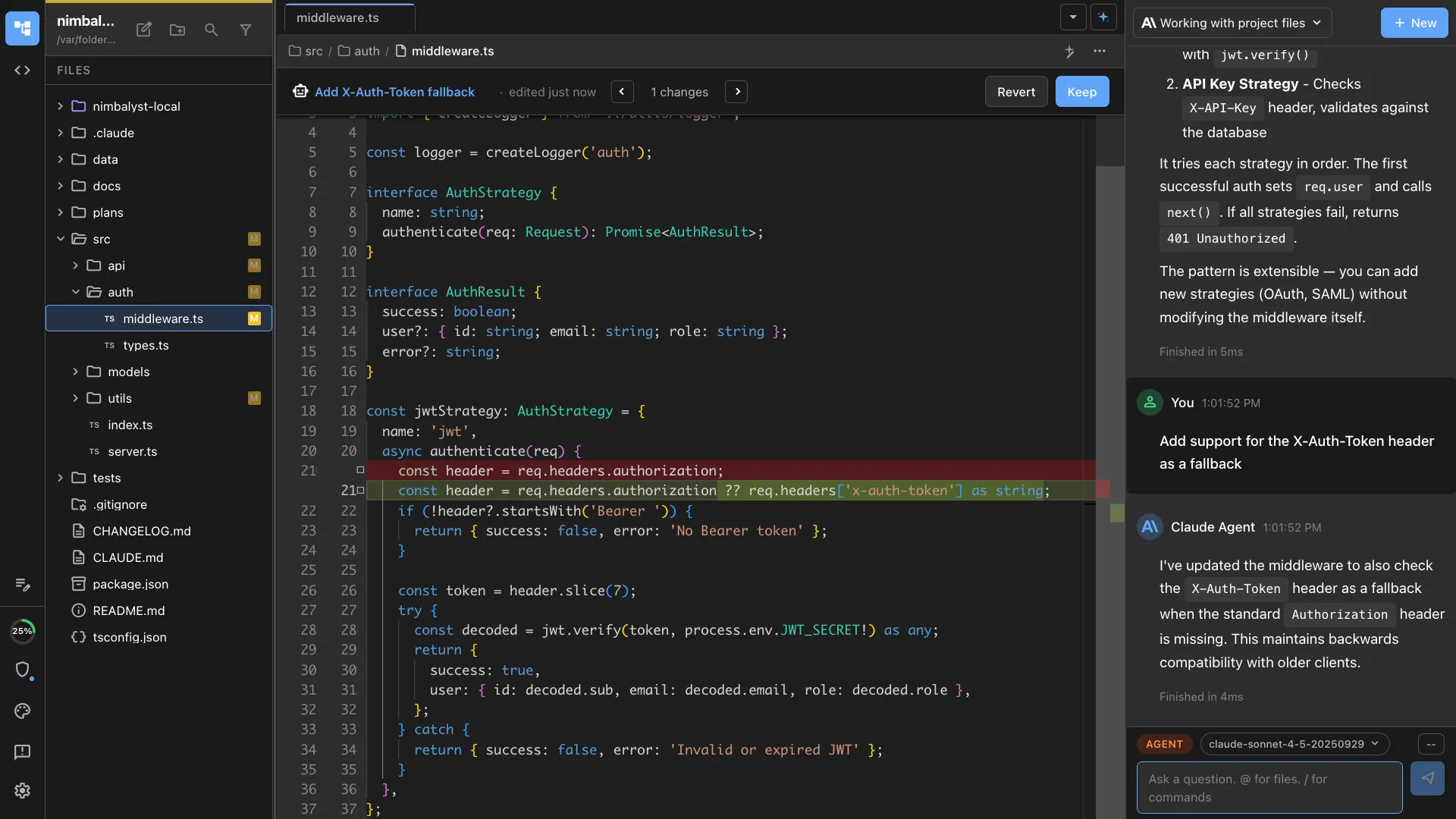
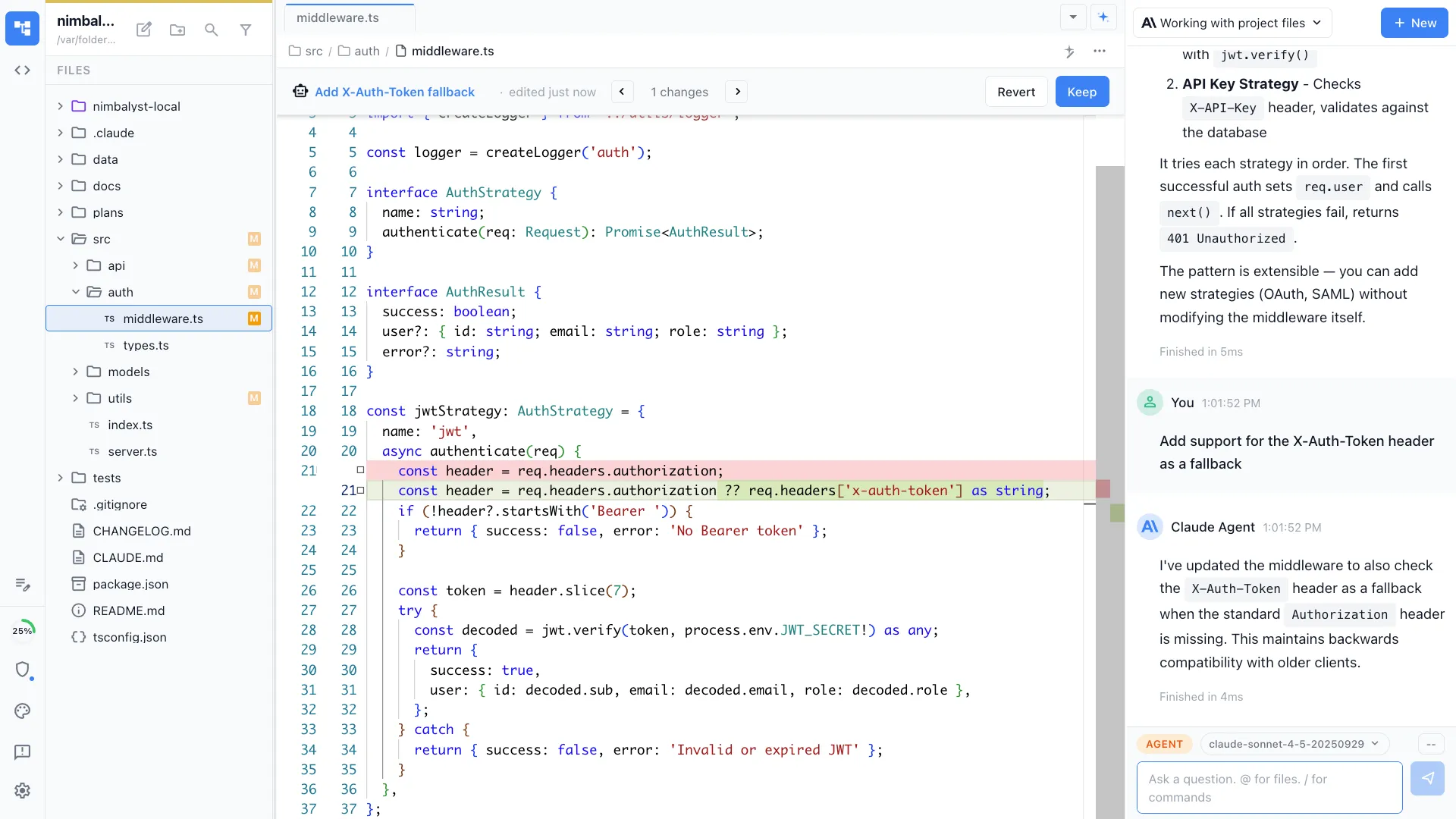
Around the agent loop sit visual editors for markdown, mockups, Excalidraw diagrams, data models, spreadsheets, slides, mindmaps, and PDF, plus inline red and green diff review and a built-in tracker.
For teams, shared documents and shared trackers are true multiplayer, and each teammate's local agent edits the same shared files. Teammates do not see one another's agent sessions.
The desktop and iOS apps are MIT licensed; the collaboration server is licensed separately. Runs on macOS, Windows, and Linux.
Superconductor
Superconductor, by Volition, is a multiplayer workspace that launches coding agents in cloud sandboxes. Teammates share agent sessions through multiplayer agent chat, review work with inline comments, and inspect running apps through live previews.
It supports Claude Code, Codex, OpenCode, Pi, Factory Droid, Grok Build, Amp, and Cursor using your own model credentials.
Clients cover web, native macOS and Linux desktop, native iOS and iPad, and Android through a PWA. Pricing meters sandbox hours rather than seats: a free tier with 32 hours per month, Pro at $128 per month, and overage at $30 per 100 sandbox hours.
Conductor
Conductor is a macOS app for running Claude Code, Codex, Cursor, and OpenCode in parallel. Local workspaces use git worktrees on your Mac, with a transcript, diff, terminal, and merge flow for each task.
Conductor also offers early-access cloud workspaces, a multiplayer cloud alpha where teammates can see work, prompt together, and share workspace links, and an alpha API for creating and steering cloud sessions.
Its center of gravity remains agent workspaces and code review rather than a broader document or design workspace.
Feature Comparison
Side-by-side breakdown
Nimbalyst Advantages
Where Nimbalyst shines
Local execution with a shared workspace on top
Nimbalyst keeps each teammate's agent on their own machine while sharing multiplayer documents, mockups, diagrams, and trackers. Superconductor shares the cloud agent session itself. Conductor now offers multiplayer in its Cloud alpha, while its established local workflow remains scoped to the person running it.
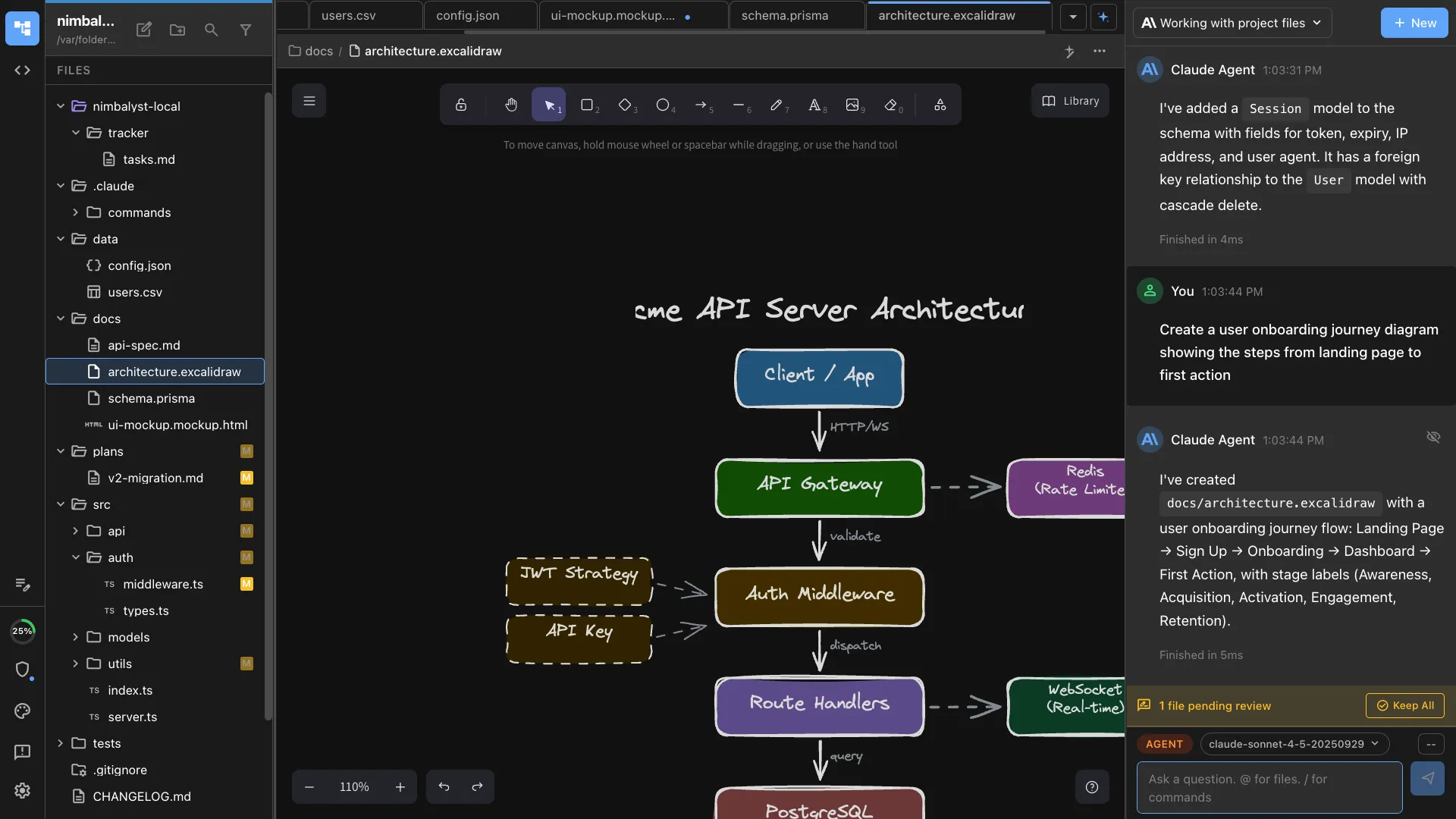
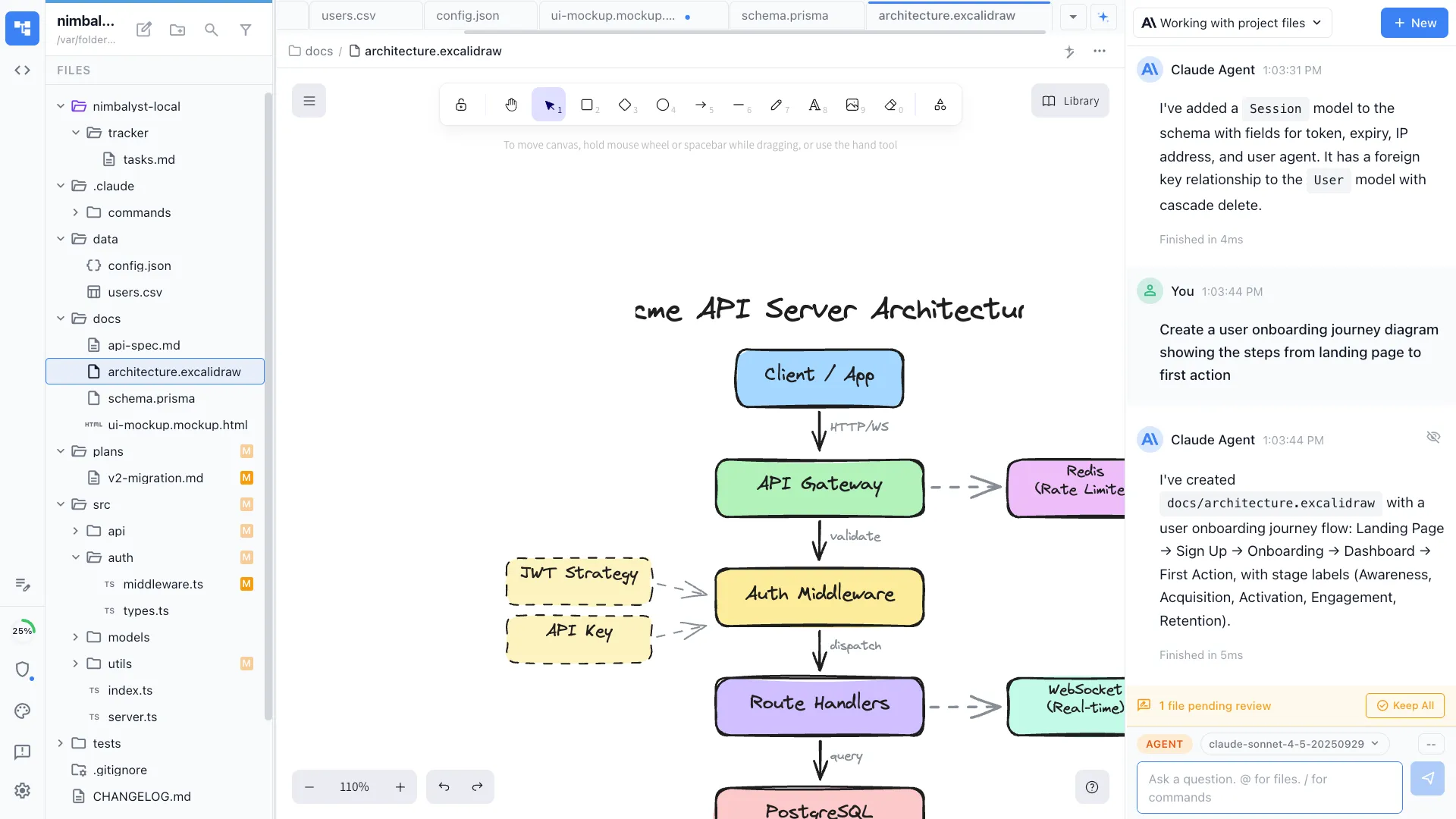
Visual editors neither of the others has
When an agent drafts a spec, a mockup, an architecture diagram, or a data model, Nimbalyst opens it in a full editor next to the code. Conductor centers on code, transcripts, and diffs. Superconductor centers on live previews and captured artifacts of a running app.
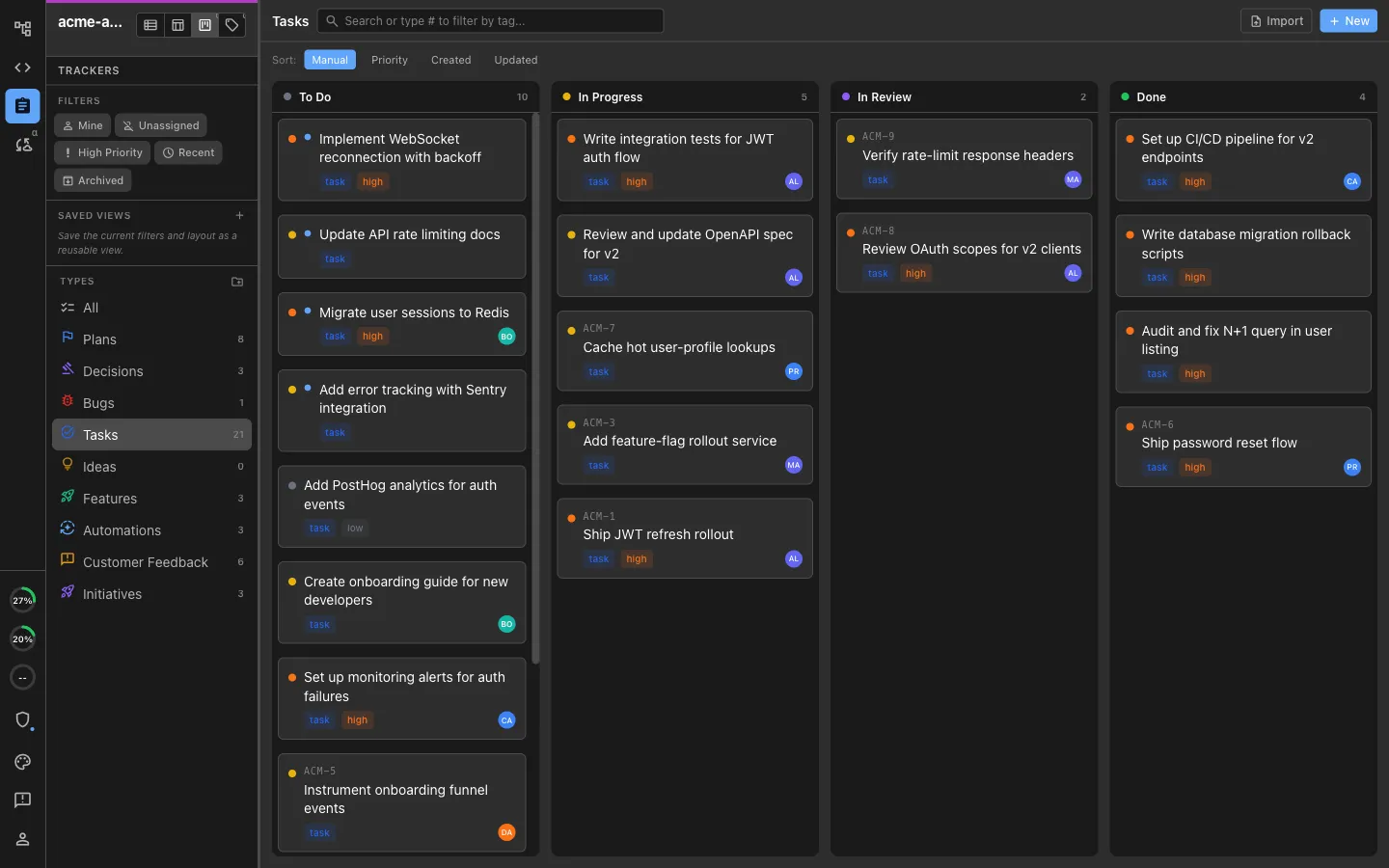
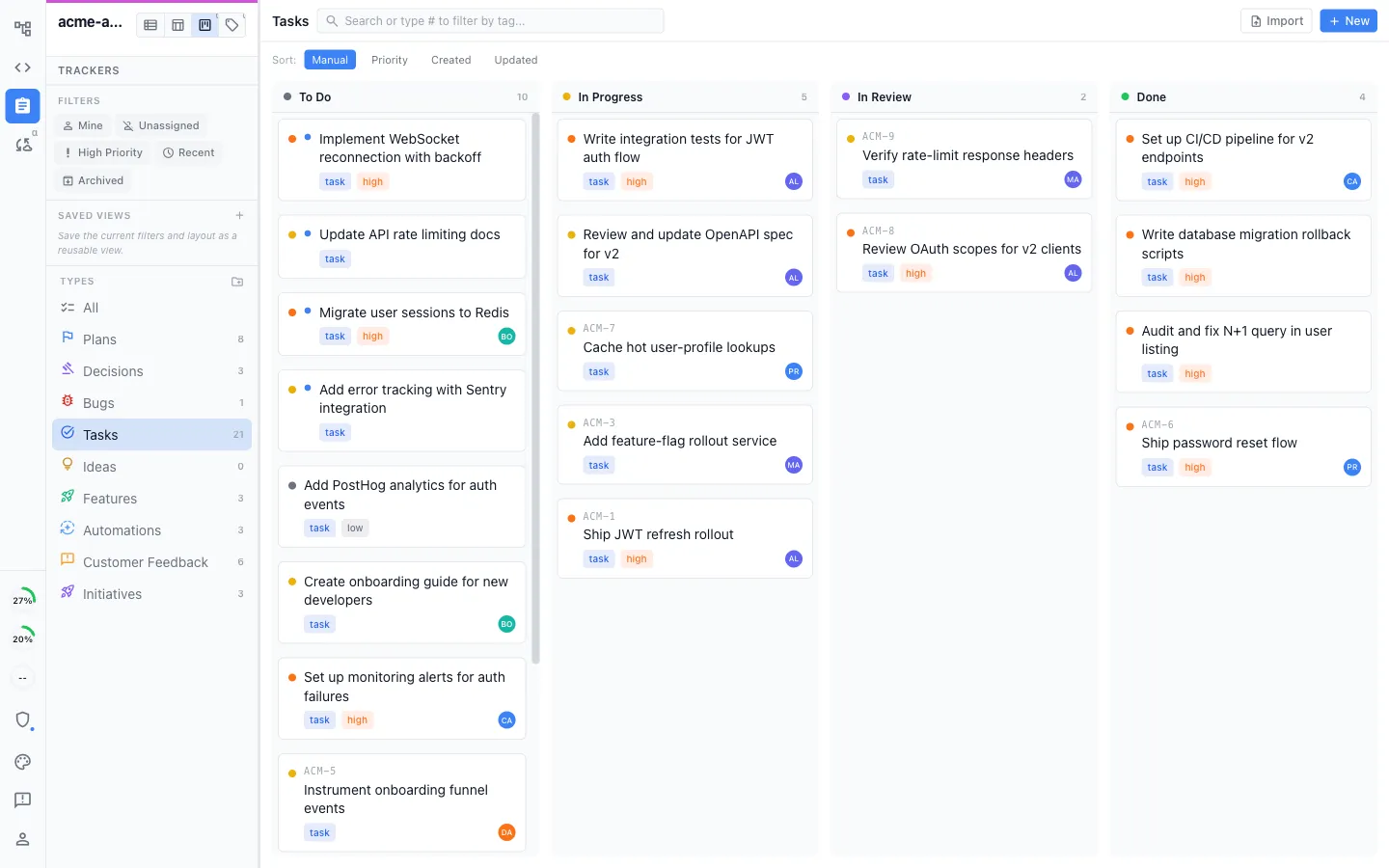
A tracker your teammates and their agents both update
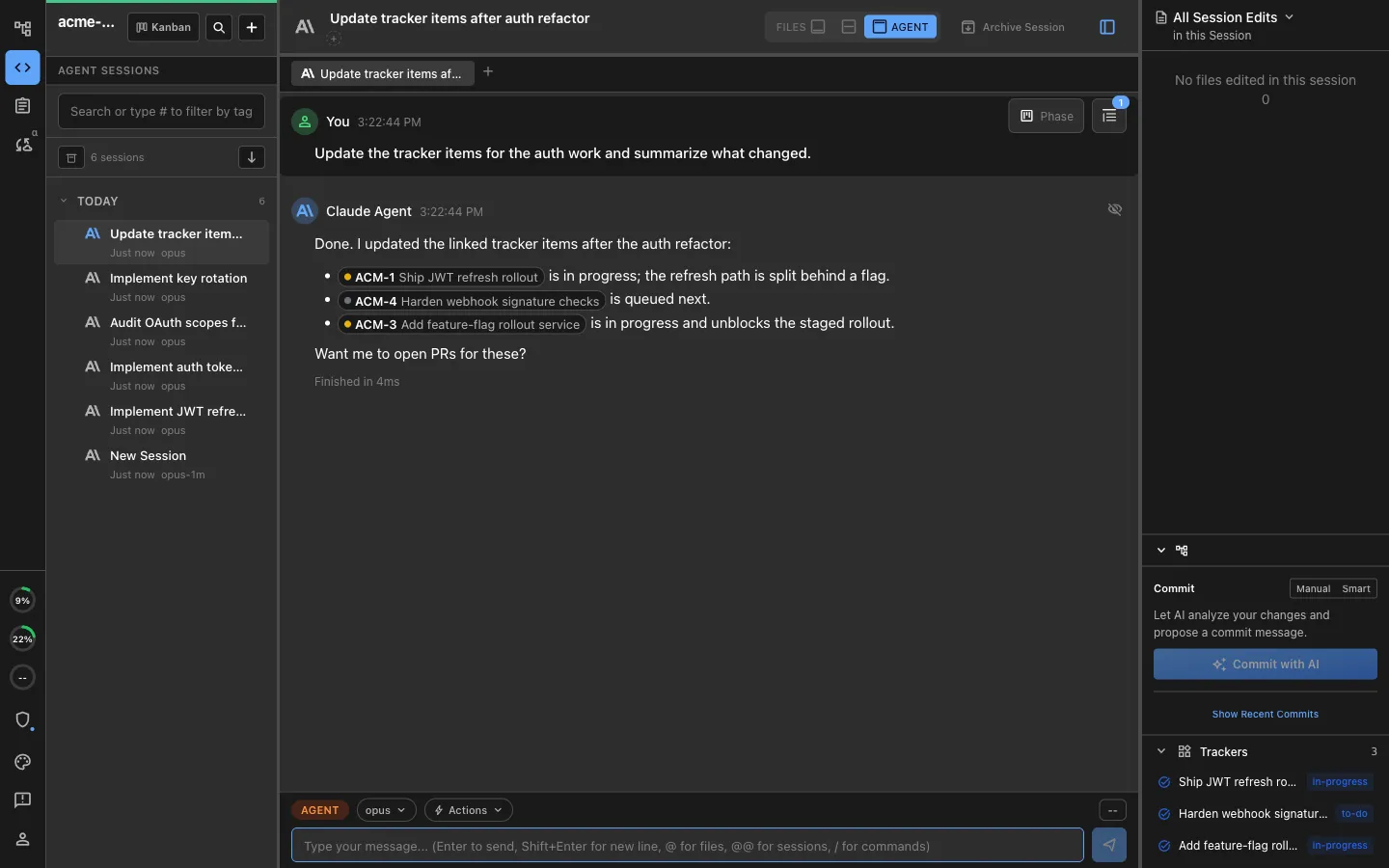
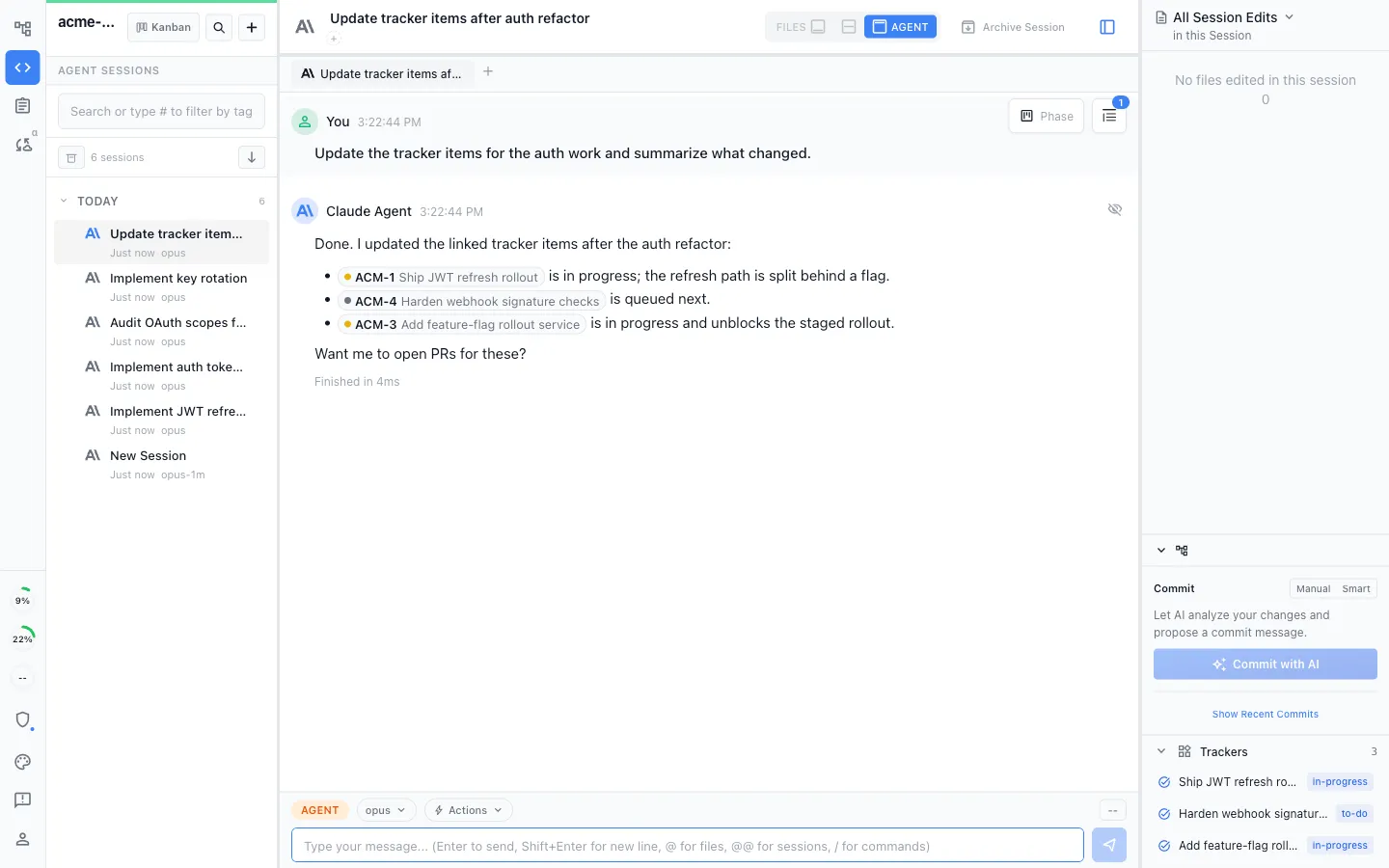
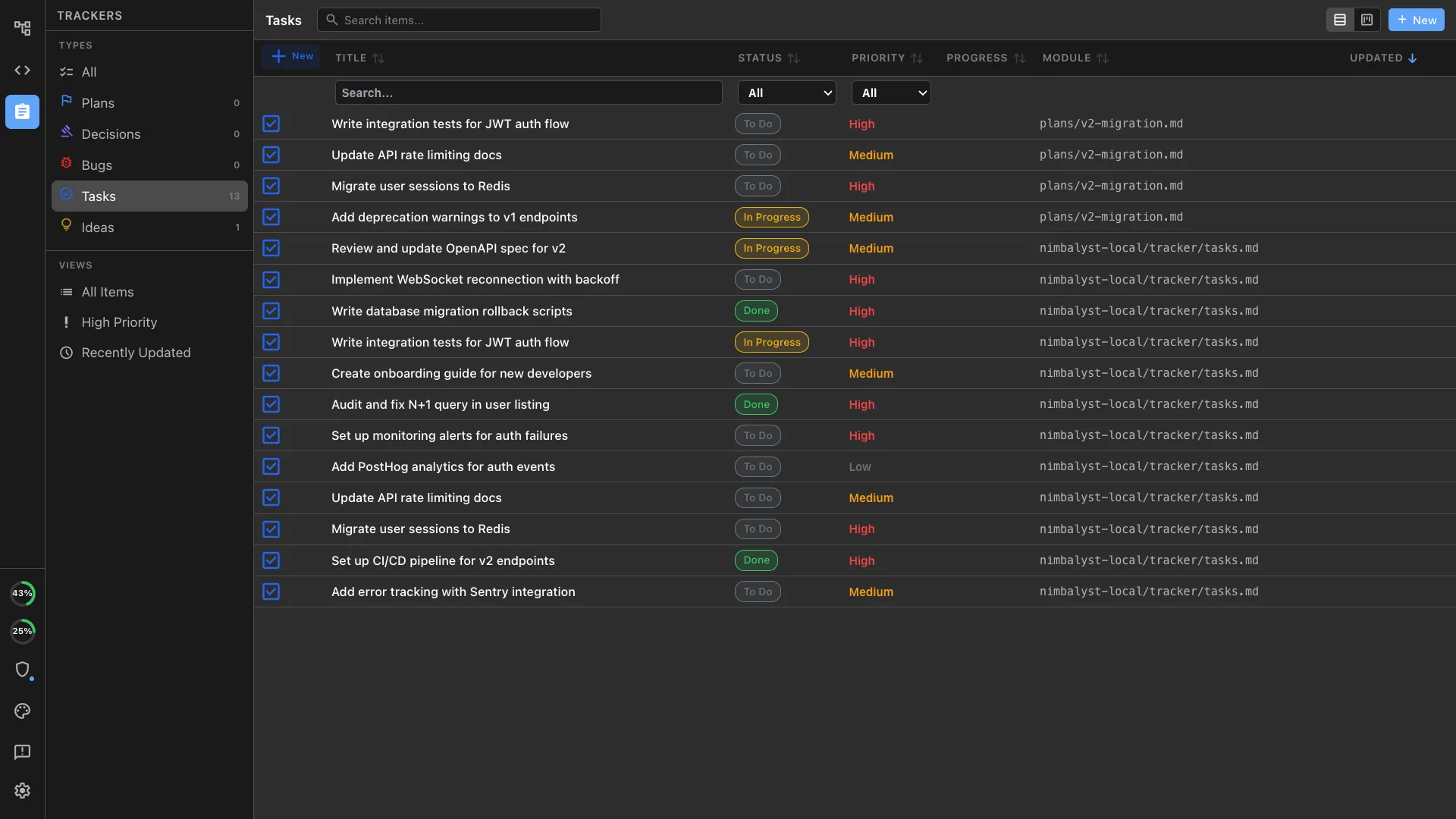
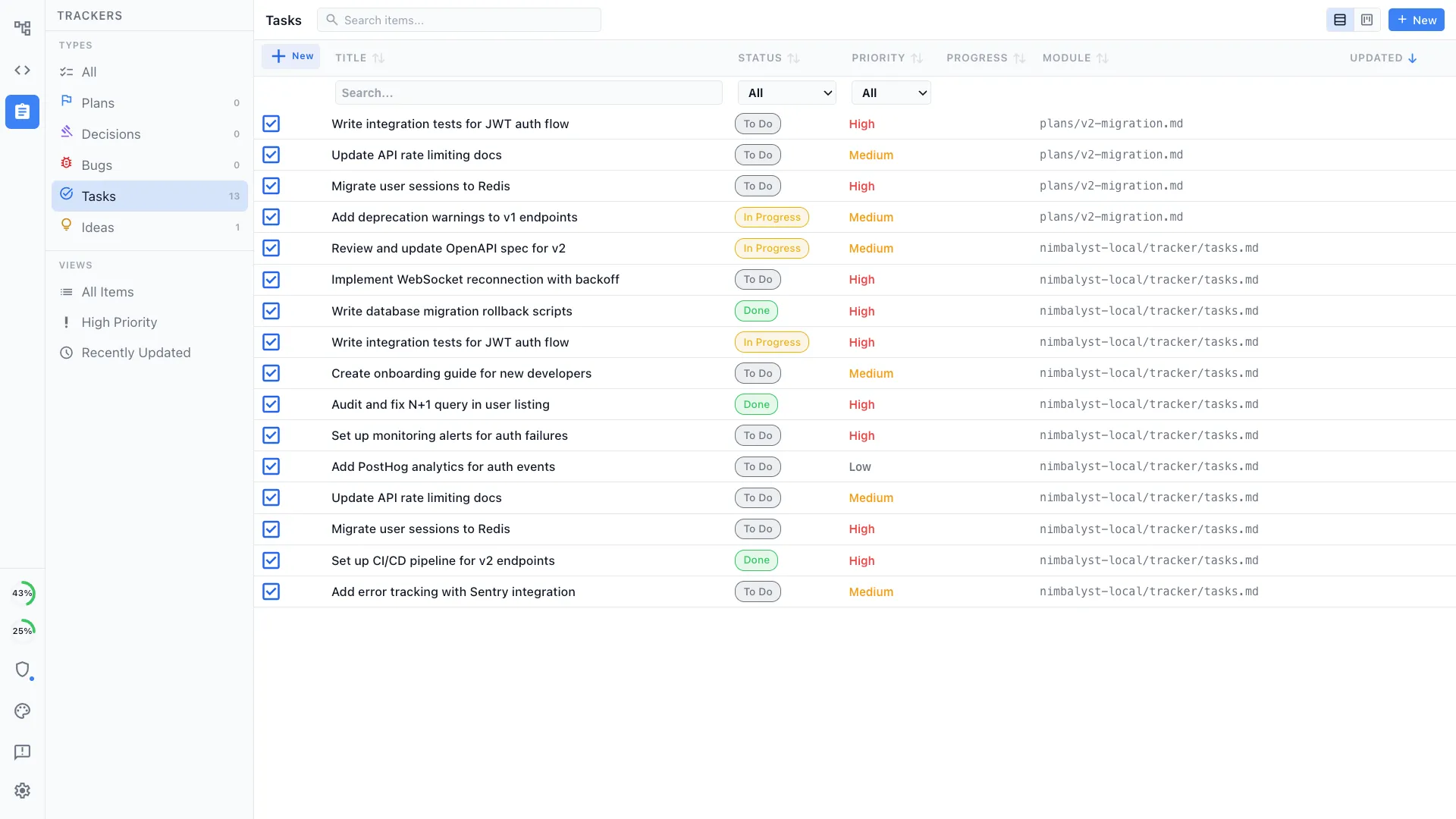
Bugs, tasks, plans, and decisions live on a shared kanban linked to the documents and files they refer to, updated by people and by each teammate's local agent.
Local parallel agents on every desktop platform
All three handle parallel runs, but Conductor's local desktop app is macOS-only. Nimbalyst runs its local, worktree-isolated parallel-session workflow on macOS, Windows, and Linux, which matters when a team spans more than one desktop OS.
No meter running while an agent works
Nimbalyst uses hardware you already own, as do Conductor's local workspaces. Conductor Cloud is hosted, while Superconductor bills sandbox hours by the second, so execution cost depends on which product and mode you choose.
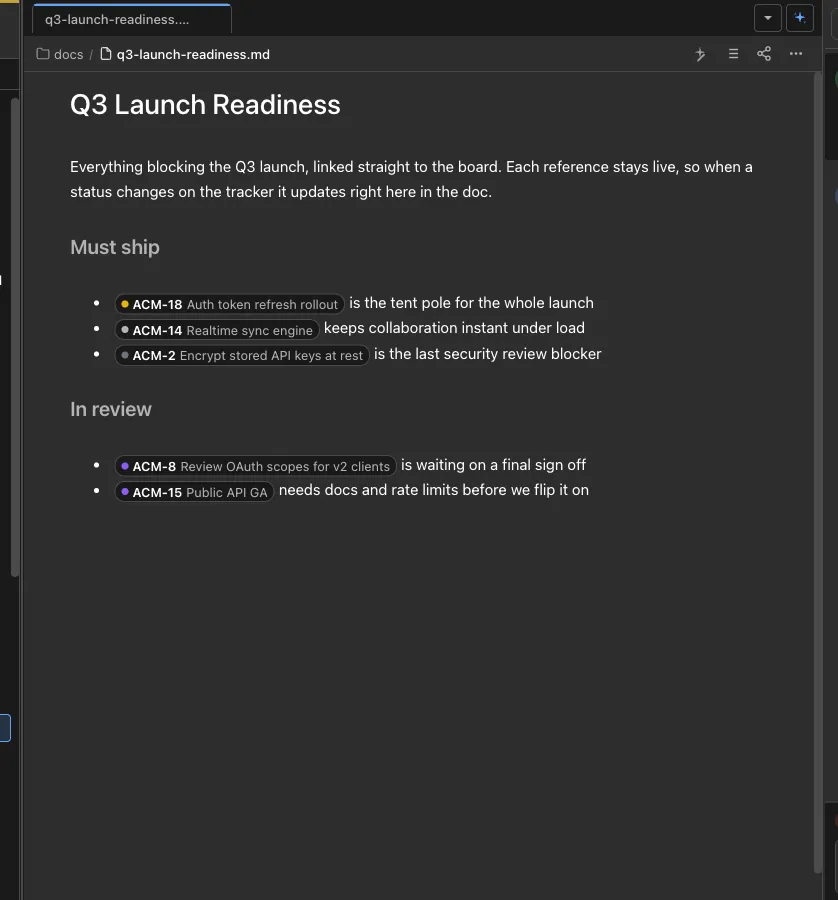
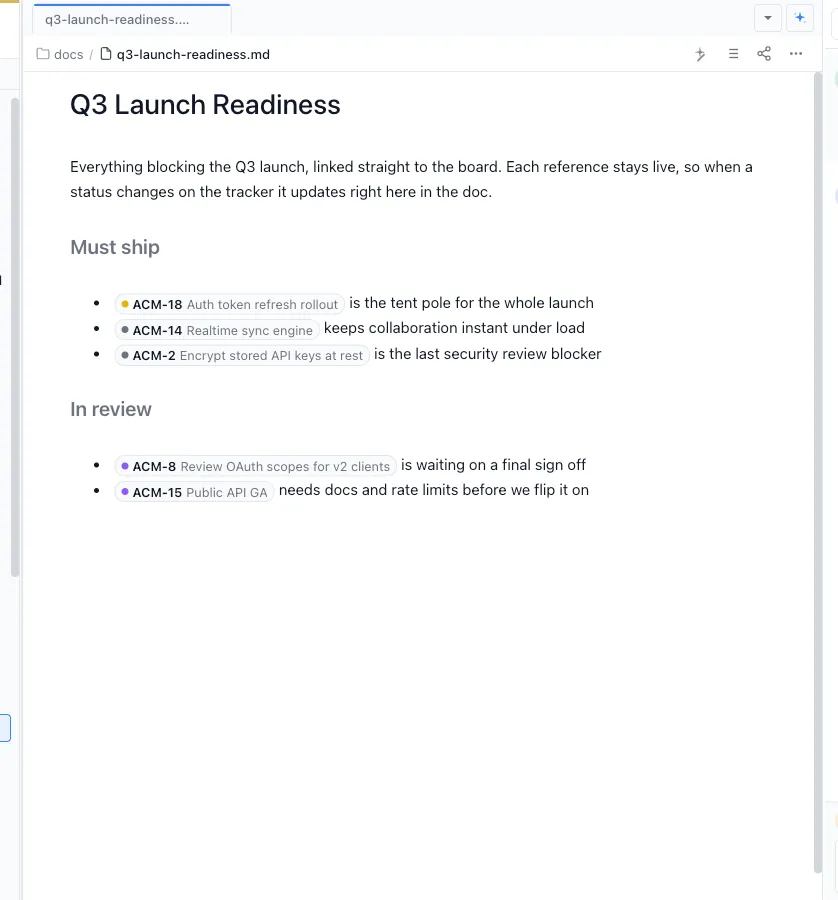
Collaborative docs and trackers stay connected
Teammates co-edit shared docs in real time, link tracker items directly inside them, and keep plans, decisions, bugs, and tasks connected to the work they describe. Each teammate's local agent can read and update the same shared artifacts.
Your coding agents, integrated
Claude Code, Codex, and other supported agents work directly with the files, plans, tasks, and visual artifacts in the workspace.
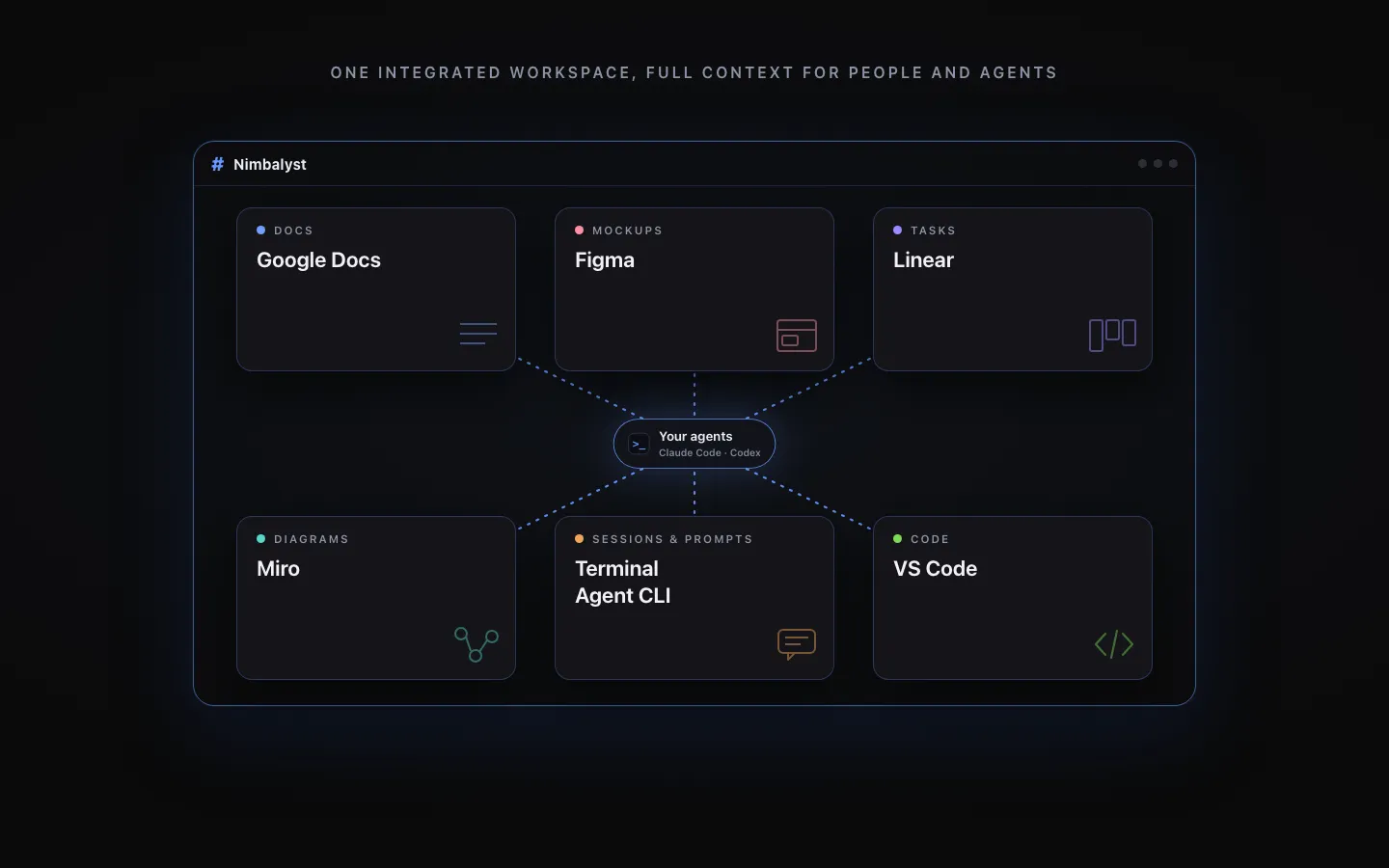
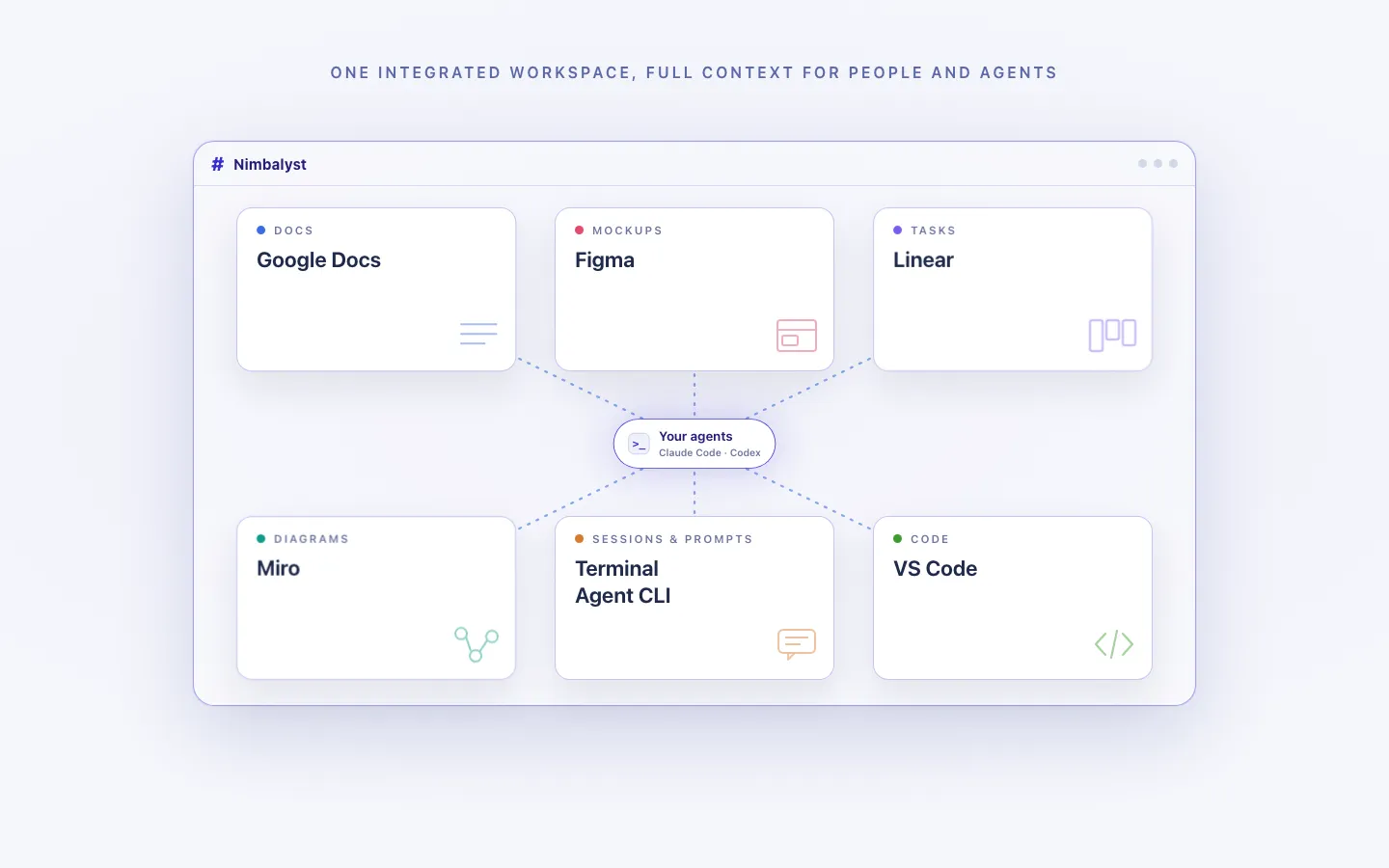
Every artifact in one workspace
Edit markdown, mockups, diagrams, code, and CSV data together, with the same project context available to people and agents.
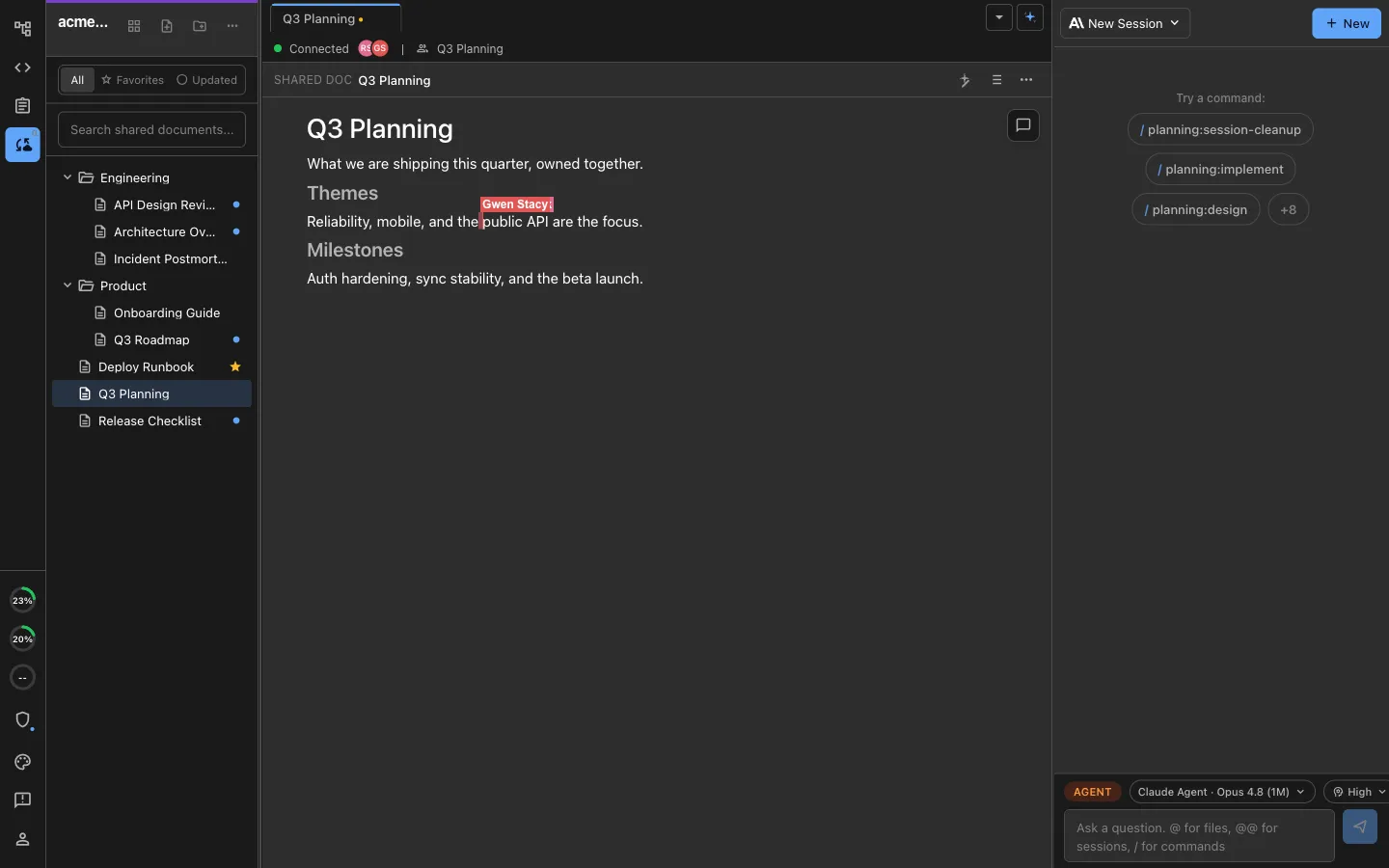
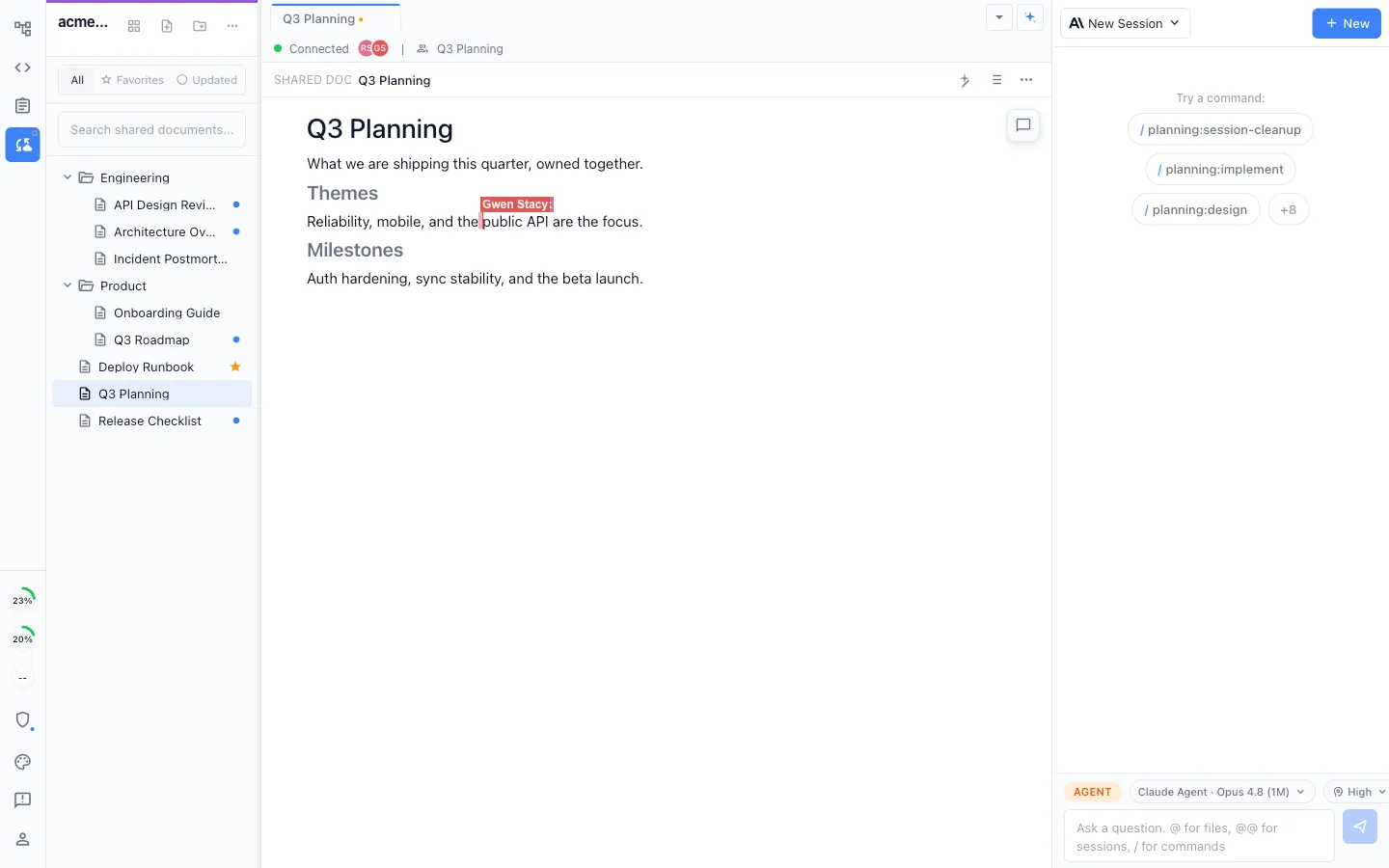
Local for individuals, collaborative for teams
Work locally in the MIT-licensed desktop app, or collaborate in real time on shared docs, diagrams, mockups, and trackers.
Honest Assessment
Where each tool is stronger
Where Superconductor is stronger
Cloud compute that scales past a laptop
Sandboxes reach 8 vCPUs and 32 GB of RAM on Pro, and 16 vCPUs and 64 GB on Enterprise with private infrastructure deployment. Snapshots boot in roughly 30 seconds, so there is no local toolchain to configure.
Shared agent sessions
Multiplayer agent chat lets several teammates watch and steer the same agent run live. Nimbalyst keeps agent sessions private; Conductor's comparable multiplayer workflow is still an early-access Cloud alpha.
Network sandboxing and usage visibility
Strict egress policies constrain what an agent can reach, and a usage dashboard tracks consumption and cost across the team.
Widest agent roster and on-codebase benchmarking
Eight agent engines, plus a benchmarking tool for comparing agents against your own repository.
Seats are free within a tier
Only sandbox hours are metered, so adding occasional collaborators does not add seat cost.
Where Conductor is stronger
Local or cloud execution
Conductor can keep work in git worktrees on a Mac or move it into Conductor Cloud. That gives Pro early-access users a choice Nimbalyst and Superconductor do not present in the same product.
Multiplayer and API direction
Its multiplayer Cloud and API features are still alpha, but they already let teams see shared workspaces, prompt together, link directly to runs, and drive cloud sessions programmatically.
macOS-native polish
A Mac-only product can lean fully into native desktop conventions, and Conductor's interface reflects that focus.
Local execution with no metering
In its established local mode, Conductor runs agents on hardware you already own, so long runs carry no additional hosted-compute bill beyond model usage.
Recommendation
Who should use which
Choose Nimbalyst if…
Choose Nimbalyst if you want agents running locally with no metered compute, a shared multiplayer workspace of documents, mockups, diagrams, and trackers that every teammate's agent reads and writes, visual editors beyond code, cross-platform desktop support, and an MIT-licensed app you can audit.
Choose Superconductor if…
Choose Superconductor if cloud execution is the point: no local setup, compute that scales past a laptop, shared agent sessions teammates can watch live, network egress policies, and access from web and phone.
Choose Conductor if…
Choose Conductor if your developers are on macOS and want a polished local worktree workflow, or if you want early access to its Cloud, multiplayer, and API direction. It supports Claude Code, Codex, Cursor, and OpenCode but does not provide Nimbalyst's shared visual document workspace.
The names are similar but the companies are unrelated: Conductor comes from Melty Labs, Superconductor from Volition. The quickest distinction is product center: Superconductor is a cloud-first multiplayer platform with metered sandbox compute; Conductor spans a mature local Mac workflow and an early-access cloud/team layer.
FAQ
Frequently asked questions
Are Superconductor and Conductor the same product?
No. They are unrelated products from different companies with confusingly similar names. Conductor (conductor.build) is from Melty Labs and combines a macOS app for local git worktrees with early-access Cloud, multiplayer, and API features. Superconductor (superconductor.com) is a cloud-first multiplayer platform from Volition that runs coding agents in metered sandboxes, with web, desktop, and mobile clients.
Which one runs agents on my own machine?
Nimbalyst runs agents locally. Conductor also runs agents locally in its Mac app, while its optional Cloud workspaces are hosted. Superconductor runs agents in cloud sandboxes metered by the sandbox hour.
How much does Superconductor cost?
As of 2026, Superconductor has a free tier with up to 32 sandbox hours per month and up to 4 team members, a Pro tier at $128 per month with tiered sandbox-hour allocations and up to 32 team members, and custom Enterprise pricing. Overage is billed at $30 per 100 sandbox hours. Seats are not metered; sandbox hours are.
Which of the three works for a team?
All three have a team story, but at different maturity levels and on different surfaces. Superconductor shares cloud agent sessions through multiplayer chat. Nimbalyst keeps each teammate's agent sessions private and shares documents, mockups, diagrams, and trackers in real time. Conductor's multiplayer Cloud alpha lets teammates see shared workspaces, prompt together, and share links to agent runs.
Which ones run on Windows or Linux?
Nimbalyst ships macOS, Windows, and Linux desktop builds. Superconductor has native macOS and Linux apps with Windows listed as coming soon, plus a web client. Conductor's desktop app remains macOS-only; its Cloud and mobile workflows are in early access.
Are any of them open source?
Nimbalyst's desktop and iOS apps are MIT licensed, while its collaboration server is licensed separately. Superconductor and Conductor are closed source commercial products.
Can I run Claude Code and Codex in all three?
Yes. All three support Claude Code and Codex. Superconductor also supports OpenCode, Pi, Factory Droid, Grok Build, Amp, and Cursor. Nimbalyst has OpenCode and Copilot in alpha. Conductor also supports Cursor and OpenCode.
More Comparisons
Related comparisons
vs Superconductor
Head-to-head on cloud sandboxes versus local execution.
vs Conductor
Direct comparison with the macOS parallel-agent app.
Claude Code for teams
How a whole team works with Claude Code in one shared workspace.
Nimbalyst vs Conductor vs Vibe Kanban
Three parallel-agent tools compared on orchestration and workspace depth.
Parallel Claude Code sessions
The multi-session workflow, with worktree isolation per session.
Want local agents, no metered compute, and a shared workspace of docs, diagrams, mockups, and trackers your whole team and their agents keep in sync? Download Nimbalyst free.
Free for individuals. Works with your existing Claude Code or Codex subscription or API key.
Nimbalyst Teams is multiplayer. Your whole team, Codex, and Claude Code in one shared workspace.