Comparison
Nimbalyst Wiki vs Obsidian with a Coding Agent
Obsidian with Claude Code or Codex is a do-it-yourself setup: you point the agent at a vault of markdown notes, write the conventions into CLAUDE.md or AGENTS.md, and read the result in the Obsidian app. The Nimbalyst Wiki is a free plugin that brings those conventions built in, so your coding agent writes a project wiki in your repo with every decision marked with who decided, when and what was passed over, and you read and edit it in your browser.
Pick Obsidian when you want one mature notes app for everything in your life. Pick the Nimbalyst Wiki when you want your coding agents to keep a project wiki for you without designing the system yourself.
Overview
Two tools, different approaches
Nimbalyst Wiki
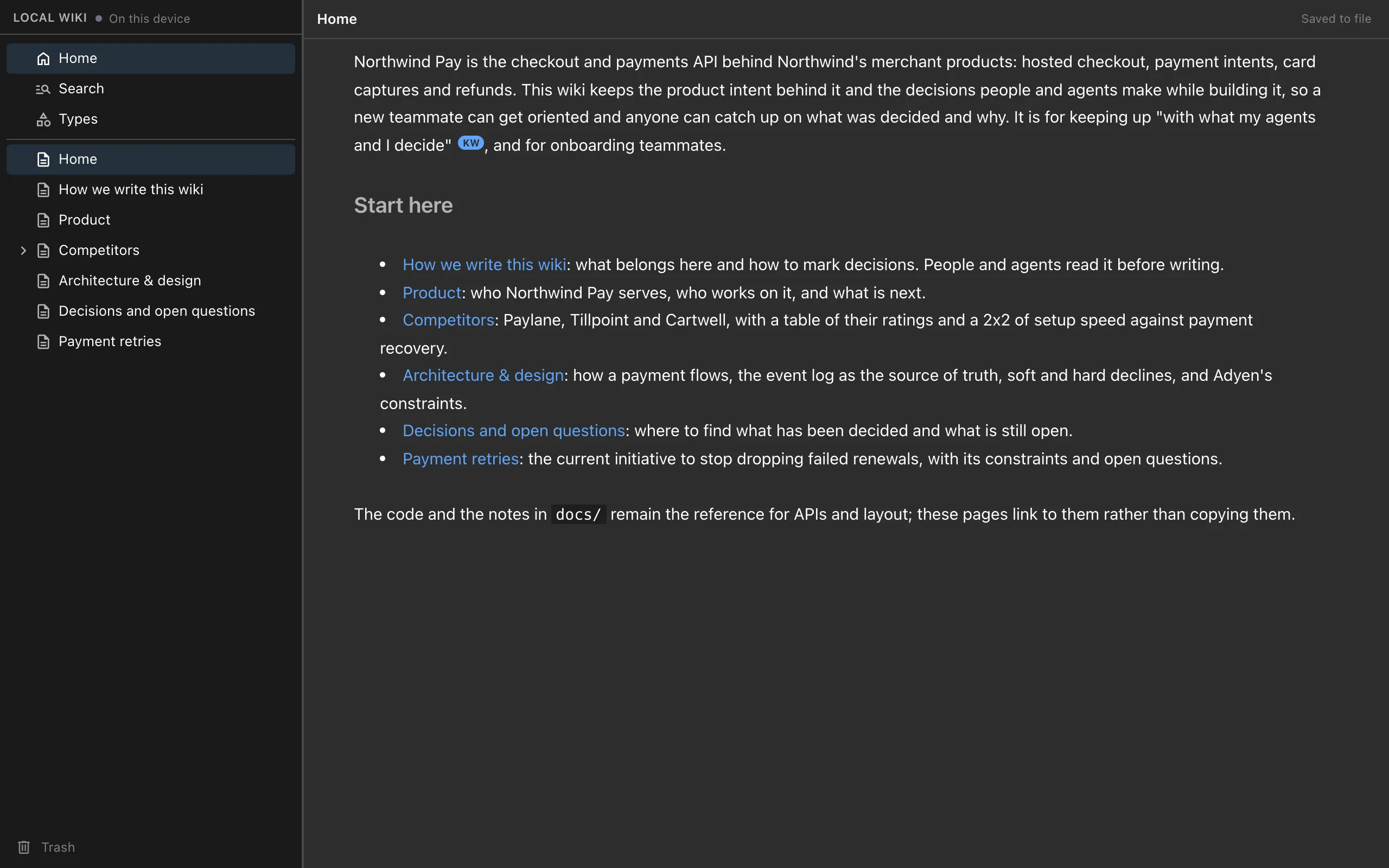
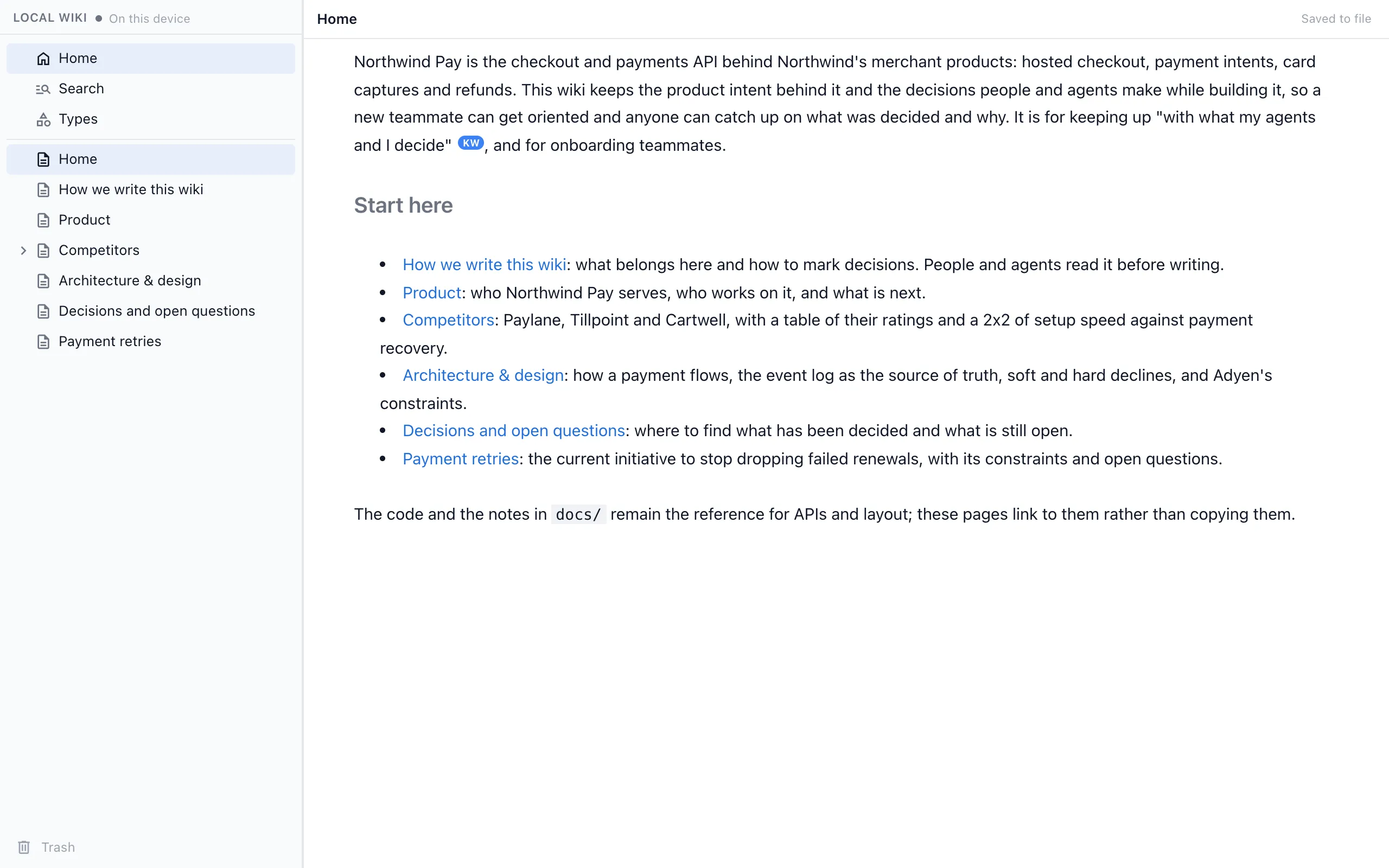
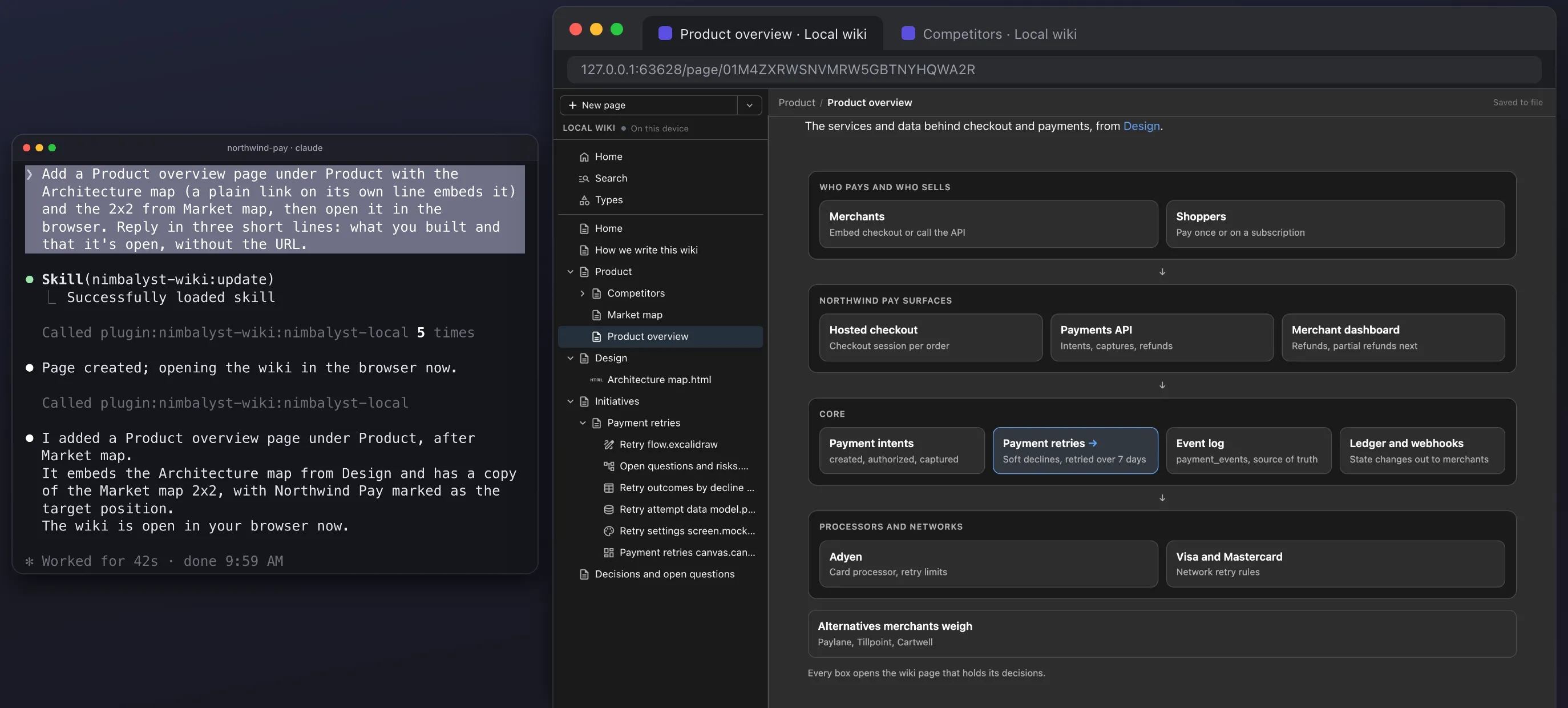
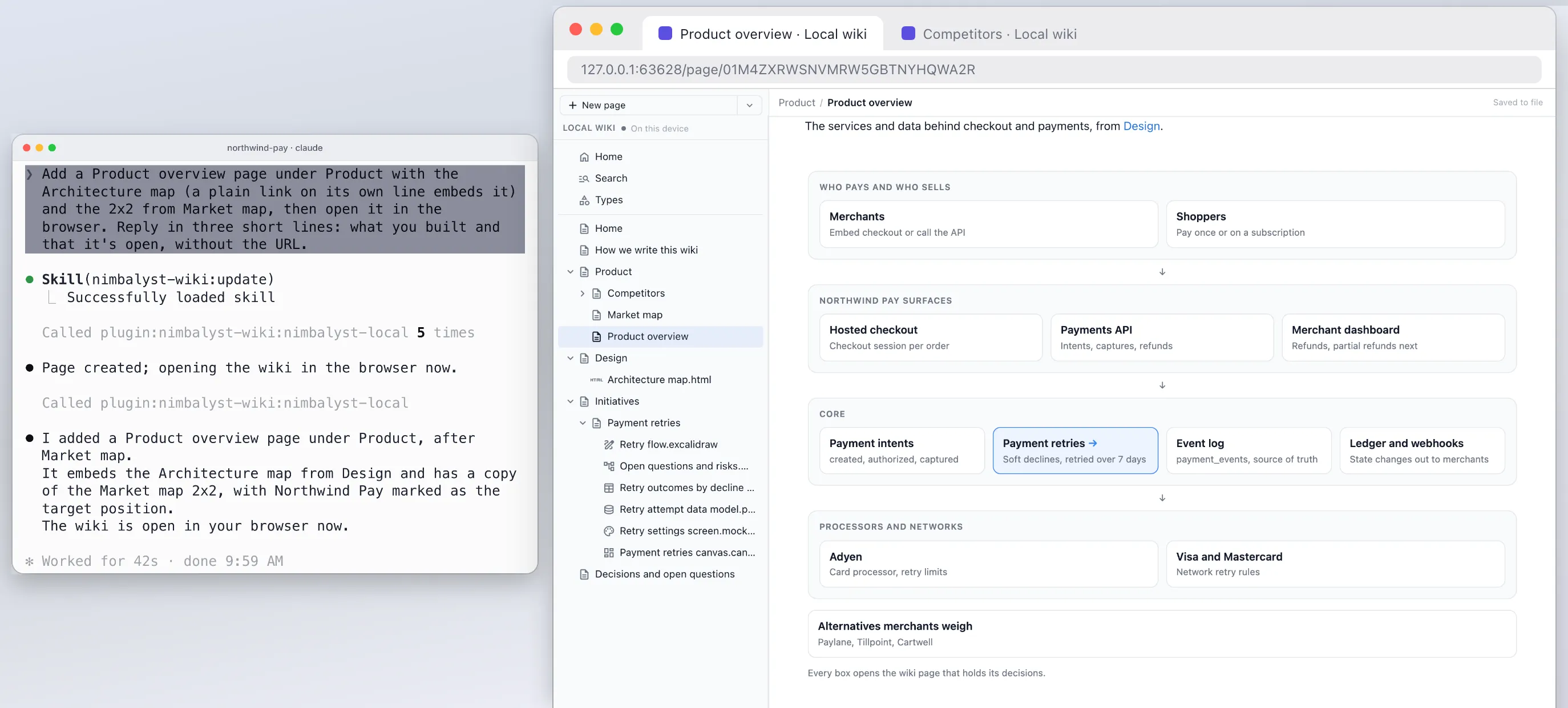
The Nimbalyst Wiki is a free, MIT-licensed plugin for Claude Code and Codex that also works in Cursor, VS Code, Cowork and any MCP agent. Your agent builds the first wiki from your README and docs with a setup skill, and at the end of each session a capture skill writes each decision into the page it affects, with who decided, when, what was passed over and a quote from the session when your words support it.
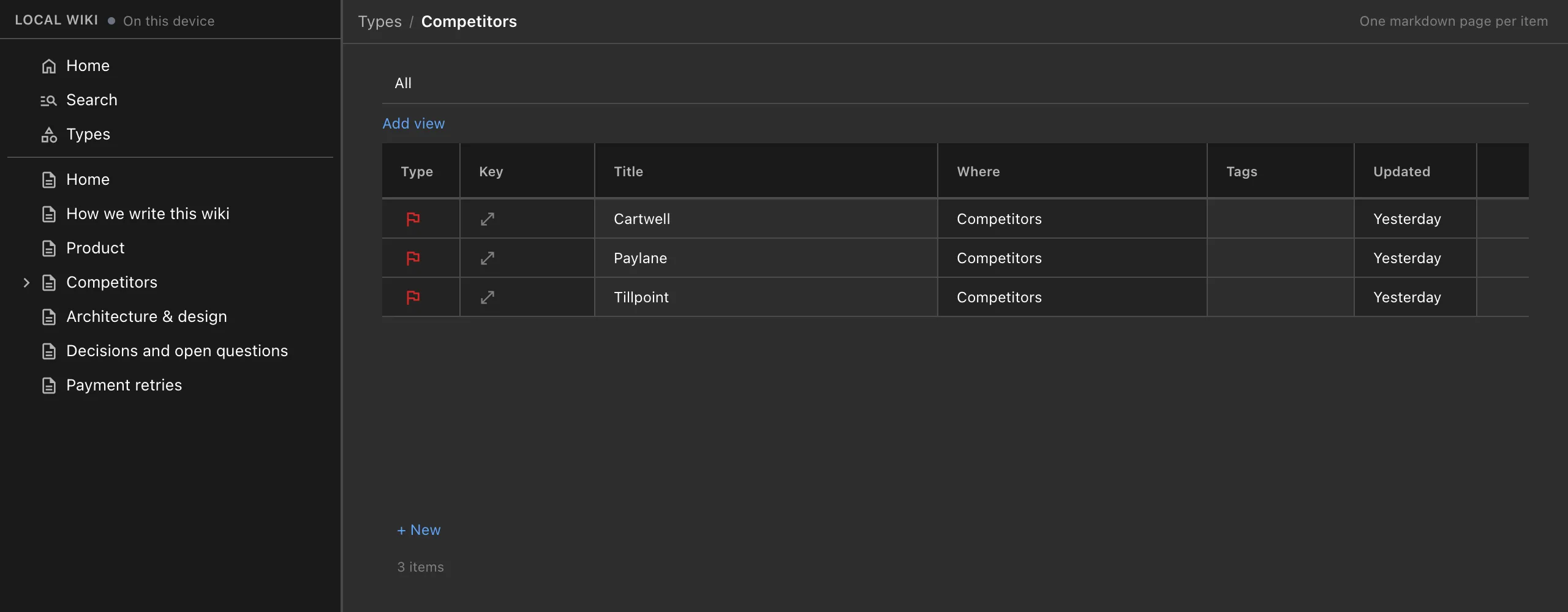
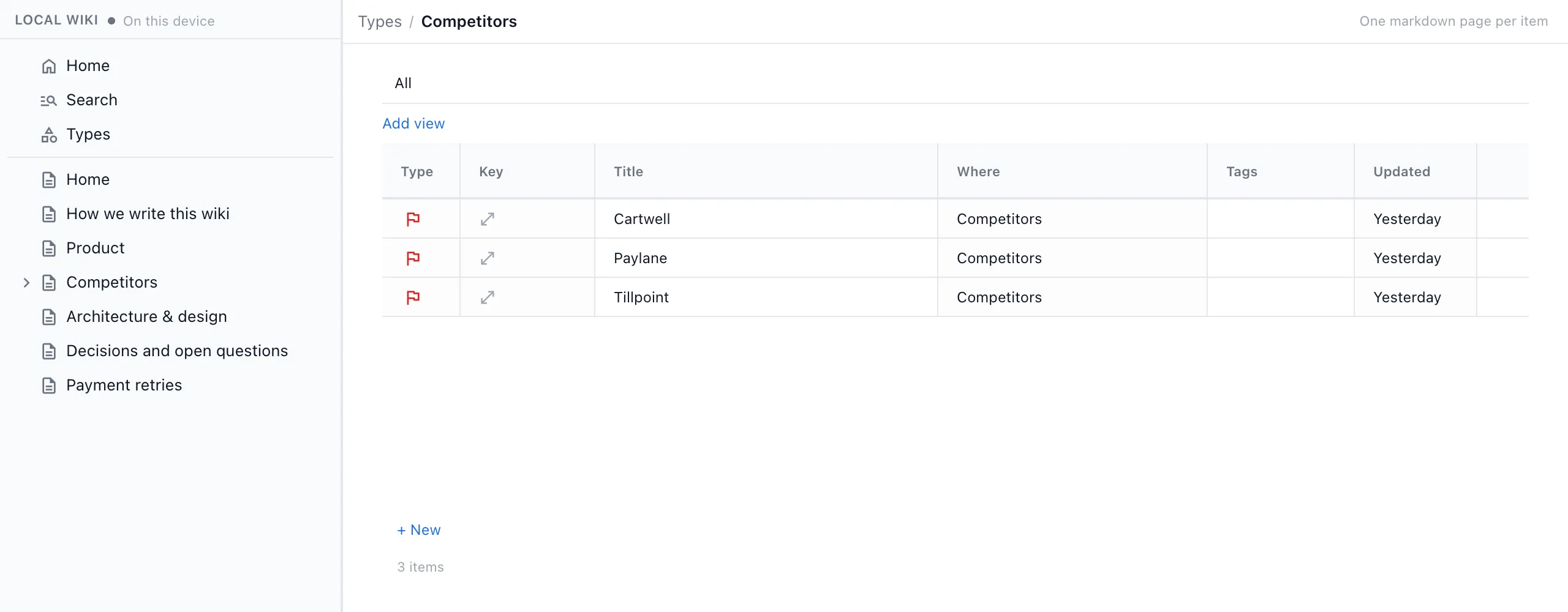
Pages are plain markdown files in your repo, in `nimbalyst-local/wiki` by default or a checked-in folder such as `docs/wiki`. You read and edit them in a local browser view your agent opens for you, with no app and no account. Our guide on how Claude Code memory differs from a wiki explains where CLAUDE.md and auto memory fit next to it.
Obsidian with an agent
Obsidian stores your notes locally as plain text Markdown files, is free with no sign-up, and has desktop and mobile apps, optional Sync and Publish subscriptions, and a large community plugin ecosystem. It has an official CLI that controls the running Obsidian app from a terminal, and a Bases core plugin for database-like views of note properties.
To use it with a coding agent, people point Claude Code or Codex at the vault, describe how notes should be written in CLAUDE.md or AGENTS.md, and connect community tools such as the Local REST API plugin, which ships a built-in MCP server, or agent skills written for Obsidian. Andrej Karpathy describes this kind of setup, with Obsidian as the viewer, in his LLM wiki pattern.
Feature Comparison
Side-by-side breakdown
Nimbalyst Wiki Advantages
Where the Nimbalyst Wiki shines
Decisions recorded where they apply
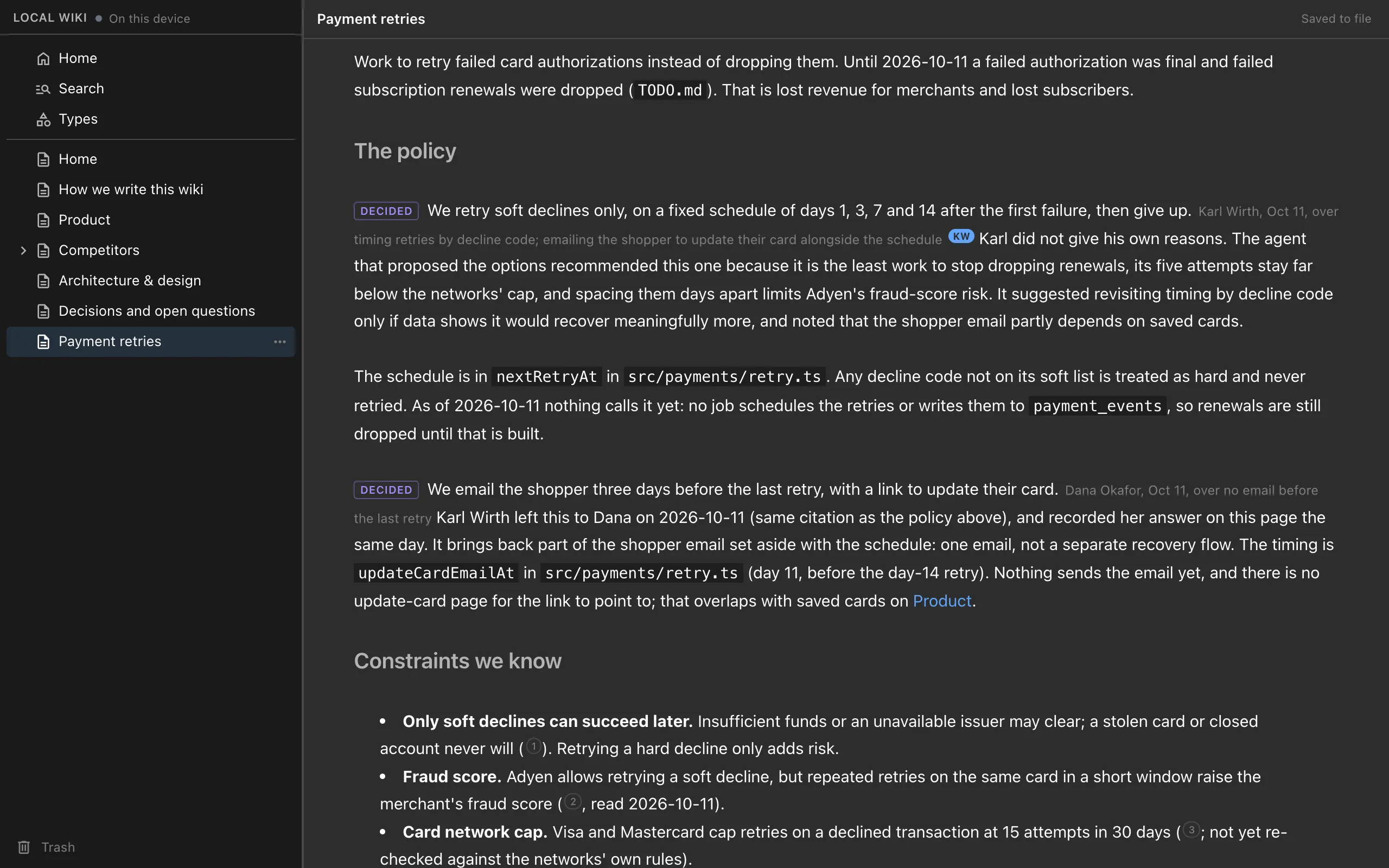
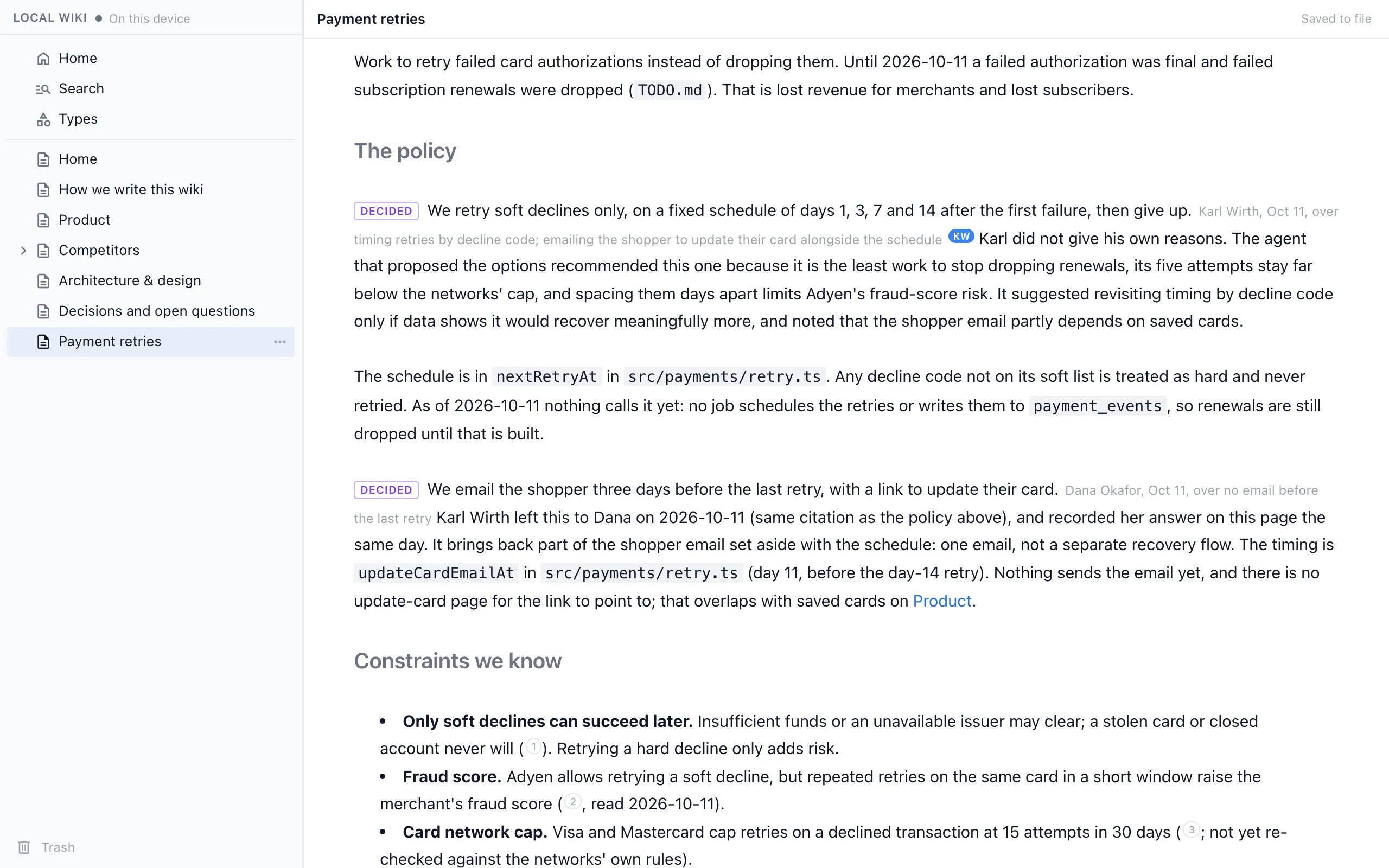
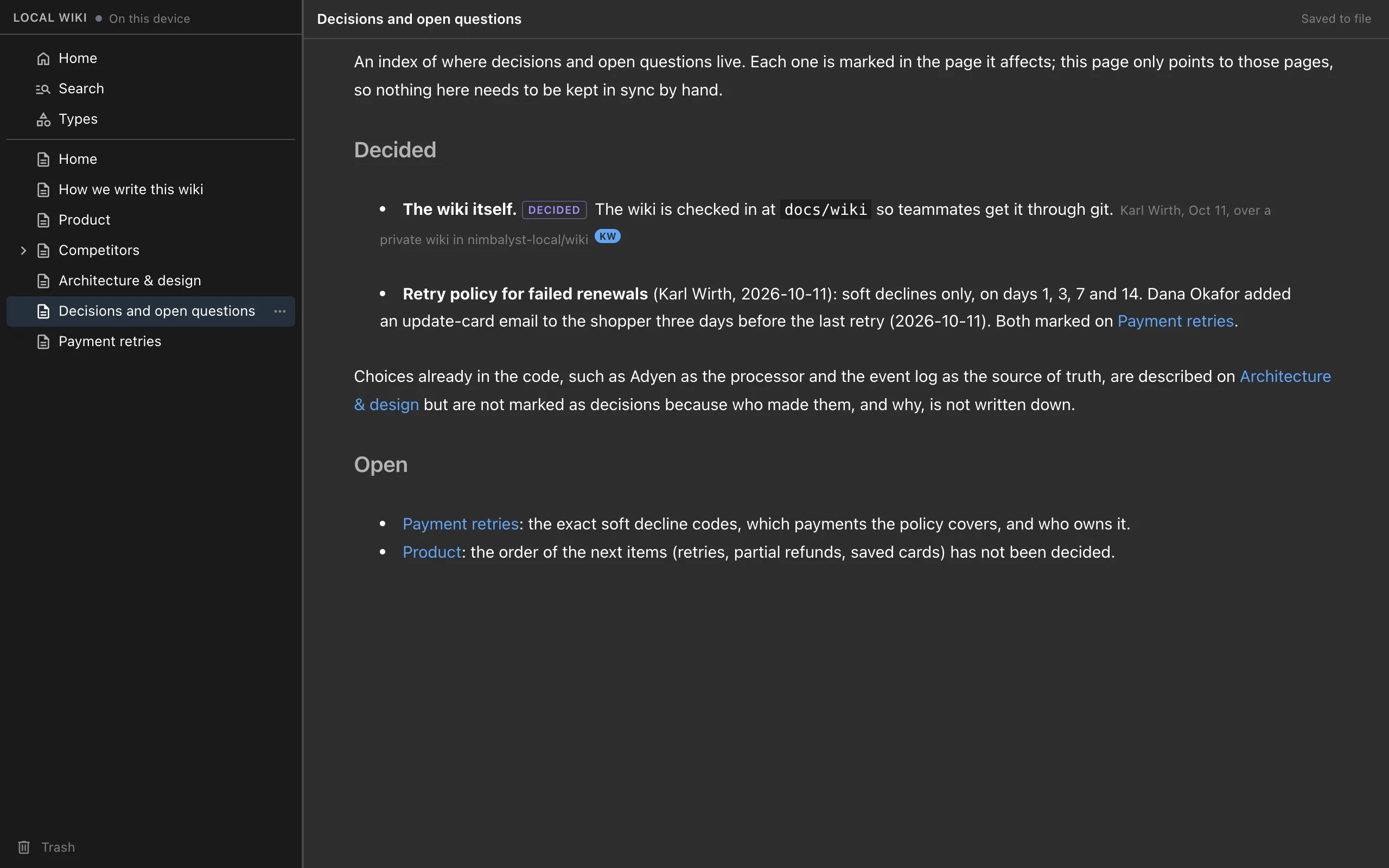
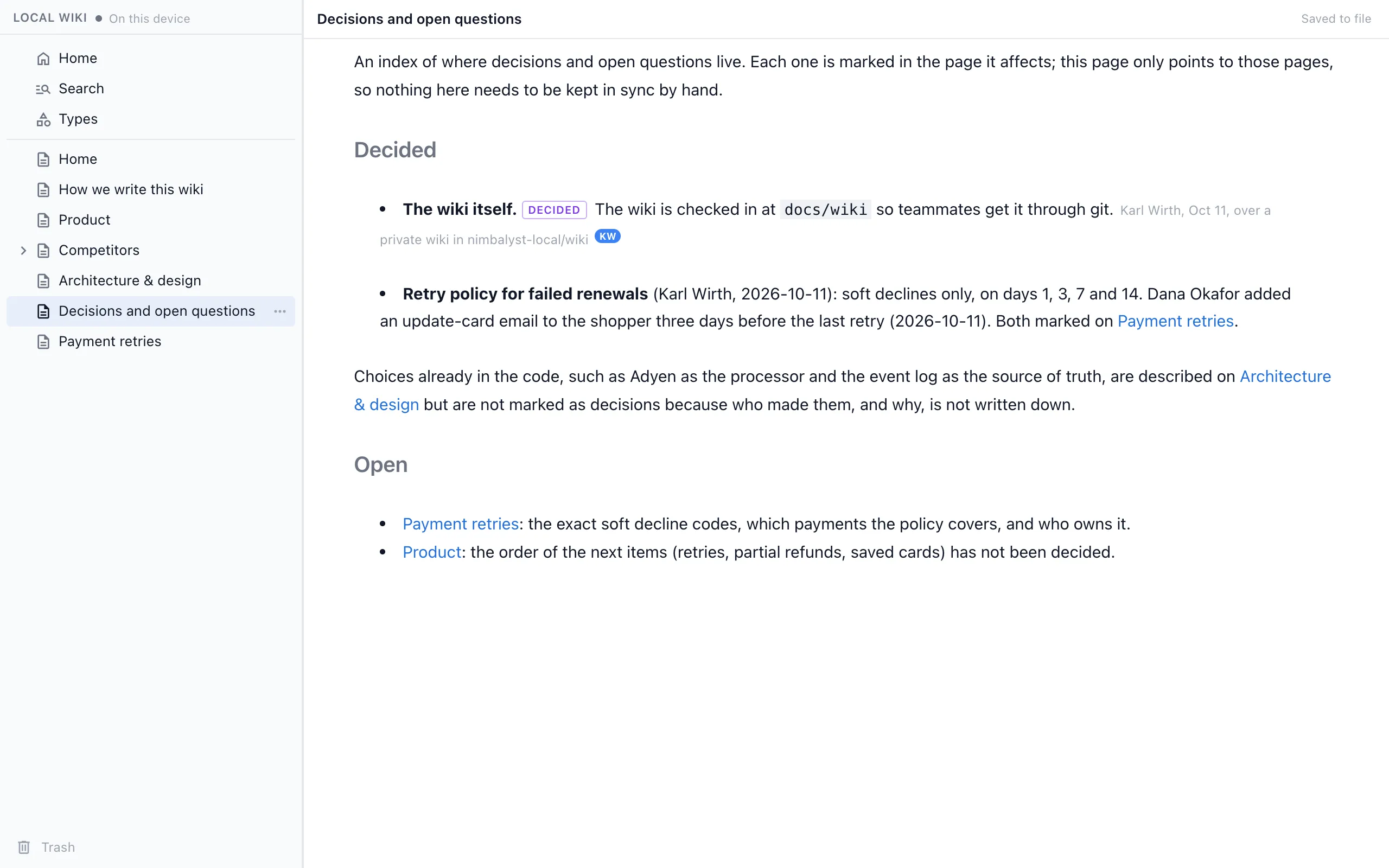
Each decision becomes a marked sentence in the page it affects, with who decided, when and what was passed over, and a quote from the session when your words support it. In an Obsidian setup you design that format yourself and hope every agent follows it.
A wiki on the first run
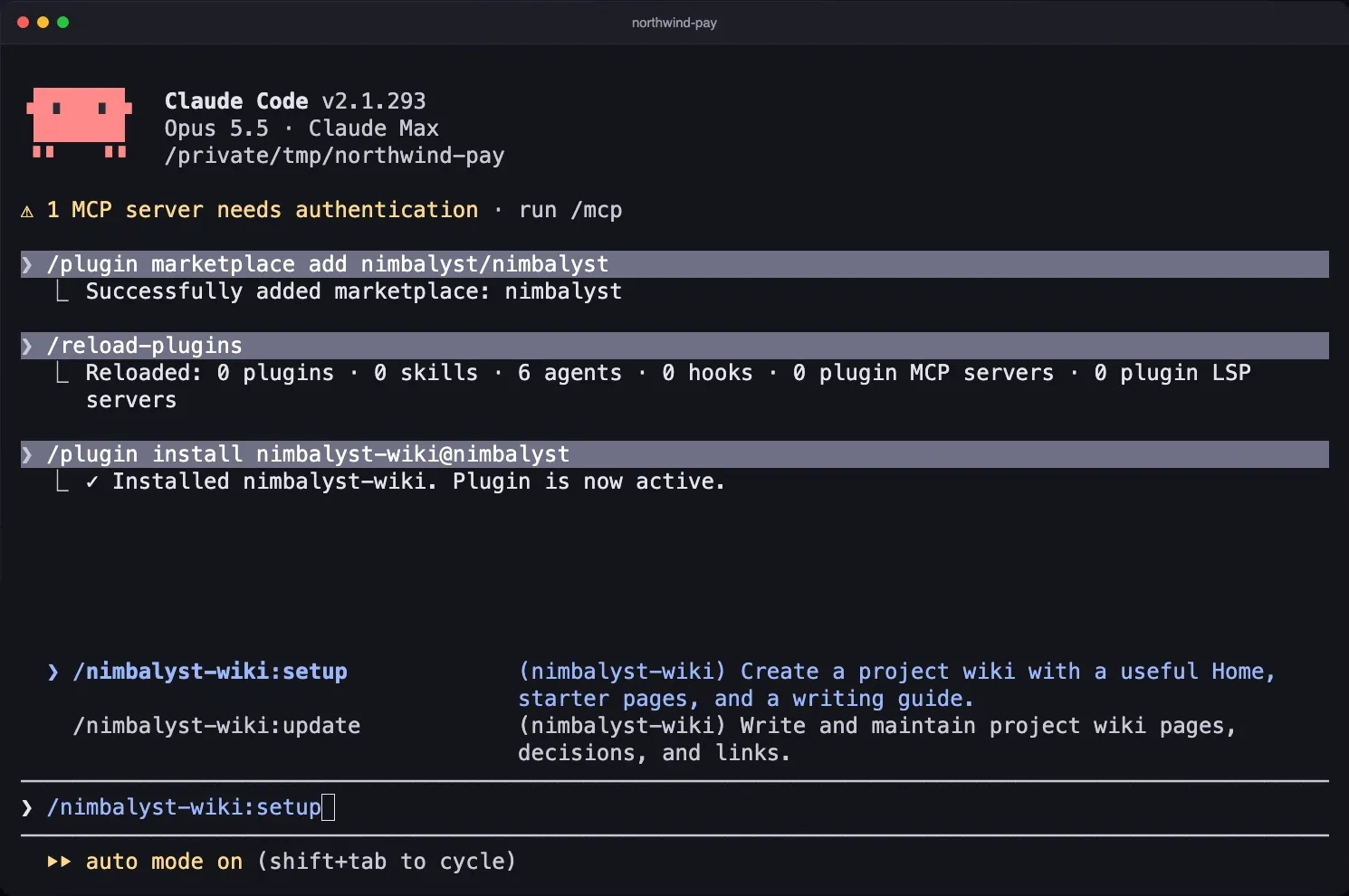
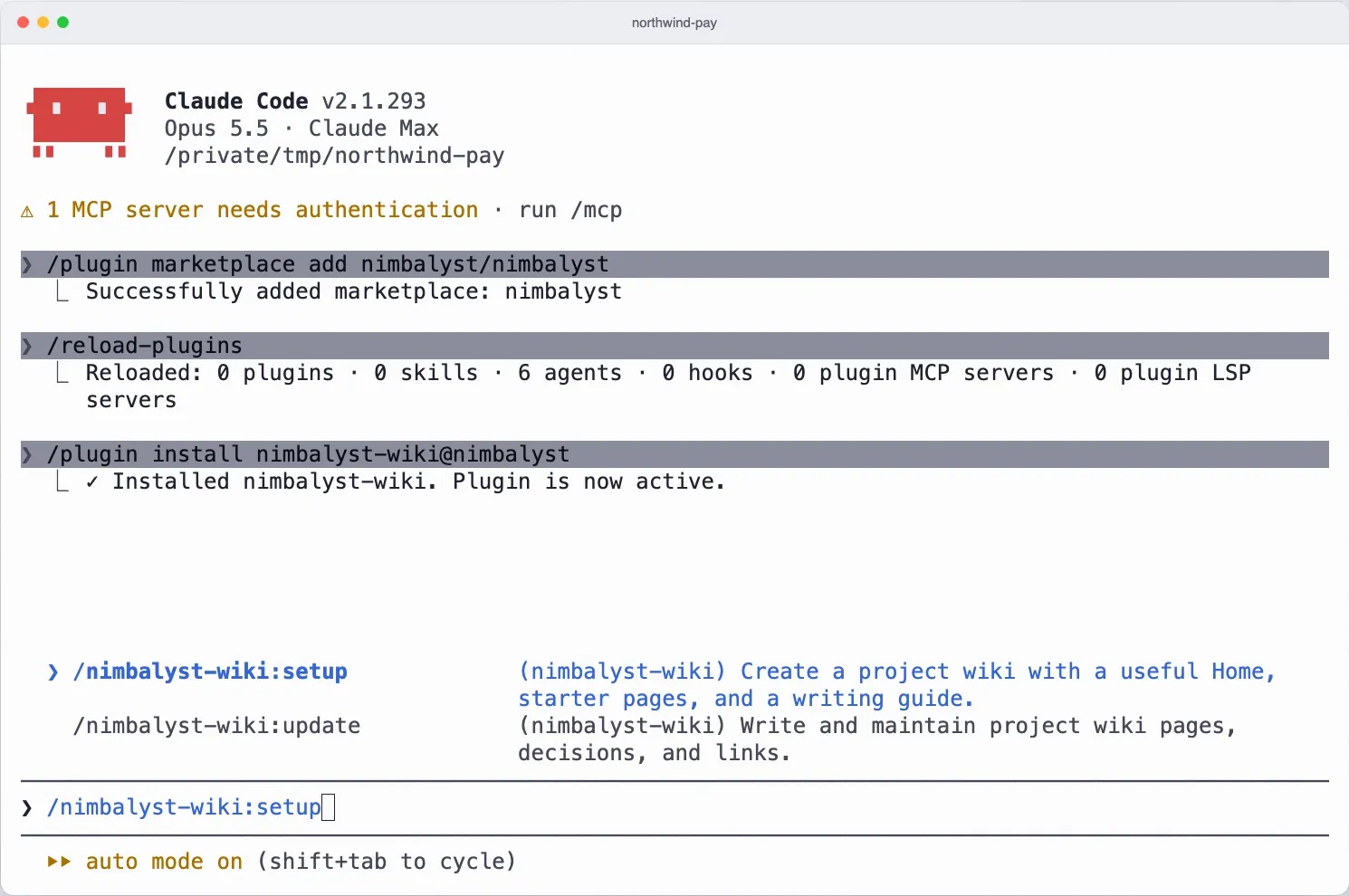
Setup reads your README and docs, asks who the wiki is for, and writes a Home page, a writing guide and starter pages. You start with a wiki instead of an empty vault and a prompt to tune.
Catch up in a few minutes
An index page lists every decision and open question across the wiki, so a week of agent sessions takes minutes to review. Ask "why did we..." and the recall skill answers from the wiki with who, when and what lost.
Fair comparison
Where Obsidian with an agent is stronger
A mature notes app
Obsidian is a polished editor for all of your notes, not one project's wiki, with daily notes, templates and years of refinement for large vaults.
Community plugins and mobile
Obsidian's community plugin ecosystem is far larger than anything the Nimbalyst Wiki offers, and it has desktop and mobile apps with optional Sync across devices.
Graph view and linking
Obsidian's Graph view core plugin visualizes the relationships between every note in your vault, which suits personal knowledge work that spans many topics.
Recommendation
Who should use which
Choose the Nimbalyst Wiki if…
You run Claude Code, Codex or another coding agent on a project and want the agent to keep a wiki for you: decisions with who, when and what was rejected, open questions with owners, and typed tables, in markdown in your repo, with no app or account and no system to design.
Choose Obsidian with an agent if…
You want one notes app for your whole working life, you enjoy designing your own conventions, and you value Obsidian's editor, community plugins, Graph view and mobile apps.
The two can sit side by side. The Nimbalyst Wiki is a folder of plain markdown files, so you can also open it in any markdown editor you like.
More Comparisons
Related comparisons
Nimbalyst Wiki vs Notion AI
Pages in your repo written by your coding agent, or a hosted workspace with its own AI agent.
Nimbalyst Wiki vs Basic Memory
Two local markdown tools for agents, built for different jobs.
Overwhelmed working with coding agents?
Why several agents outrun what one person can track, and how a wiki written for you helps.
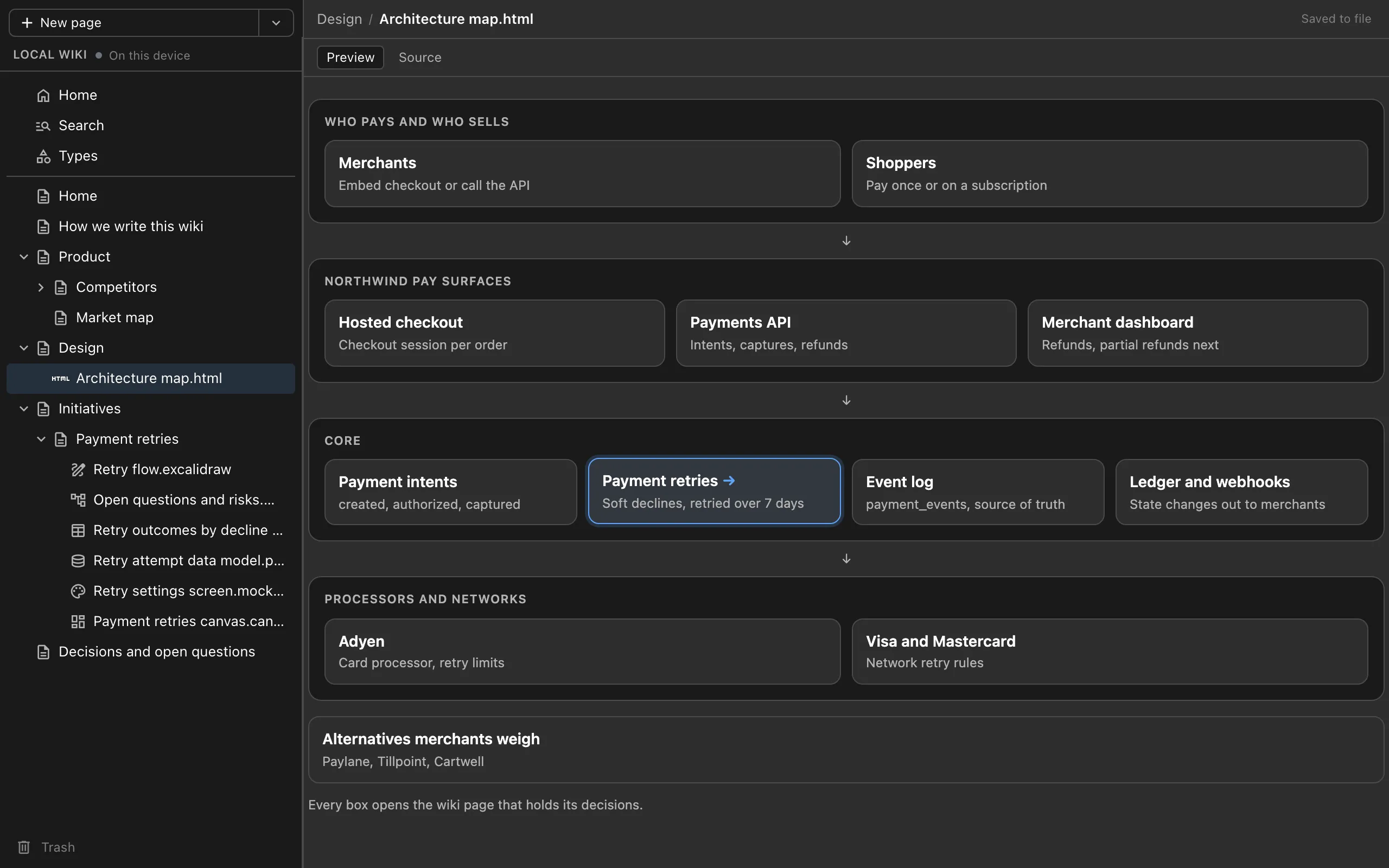
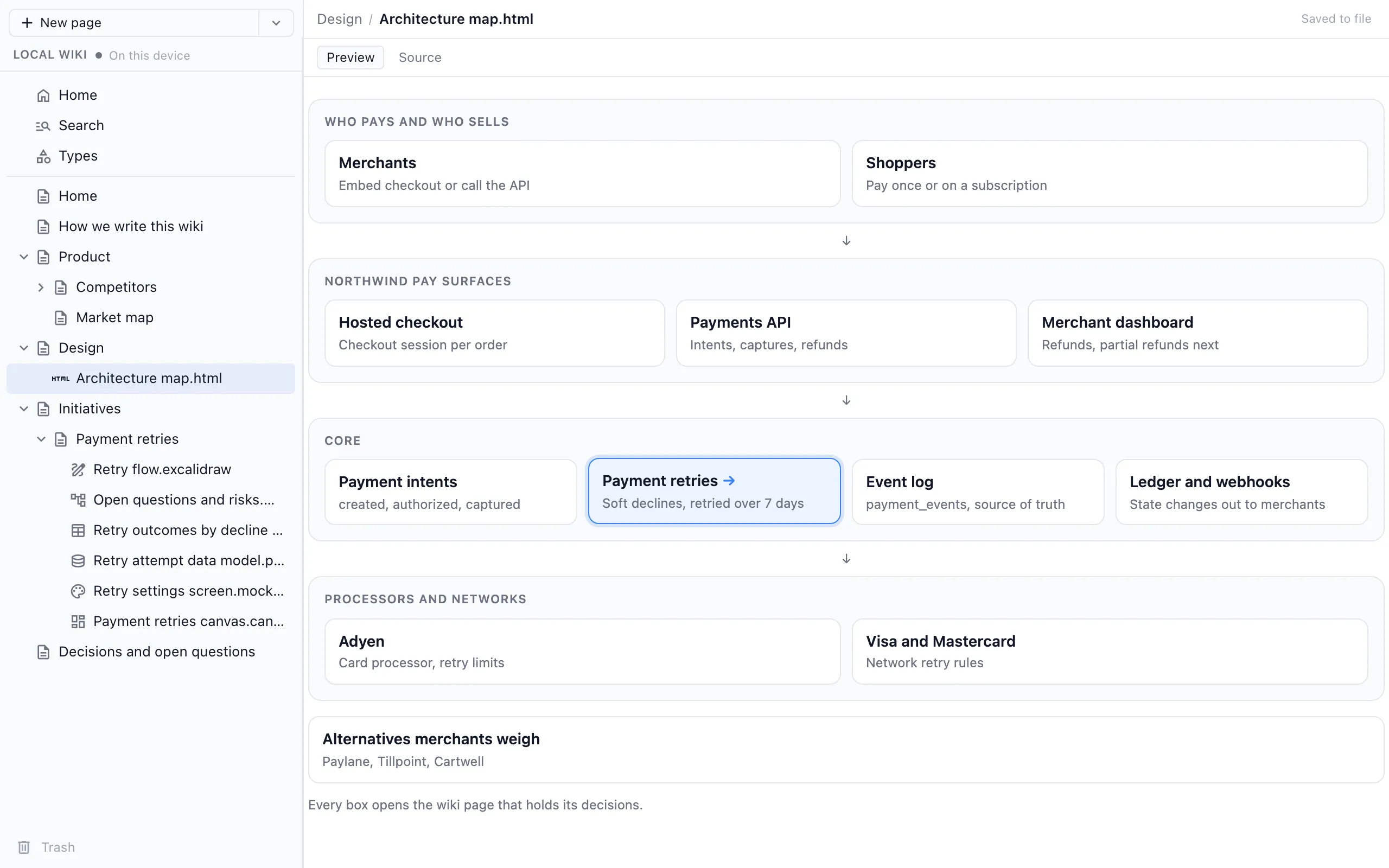
A project wiki in Cursor, VS Code and Cowork
The same wiki through one MCP server in any MCP agent.
From the Blog
Related guides
How to Keep a Project Wiki with Claude Code
Install the plugin, run setup, and capture decisions at the end of each session.
How to Keep a Project Wiki with Codex
The Codex CLI plugin, or one command for the Codex app and IDE extension.
Claude Code Memory vs a Wiki Your Agents Write for You
Where CLAUDE.md, AGENTS.md, auto memory and a wiki for you each fit.
Architecture Decision Records Written by Your Coding Agent
Decisions in the page they affect, with who, when and what was rejected.
Overwhelmed Working with Coding Agents?
Why several agents outrun what one person can track, and how a wiki written for you helps.
A Project Wiki in Cursor, VS Code and Cowork
The same wiki through one MCP server in any MCP agent.
Want your coding agents to keep a project wiki for you, in plain markdown in your repo?
Free plugin for Claude Code, Codex, Cowork, Cursor, VS Code or any MCP agent. No app or account needed.