What Is the Codex Harness? Agent Loop, App Server, and AGENTS.md Explained
The Codex harness is the code around the model that runs the agent loop, tools, sandbox, and approvals. How it works, where AGENTS.md and the App Server fit, and what it leaves for your team to build.
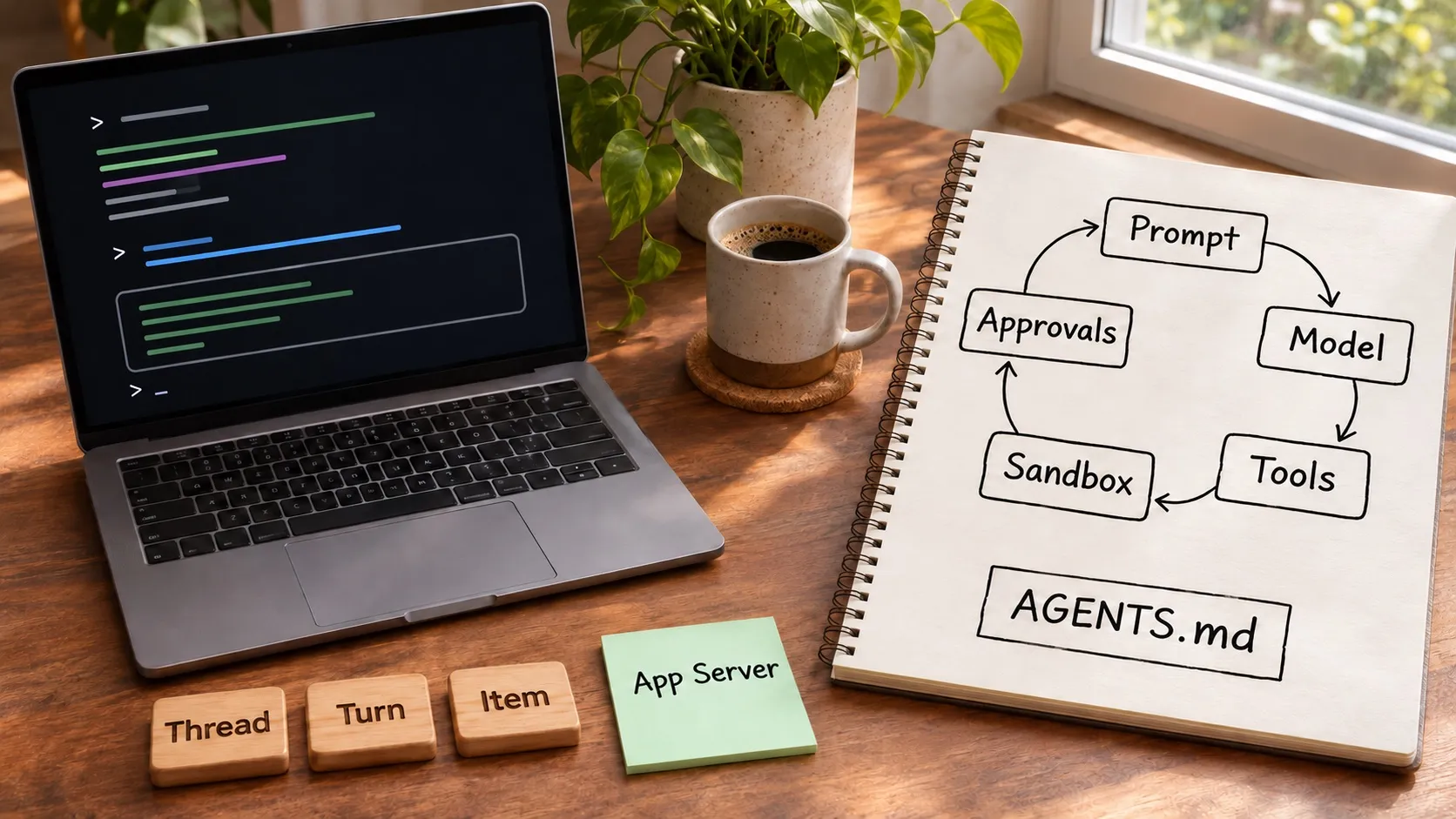
“Codex harness” gets searched for two different things. One is the system OpenAI ships around its models, which is what makes Codex an agent instead of a chat window. The other is the layer a team builds above it. This page covers the first, from OpenAI’s own documentation, and then points to the second.
If you want the broader definition of a harness and the eight layers a team can own, read What Is an Agent Harness? and the open-source harness page.
Short definition
A harness is everything around the model that is not the model: the prompt assembly, the loop that calls the model and runs its tool requests, the sandbox those tools run in, the approval rules, and the session state. The Codex harness is OpenAI’s version of that for Codex. The same harness sits behind the surfaces OpenAI lists for Codex: the ChatGPT desktop and mobile apps, ChatGPT on the web, the CLI, the IDE extension, and Codex Cloud. OpenAI describes how it built the interface between the harness and its clients in an engineering post, Unlocking the Codex harness: how we built the App Server.
The parts of the Codex harness
Instructions: AGENTS.md
Codex builds an instruction chain from AGENTS.md files. It looks in your Codex home directory (~/.codex by default), where AGENTS.override.md takes the place of AGENTS.md if it exists. Then it walks from the project root down to your current directory, taking at most one file per directory. Files are concatenated from the root downward, so deeper files override guidance from higher levels. The default combined limit is 32 KiB (project_doc_max_bytes), and Codex stops adding files once it reaches that limit, so long instruction sets can be silently cut. Splitting guidance across nested directories avoids that.
Sandbox
Codex has three sandbox modes. read-only lets the agent inspect files but needs approval to edit or run commands. workspace-write lets it edit inside the workspace and run routine local commands, and OpenAI calls it the default low-friction mode for local work. danger-full-access removes the filesystem and network boundaries. The sandbox applies to spawned commands such as git, package managers, and test runners, not only to built-in file edits.
Enforcement depends on the platform. On macOS it uses the built-in Seatbelt framework. On Windows it uses a native Windows sandbox in PowerShell or the Linux sandbox in WSL2. On Linux it requires bubblewrap.
Approvals
Approval policy decides when the agent has to stop. on-request lets it work inside the sandbox and ask when it needs to go beyond it, and never removes approval prompts. Separately, the approvals reviewer can be you, which is the default, or an automatic reviewer agent that handles eligible prompts without changing the sandbox boundary. In the desktop app and IDE these show up as permission modes: Ask for approval, Approve for me, Full access, and a custom mode defined in config.toml. Rules can also allow, prompt, or forbid specific command prefixes.
Extension points
The docs list MCP servers, skills and plugins, and a Codex SDK as the main ways to extend Codex. The SDK is the route OpenAI recommends for automating jobs or running Codex in CI.
The App Server
The App Server is the interface Codex uses to power rich clients such as its VS Code extension, and it is what to look at if you want to embed Codex in your own product. It speaks JSON-RPC over stdio by default, with newline-delimited messages, and each connection starts with an initialize request and an initialized notification. It has three primitives:
- Thread: a conversation between a user and the agent, made of turns.
- Turn: one user request and the agent work that follows, made of items.
- Item: a unit of input or output, such as a user message, an agent message, a command run, a file change, or a tool call.
A typical client calls thread/start, then turn/start, and reads streamed notifications until turn/completed. It can send turn/steer to add input to a running turn or turn/interrupt to cancel it. Approval requests arrive as requests from the server that the client must answer, which is how a GUI can show an approval dialog instead of a terminal prompt.
What the Codex harness leaves to you
The vendor harness is built to be general. It knows how to run an agent safely and how to talk to a client. It does not know your product, your team’s decisions, or how your sessions relate to each other. Questions it does not answer:
- Where do your specs, plans, and past decisions live, and how does each new session find them?
- How do you see five sessions at once and tell which ones need you?
- How do you review what an agent changed across code, docs, diagrams, and mockups?
- How do you run Codex and Claude Code on the same project with the same rules?
The second layer is the project harness. Codex covers instructions through AGENTS.md and the rest through its own surfaces, and the work of tying it to your tasks, plans, and review is yours. The open-source agent harness page lays out how Nimbalyst organizes that layer, and Codex vs Claude Code compares the two vendor harnesses directly.
Using the Codex harness from Nimbalyst
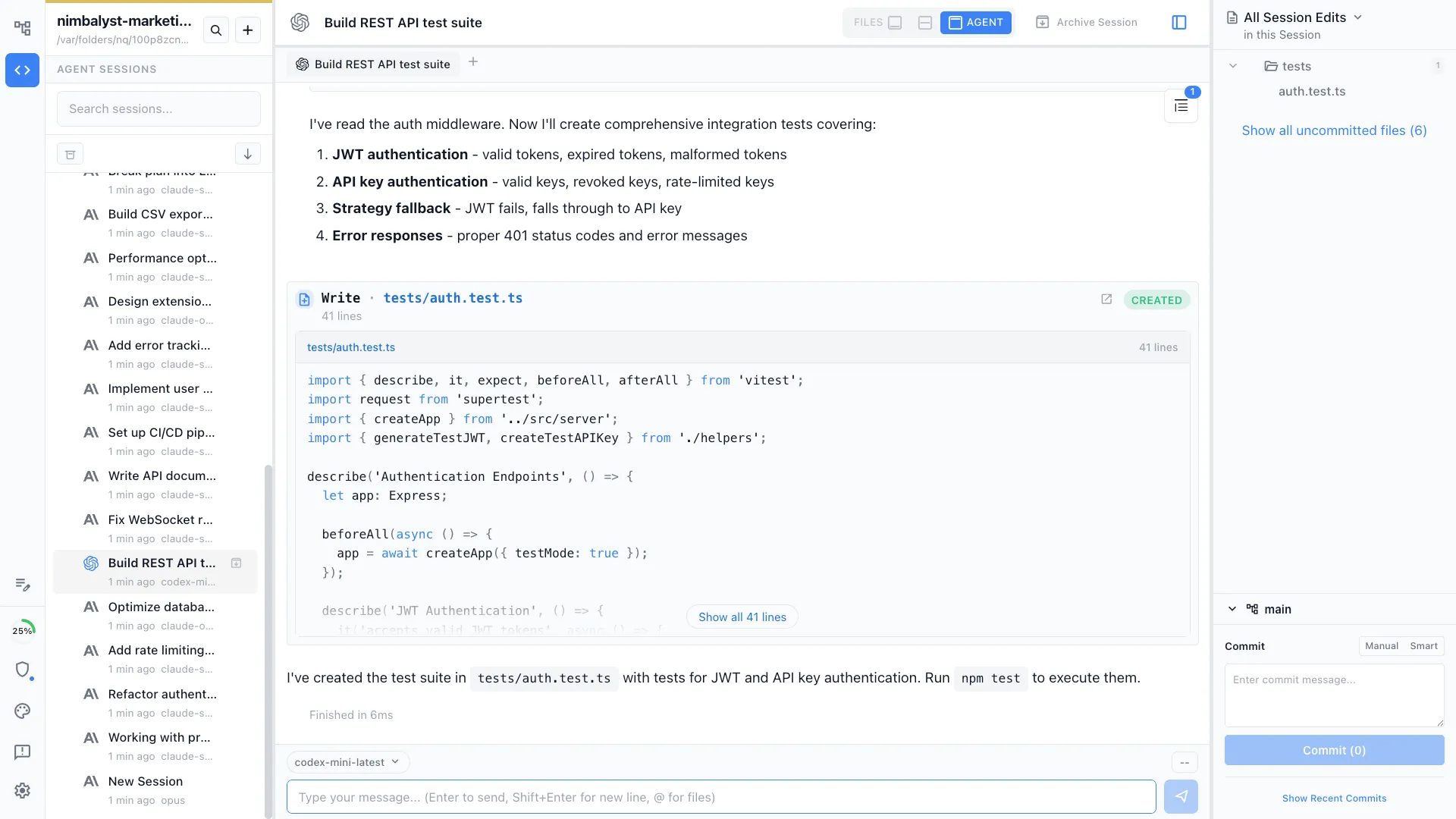
Nimbalyst runs Codex through its SDK and app-server transport with MCP support, and also supports Codex over the Agent Client Protocol. Codex sessions appear next to Claude Code sessions on the same session board, can be isolated in git worktrees, and show red and green diffs for each file they change. Your AGENTS.md and CLAUDE.md stay in the repository, so the instructions travel with the project instead of with a tool.
Sources
- Codex documentation: AGENTS.md, Sandboxing, and App Server
- openai/codex on GitHub
- Unlocking the Codex harness: how we built the App Server, OpenAI, February 2026
Details such as defaults and limits change between Codex releases. Facts above were read from OpenAI’s documentation on November 12, 2026.
Related pages
Related posts
-
What Is an Agent Harness? Eight Pillars for Coding Agents
An agent harness is the durable system around a coding model. Learn the eight layers that give Claude Code, Codex, and other agents context, tools, safety, and proof.
-
AGENTS.md vs CLAUDE.md: Where Instructions Go, and Where Decisions Go
AGENTS.md and CLAUDE.md both hold instructions for coding agents. Here is how they differ, how Claude Code reads each one today, and where your decisions and open questions should live instead.
-
Claude Code Memory vs a Wiki Your Agents Write for You
How Claude Code memory works (CLAUDE.md plus auto memory), where AGENTS.md and Codex memories fit, and why the person directing several coding agents needs pages written for them: decisions, open questions and what they track.