Zed Alternatives for AI Coding Agents: 6 Options Compared
Zed alternatives compared by what you need from them: VS Code, Cursor, JetBrains with Junie, Helix, Kiro, and Nimbalyst. Platforms, pricing, and which one fits Claude Code and Codex work.
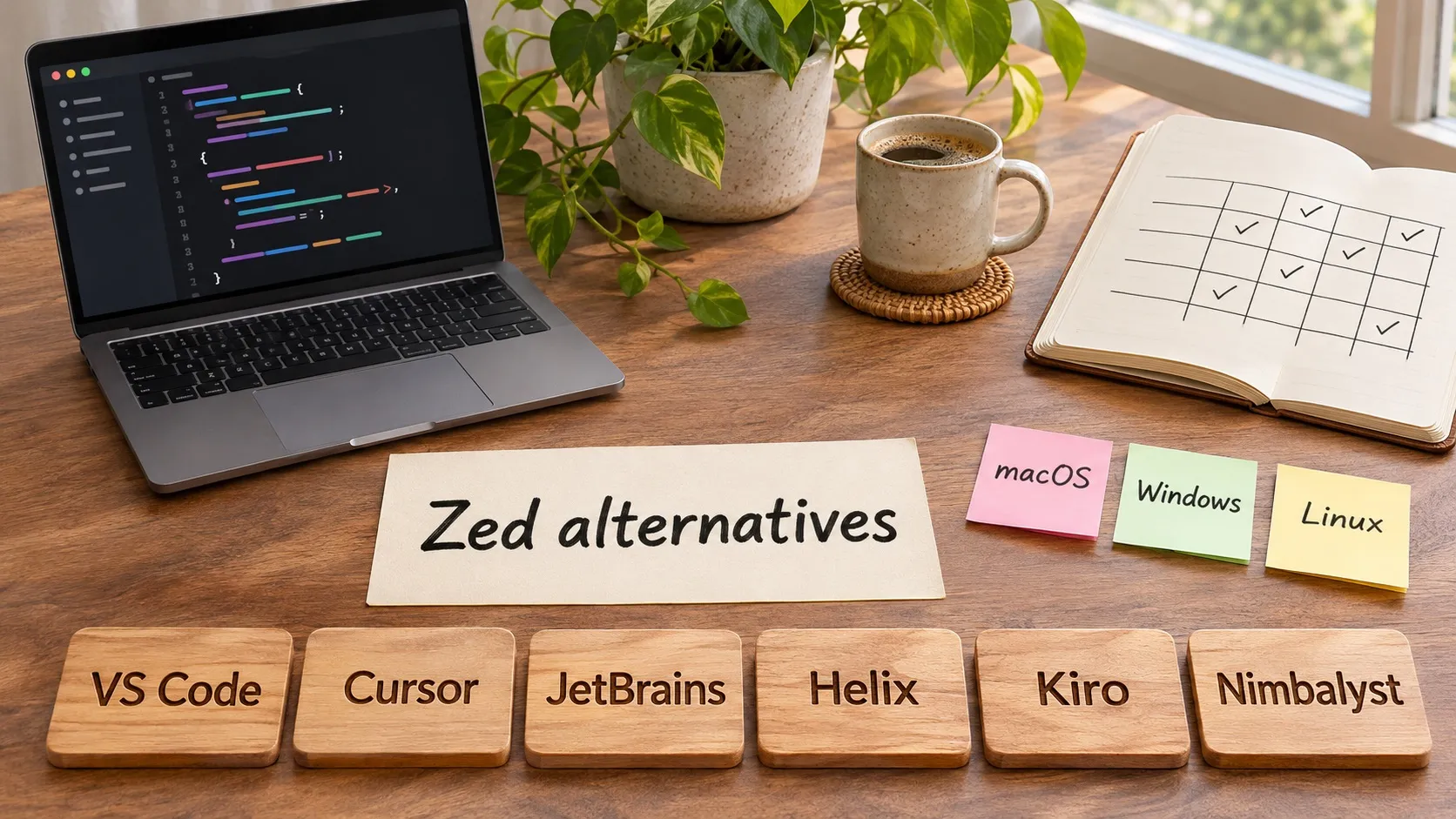
People search for Zed alternatives for a few different reasons, and the right answer changes with the reason. Some want the Zed idea (fast, native, built for agents) in a tool with a bigger extension ecosystem. Some want a full IDE. Some want an agent-first app, and some find that the code editor is no longer where most of their time goes, because Claude Code and Codex now do the typing and the job is directing and reviewing them.
This guide covers six options grouped by those reasons. For a direct two-way comparison with Nimbalyst, see Zed vs Nimbalyst. Facts about each tool come from its own site, checked on November 12, 2026.
Quick answer
- Largest extension ecosystem: VS Code.
- Agent-first desktop app: Cursor.
- Full IDE with deep language tooling: JetBrains IDEs with Junie.
- Minimal, terminal-based editing: Helix.
- Spec-driven agent workflow from AWS: Kiro.
- Running Claude Code and Codex sessions in parallel with review and planning in one place: Nimbalyst.
What Zed does, so you know what you are replacing
Zed is a native editor for macOS, Linux, and Windows. It calls itself open source and has a free Personal plan that works with your own API keys or external agents. Pro is $10 per month with $5 of tokens included, and Business is $30 per seat per month. Zed runs Claude Agent, Codex, and Gemini CLI as external agents through the Agent Client Protocol, and each agent handles its own authentication and billing.
If speed and a native feel are what you like, keep that in mind when you read the list. The alternatives below each trade some of it for something else.
Comparison table
| Tool | Best for | Platforms | Agent approach |
|---|---|---|---|
| VS Code | Ecosystem and flexibility | macOS, Windows, Linux | Agent mode with Copilot, Claude, or Codex harnesses |
| Cursor | Agent-first editing | macOS, Windows, Linux | Built-in agents, cloud agents |
| JetBrains + Junie | Language-specific IDE depth | macOS, Windows, Linux | Junie coding agent, bring your own key |
| Helix | Terminal editing | Terminal | No built-in AI features listed |
| Kiro | Spec-driven work | IDE, CLI, web | Specs and parallel agents |
| Nimbalyst | Parallel agent sessions and review | macOS, Windows, Linux, iOS companion | Runs Claude Code and Codex directly |
VS Code
VS Code is the default alternative for good reason. The Code - OSS repository on GitHub is MIT licensed, and Microsoft ships the branded Visual Studio Code under its own product license. The extension marketplace is the largest of any editor here.
On the agent side, VS Code’s documentation describes agent mode that finds code, makes changes, and runs checks, with diffs you can review before integrating. It supports MCP servers, skills, hooks, and custom agents, and lets you choose between Copilot, Claude, or Codex based on their tools and workflows.
Pick it if you want the most mainstream editor with every language and tool already supported. Skip it if the reason you looked at Zed was performance and a lighter feel.
Cursor
Cursor describes itself as an agent-first experience with the best parts of an editor available when you need them. The desktop app runs on macOS, Windows, and Linux, and Cursor Cloud Agents can be used from a browser or phone. Pricing and the model line-up have changed several times this year, so check cursor.com/pricing before you decide.
Pick it if you want an editor where agents are the main interaction. Skip it if you already pay for Claude Code or Codex and want to use those agents directly. For that case see Nimbalyst vs Cursor and Cursor vs VS Code for Claude Code.
JetBrains with Junie
If you moved to Zed from a JetBrains IDE and want to go back, Junie is JetBrains’ coding agent. It runs in JetBrains IDEs and as a CLI, and from GitHub and GitLab issues and pull requests. It works with the model you choose using your own key, and the Junie page lists Claude Opus 5.5, Claude Sonnet 5.5, Claude Fable 5.2, Gemini models, and others. JetBrains lists AI Pro at $8.33 per user per month and AI Ultimate at $25 per user per month.
Pick it if you rely on IntelliJ, PyCharm, WebStorm, or another JetBrains IDE for deep refactoring and language support. Skip it if you want a light editor.
Helix
Helix is a terminal editor with multiple selections, tree-sitter syntax handling, and built-in language server support. Its site says there is currently no plugin system, and it does not list AI features, so agents run in a separate terminal pane next to it.
Pick it if you like Zed for its minimalism and are comfortable in a terminal. Skip it if you want a visual interface for agent work.
Kiro
Kiro is built and run by AWS and is available as an IDE, a CLI, and on the web, with a desktop app called Kiro Crew for persistent agents. Its core idea is specs: capture what you meant before code is written and verify the results afterward. The site lists parallel agents for large codebases and a free way to get started. See Nimbalyst vs Kiro for the detailed comparison.
Pick it if you want a structured spec-first process and work in AWS. Skip it if you want to keep using Claude Code or Codex as your agents.
Nimbalyst
Nimbalyst is the option on this list that is a different kind of tool from Zed, and it only makes sense as a Zed alternative for some people. It is a visual workspace that runs Claude Code and Codex (and also OpenCode, GitHub Copilot CLI, and Grok Build) as sessions you can manage side by side. It is not a lighter or faster code editor. It does include a code editor, but the workspace is built around directing and reviewing agents.
What it adds on top of the agents you already use:
- A session kanban board with phase columns from backlog to complete, so you can see which agents are running, waiting, or done.
- One-click git worktrees so parallel sessions do not edit the same files.
- Red and green diff review for each change an agent makes, including in markdown, diagrams, and mockups, with per-file approve and reject.
- Plans, trackers, and docs next to the sessions, so agents work from the same context you do.
- Visual editors for markdown, mockups, Excalidraw and Mermaid diagrams, spreadsheets, and data models.
- An iOS companion app for checking on sessions.
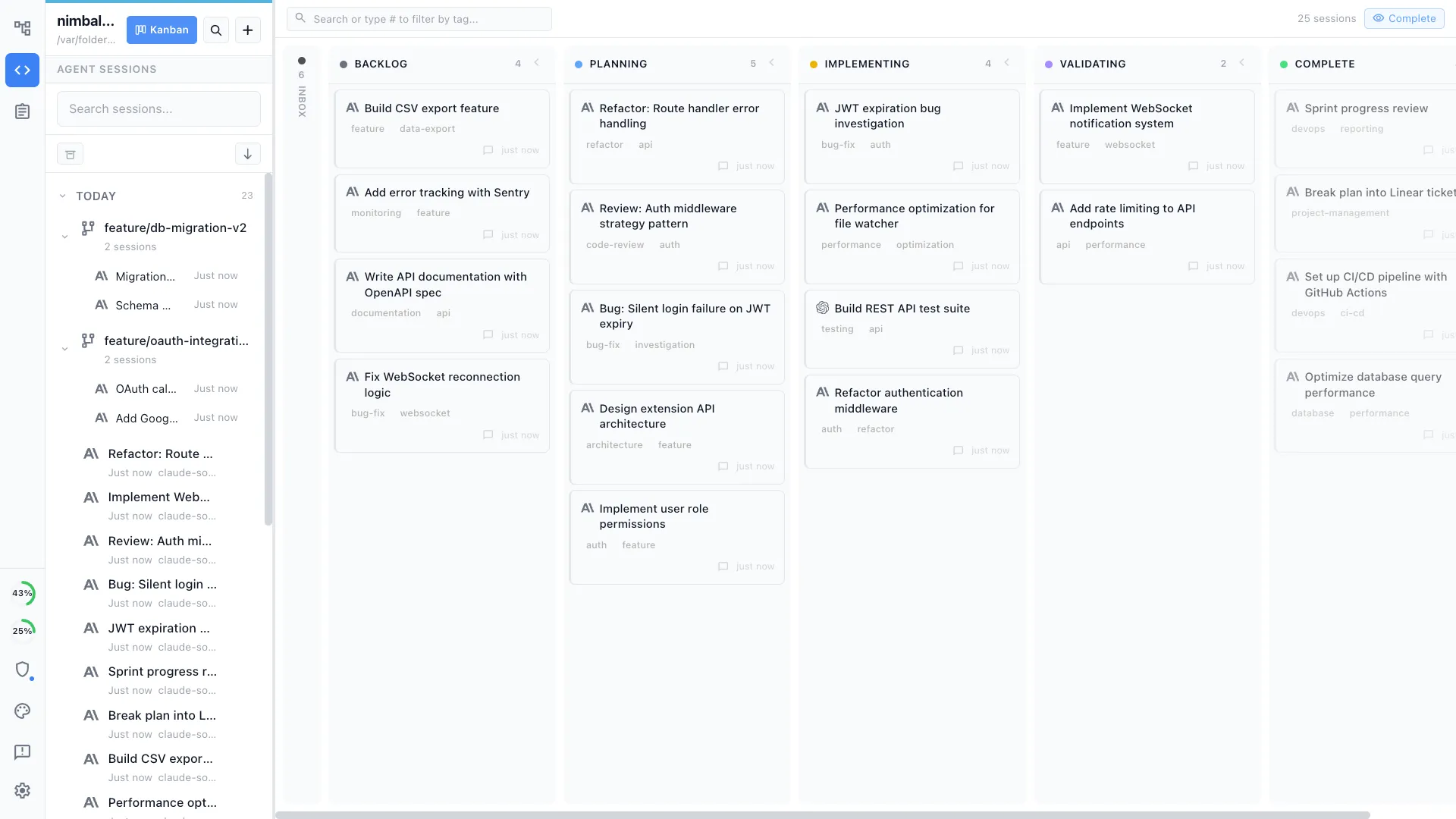
Nimbalyst is free for individuals, and the desktop app runs on macOS, Windows, and Linux. The individual features are MIT licensed. It uses your existing Claude Code and Codex access, so there is no separate model subscription from Nimbalyst.
Pick it if your work is mostly directing several agents and reviewing what they produce, and you want planning and review in the same place. Skip it if you want a faster text editor, since that is where Zed and Helix are strongest. You can pair Nimbalyst with the editor you already like. The head-to-head is in Zed vs Nimbalyst.
How to choose
Start from the reason you are looking.
- You want the same feel with a bigger ecosystem. VS Code.
- You want agents to be the main way you work in the editor. Cursor.
- You want a heavyweight IDE for one language family. JetBrains with Junie.
- You want less than Zed gives you. Helix.
- You want a spec-first process. Kiro.
- You spend more time running and reviewing agents than editing files. Nimbalyst, alongside or instead of an editor.
Zed can also stay in the mix. It runs Claude Agent and Codex itself, so you can use it as your editor and add a workspace for session management and review.
Notes on accuracy
Pricing and plans for these tools change often. The figures above come from each vendor’s own pricing or product page on November 12, 2026. Windsurf is not on the list because its pricing page now redirects to Devin, and its current status could not be confirmed from a primary source.
Related pages
Related posts
-
Best Conductor Alternatives 2026: Windows, Linux, and Open Source
Conductor is joining Meta and Conductor Cloud shuts down Nov 20. Compare the best Conductor alternatives for Mac, Windows, and Linux by license, agents, and price.
-
Best AI Agent Orchestration Platforms 2026: Coding vs Workflow
AI agent orchestration means two different products. Compare control planes for your own coding agents (Nimbalyst, Orca, Emdash, Paradev (formerly Superset), Conductor, Warp) against workflow frameworks like LangGraph and CrewAI.
-
Open Source Agent Workspaces 2026: 8 Tools Compared
cmux, Paradev (formerly Superset), Orca, Paseo, Herdr, T3 Code, Goose, and Warp compared in 2026: platforms, licences, worktree isolation, mobile access, and which agent workspace fits which workflow.