Everything a Page Can Hold
A tour of every component you can put in a Nimbalyst Wiki page, with an example of each: callouts, columns, tabs, Mermaid diagrams, charts, 2x2s, decision blocks, decision and question marks, embedded drawings, mind maps, mockups and HTML pages, live views of your types, code excerpts, link cards, and buttons.
A wiki page is markdown, so anything you or your agent writes as plain text works everywhere. On top of that, a page can hold components: diagrams, charts, 2x2s, decisions, drawings, mockups, and live tables of your data. Each one is a short block of text in the page's markdown, which is how your agent writes them and how they stay readable in git.
This page shows each component with an example and the markdown behind it. You rarely type these yourself: ask your agent for "a 2x2 of our competitors" or "a chart of recovered payments by week," or type / in the app to insert one.
Where each component works
You can read a page in the Nimbalyst app, in the team wiki at console.nimbalyst.com, or, for a local wiki, in your browser with nim wiki serve.
| Component | App | Team wiki in the browser | Local wiki in the browser |
|---|---|---|---|
| Callouts, columns, tabs, table of contents | Yes | Yes | Yes |
| Mermaid diagrams, charts, 2x2s, code excerpts | Yes | Yes | Yes |
| Decision blocks, decision and question marks, mentions | Yes | Yes | Yes |
| Embedded drawings, mind maps, mockups, and other editor pages | Yes | Preview not available yet | Yes |
| Embedded interactive HTML pages | Yes | Yes | Yes |
| Live views of a type, decisions and open questions lists | Yes | Yes | Shows a note |
| Link preview cards | Yes | Yes | Yes |
| Buttons that start a session or create a page | Yes | Shown, not clickable | Shown, not clickable |
| Transclusion of another page | Yes | Shows a link | Shows a link |
Text and structure
Callouts
A callout holds the one thing a reader must not miss. The type is NOTE, TIP, IMPORTANT, WARNING, or CAUTION.

A warning callout.
> [!WARNING] Never retry a hard decline
> Codes 04, 07 and 41 mean the card is lost or stolen. Retrying them counts against our network score.
Columns
Columns put two short, related things side by side, like before and after, or a picture and its legend. Pages are read on phones too, so keep columns for pairs.
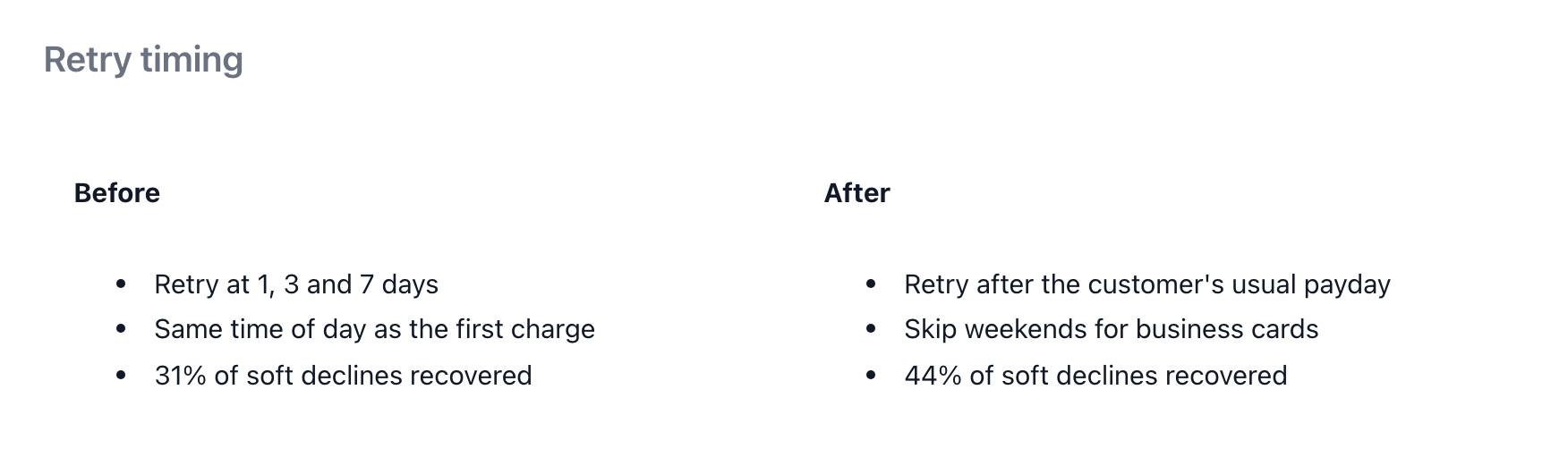
Before and after, side by side.
<div data-columns="1fr 1fr">
<div data-column>

**Before**

- Retry at 1, 3 and 7 days
- 31% of soft declines recovered

</div>
<div data-column>

**After**

- Retry after the customer's usual payday
- 44% of soft declines recovered

</div>
</div>
Tabs
Tabs hold alternatives where a reader picks one, such as a platform or a plan.
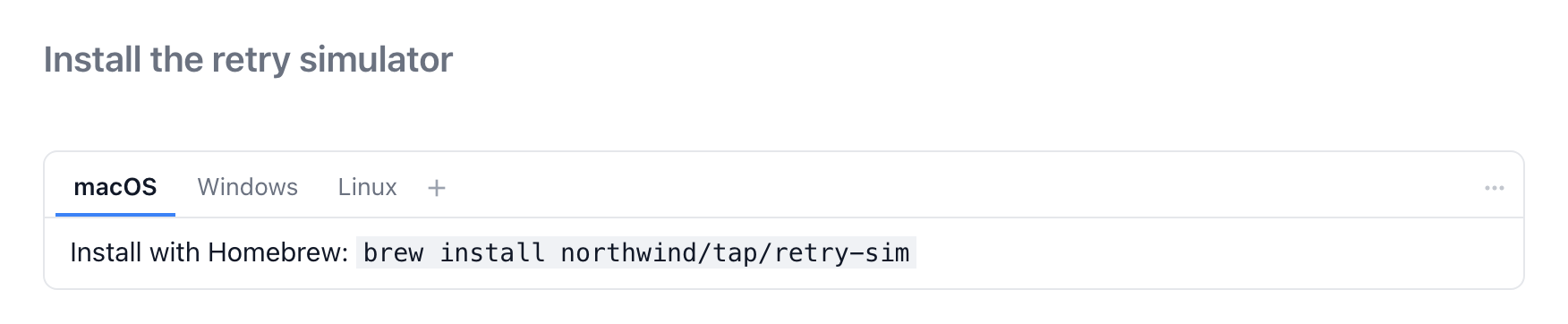
One tab per platform.
<div data-tabs>
<details data-tab>
<summary>macOS</summary>

Install with Homebrew: `brew install northwind/tap/retry-sim`

</details>
<details data-tab>
<summary>Windows</summary>

Install with winget: `winget install Northwind.RetrySim`

</details>
</div>
Table of contents
A table of contents lists the headings of a long page. depth sets how many heading levels it shows. Most pages are short enough not to need one.
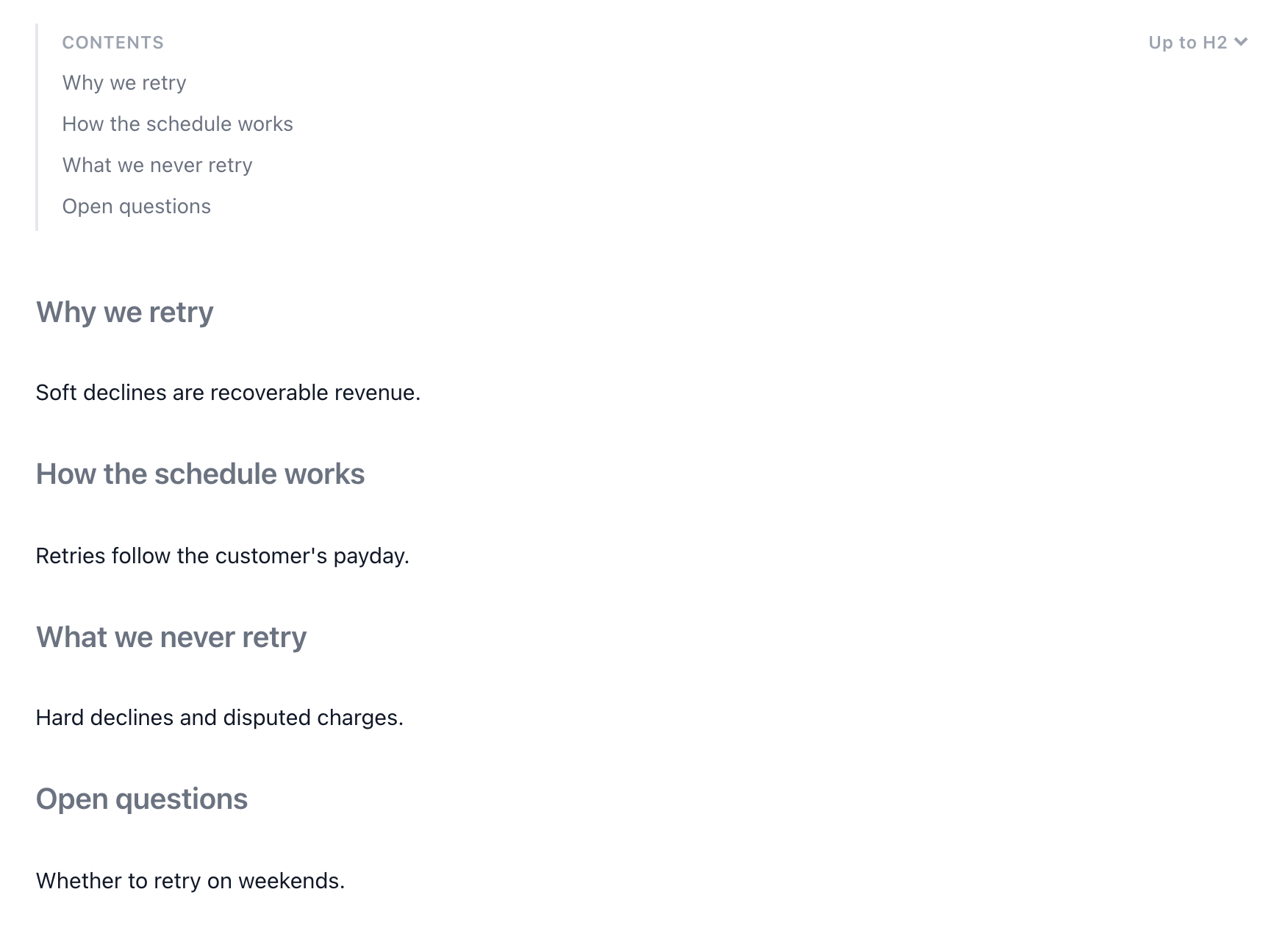
A table of contents for a four-section page.
```toc
depth: 2
```
Diagrams, charts, and 2x2s
Mermaid diagrams
A Mermaid block draws a flowchart, sequence, or state diagram from text. Use it for a flow that reads top to bottom.
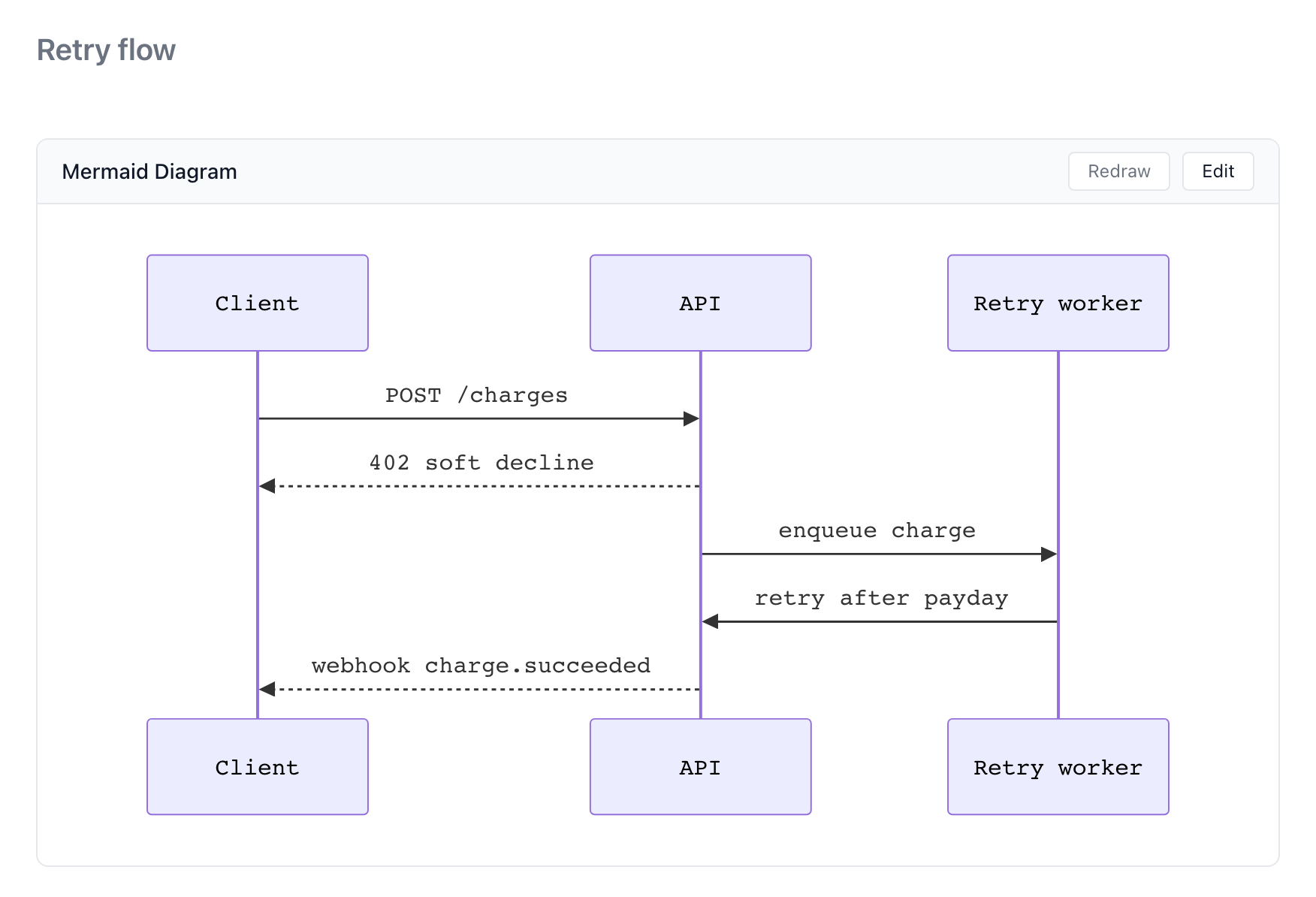
A sequence diagram of a retried charge.
```mermaid
sequenceDiagram
  Client->>API: POST /charges
  API-->>Client: 402 soft decline
  API->>Retry worker: enqueue charge
  Retry worker->>API: retry after payday
  API-->>Client: webhook charge.succeeded
```
Charts
A chart block draws a bar, line, area, pie, or scatter chart from a few rows of data. Cite where the numbers came from next to it. To chart the pages of a type so the chart stays current, place a live view in chart mode instead.
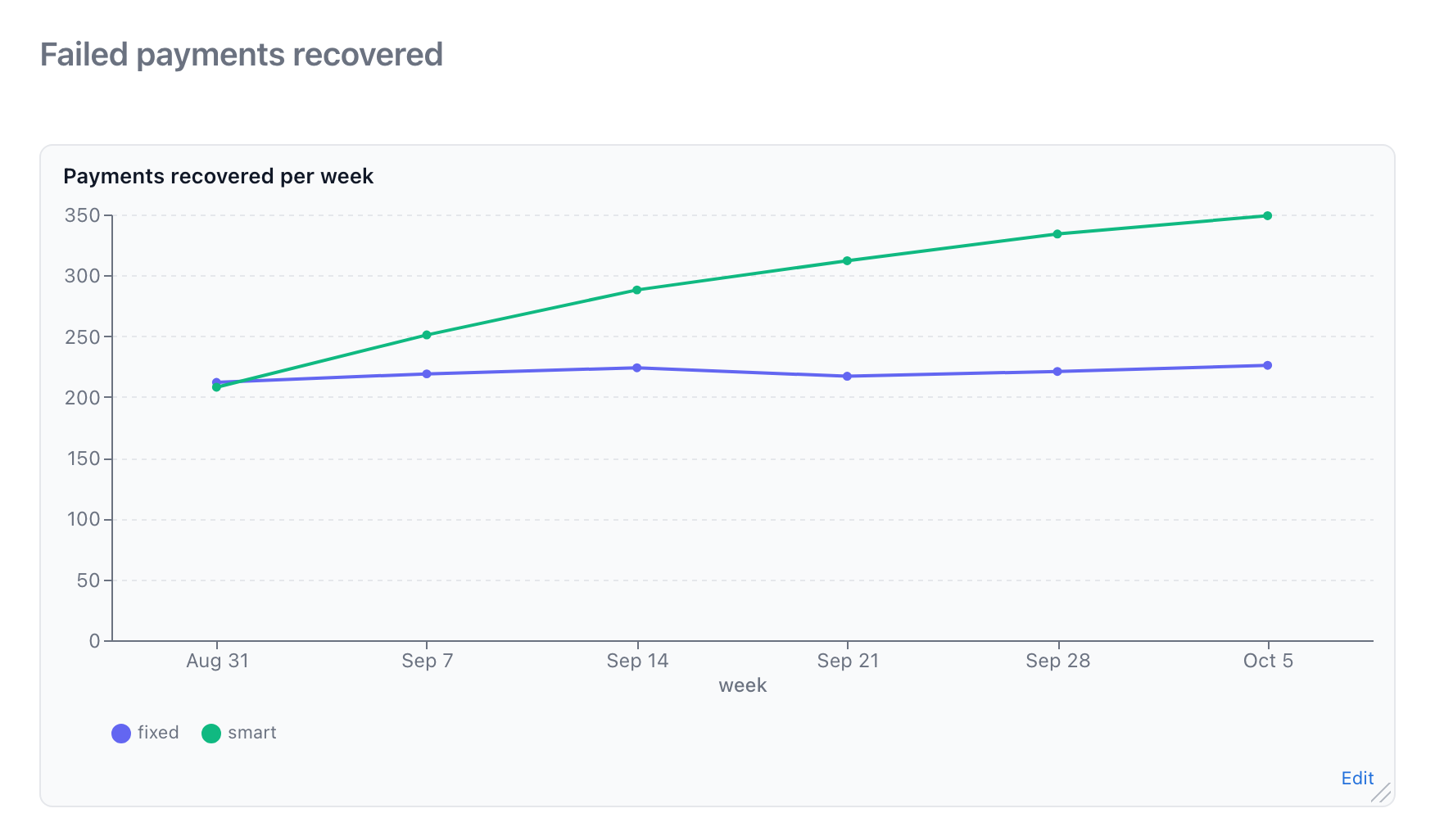
Recovered payments per week, fixed schedule against smart retries.
```chart
type: line
title: Payments recovered per week
x: week
y: [fixed, smart]
data: |
  week,fixed,smart
  Aug 31,212,208
  Sep 7,219,251
  Sep 14,224,288
  Sep 21,217,312
  Sep 28,221,334
  Oct 5,226,349
```
2x2s
A 2x2 places a handful of named things on two axes, with a name for each quadrant. Values run from 0 to 1, and a trailing ! highlights a point.
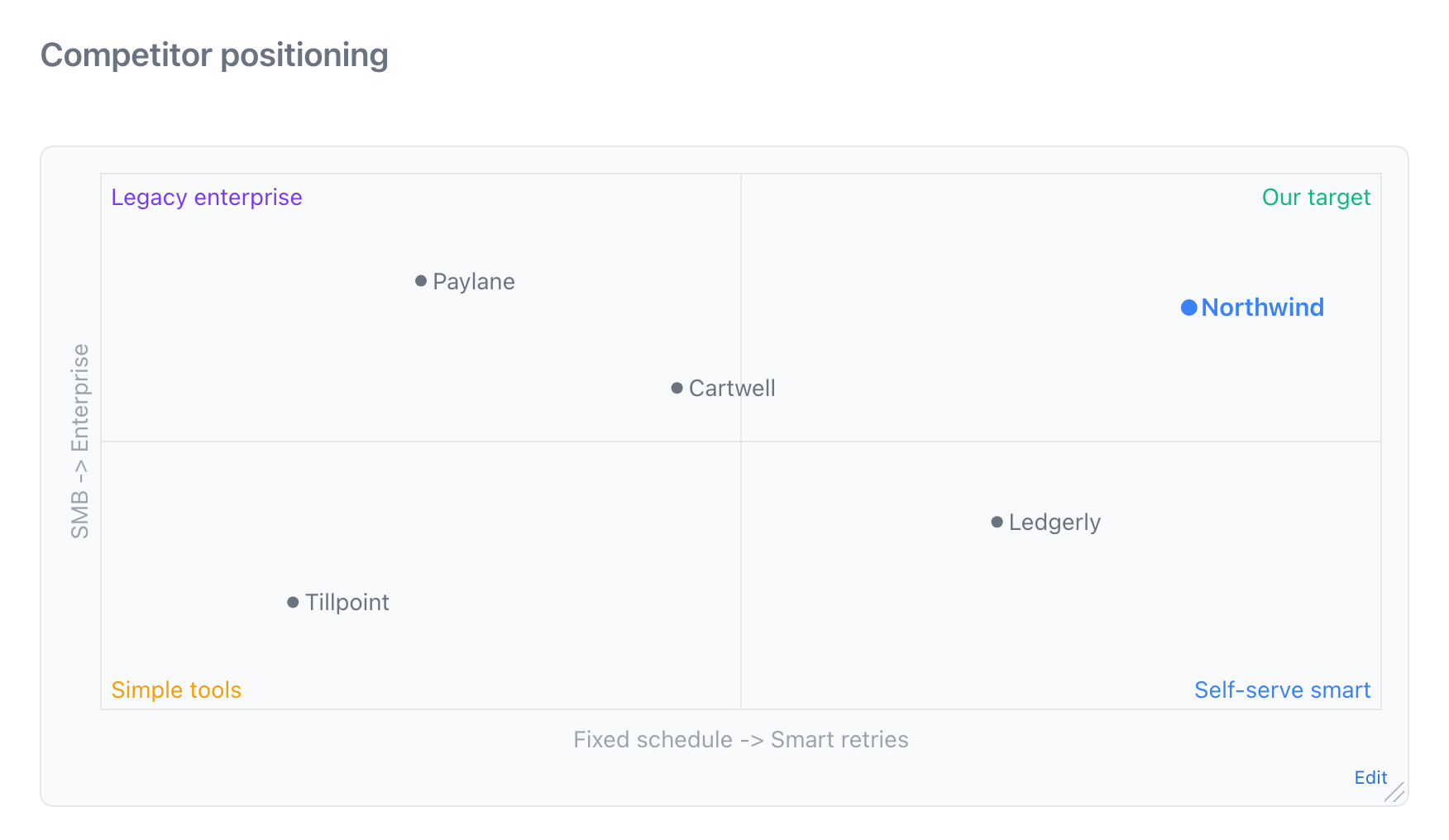
Competitors placed by retry approach and market, with Northwind highlighted.
```2x2
x: Fixed schedule -> Smart retries
y: SMB -> Enterprise
quadrants: Legacy enterprise | Our target | Simple tools | Self-serve smart
- Paylane: 0.25, 0.8
- Ledgerly: 0.7, 0.35
- Tillpoint: 0.15, 0.2
- Cartwell: 0.45, 0.6
- Northwind: 0.85, 0.75 !
```
When the points are pages of one type with two number fields, place a live 2x2 view instead, so it moves when the pages change.
Decisions and questions
Decision and open question marks
Mark the sentence where a decision lives, with who decided, when, and what it was chosen over. Mark an open question with its owner. Both show as badges, and lists of them across the wiki show what is settled and what still needs someone. See Decisions, Questions, Links, and Views.
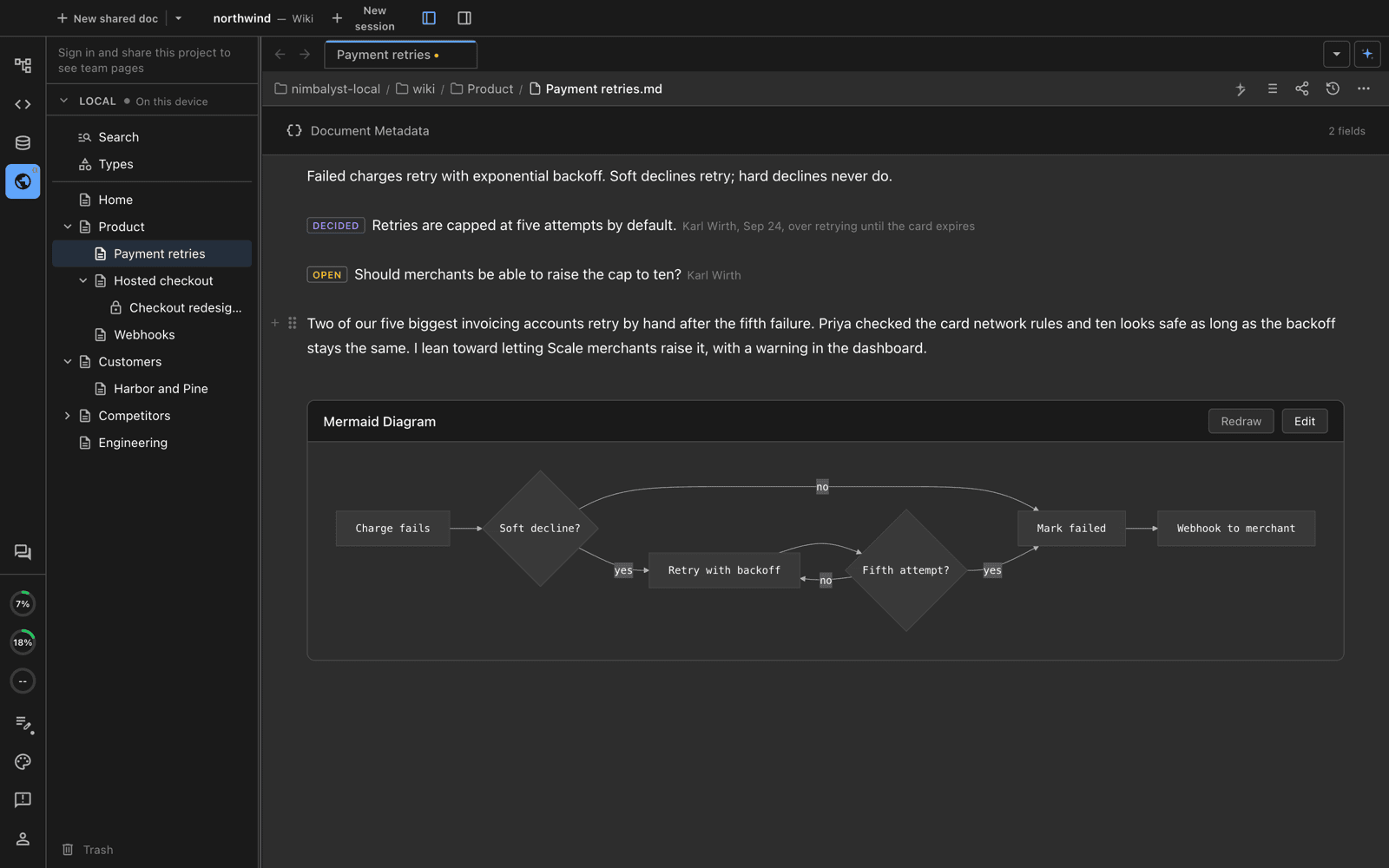
A decision with who, when, and what it was chosen over, and an open question with its owner.
[Retries are capped at five attempts by default.]{decided by="Karl Wirth" [email protected] on=2026-09-24 over="retrying until the card expires"}

[Should merchants be able to raise the cap to ten?]{open by="Dana Okafor" [email protected]}
Decision blocks
A decision block puts a question to named people, who answer it in the page. It can ask them to pick one option, pick several, rank, edit a draft, confirm, or rate. The page records each answer, who gave it, and when. Once it is settled, the outcome becomes a decision mark in the page it affects. See Decision Blocks in Documents.
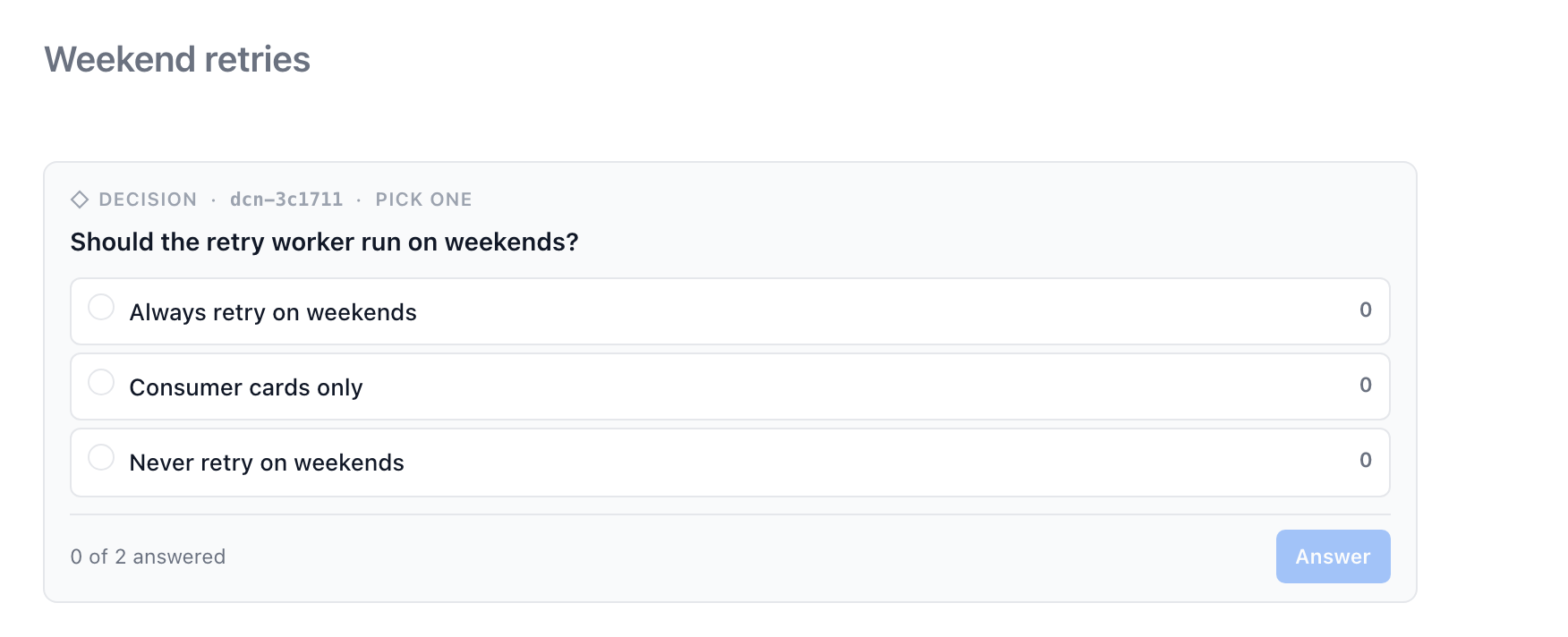
A question put to two people, waiting for their answers.
```decision
ask: Should the retry worker run on weekends?
type: singleSelect
asked: dana, karl
options:
  - id: always
    label: Always retry on weekends
  - id: consumer
    label: Consumer cards only
  - id: never
    label: Never retry on weekends
```
Mentions and dates
Mention a teammate with [@Dana Okafor](mailto:[email protected]) and write a date as @2026-10-01. In a team wiki, a mention reaches that person's inbox.
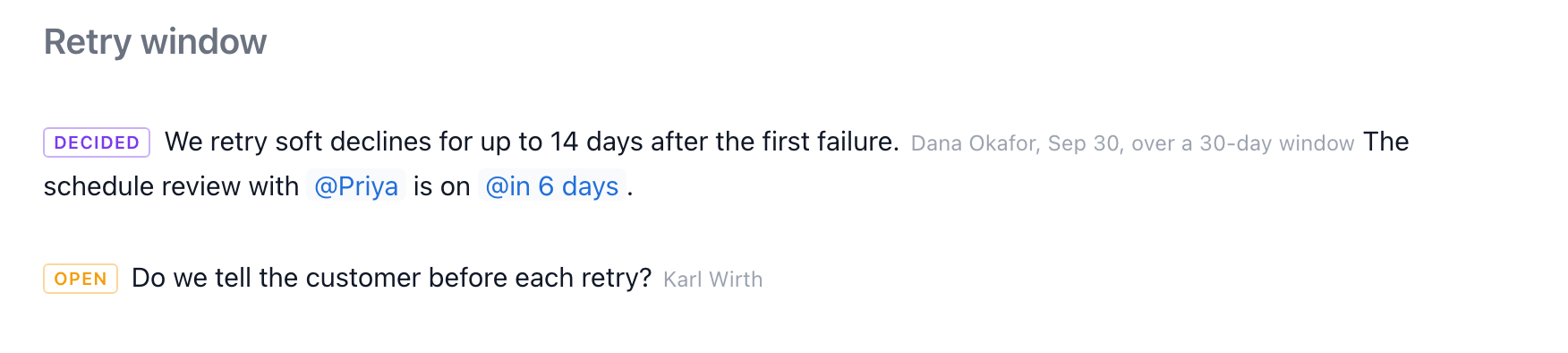
A decision, a mention, a date, and an open question in one paragraph.
The schedule review with [@Priya](mailto:[email protected]) is on @2026-10-21.Drawings, mockups, and other editor pages
Any editor page in the wiki shows live inside another page when you link to it on its own line: Excalidraw drawings, mind maps, mockups, spreadsheets, data models, canvases, and interactive HTML pages. Each one opens in its own editor when you click it. See Pages, Types, and Fields.
[Retry architecture](Retry%20architecture.excalidraw "width=900 height=420")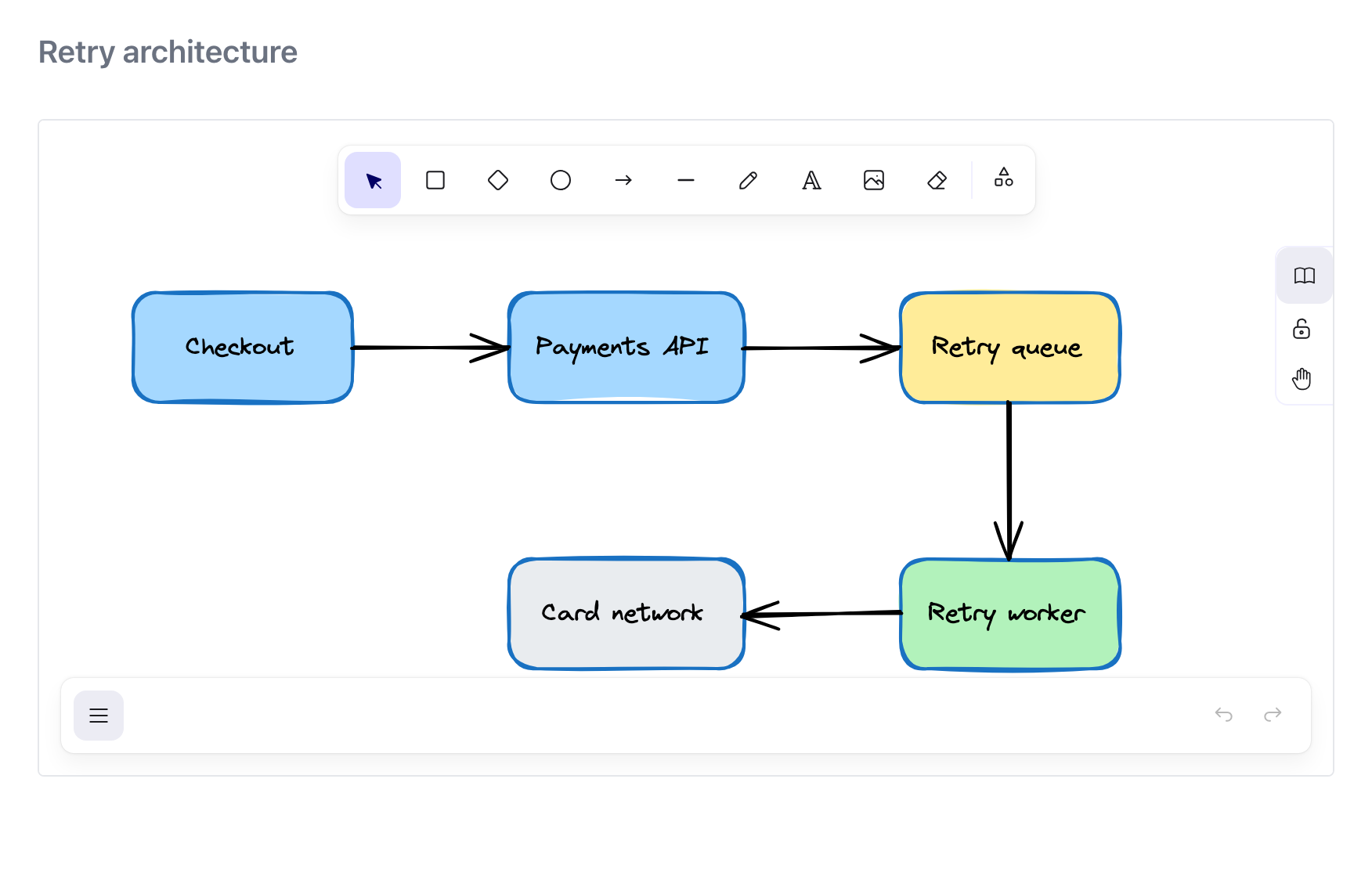
An Excalidraw drawing embedded in a page, editable in place.
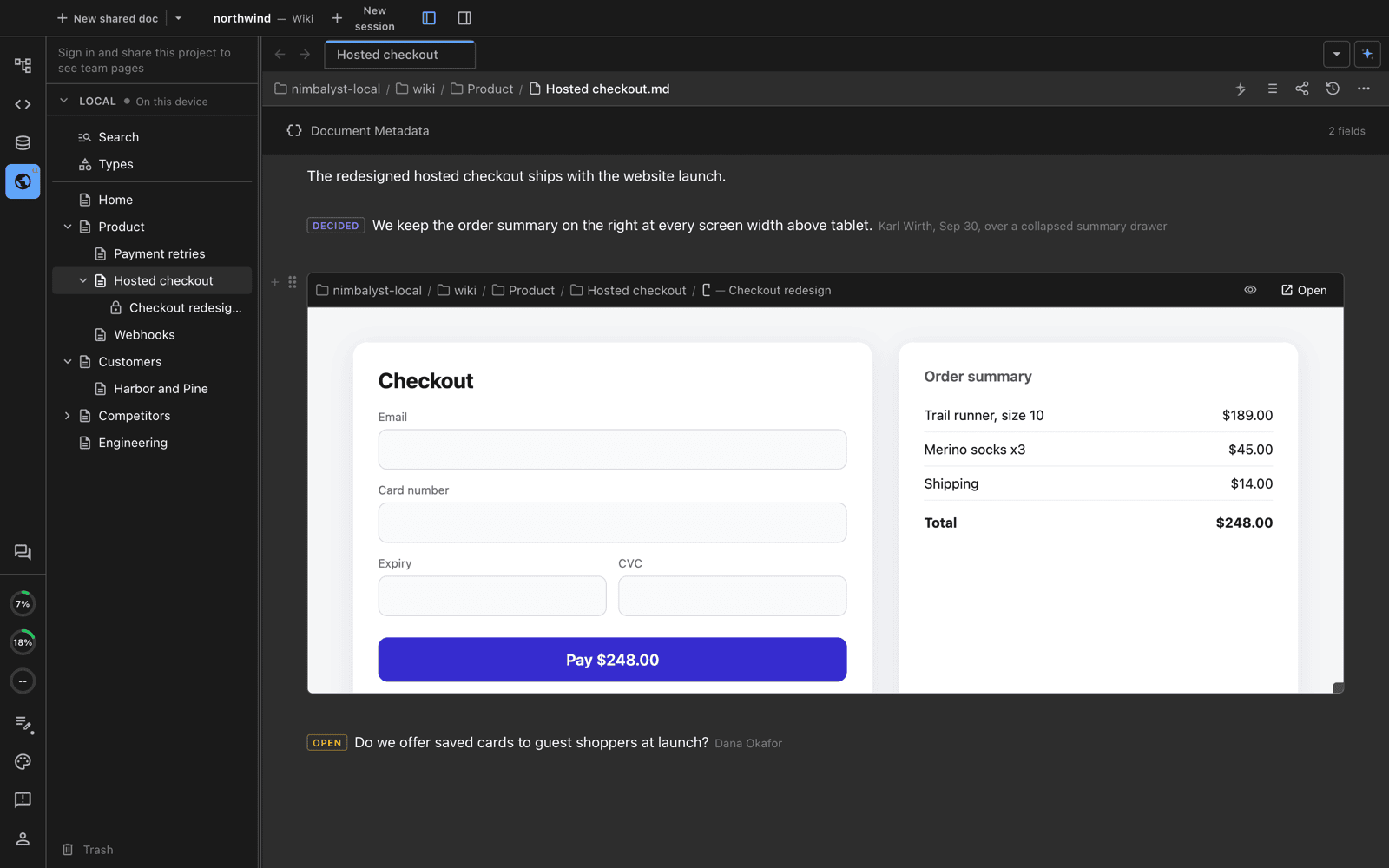
A checkout mockup embedded in the page it belongs to.
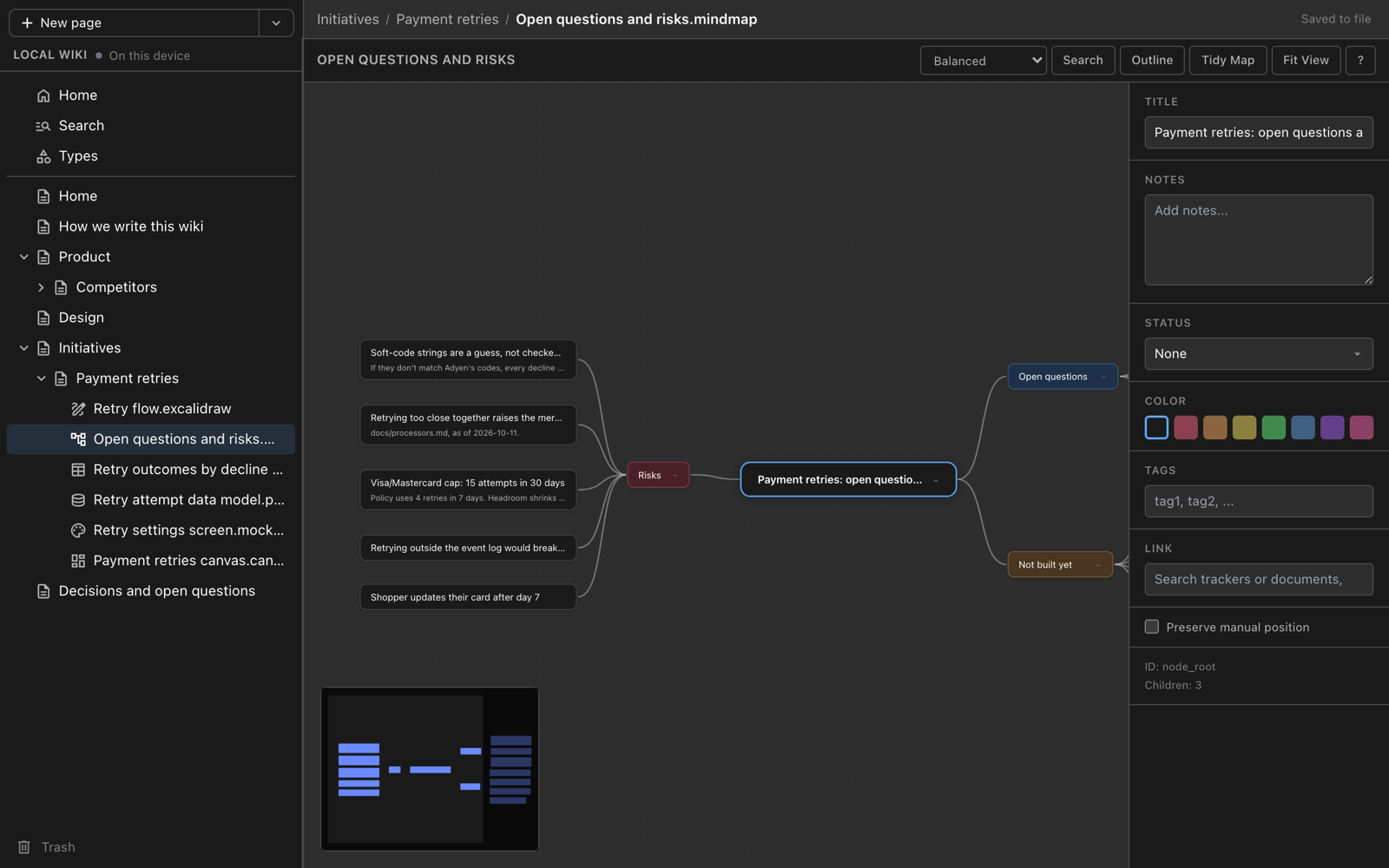
A mind map of risks and open questions.
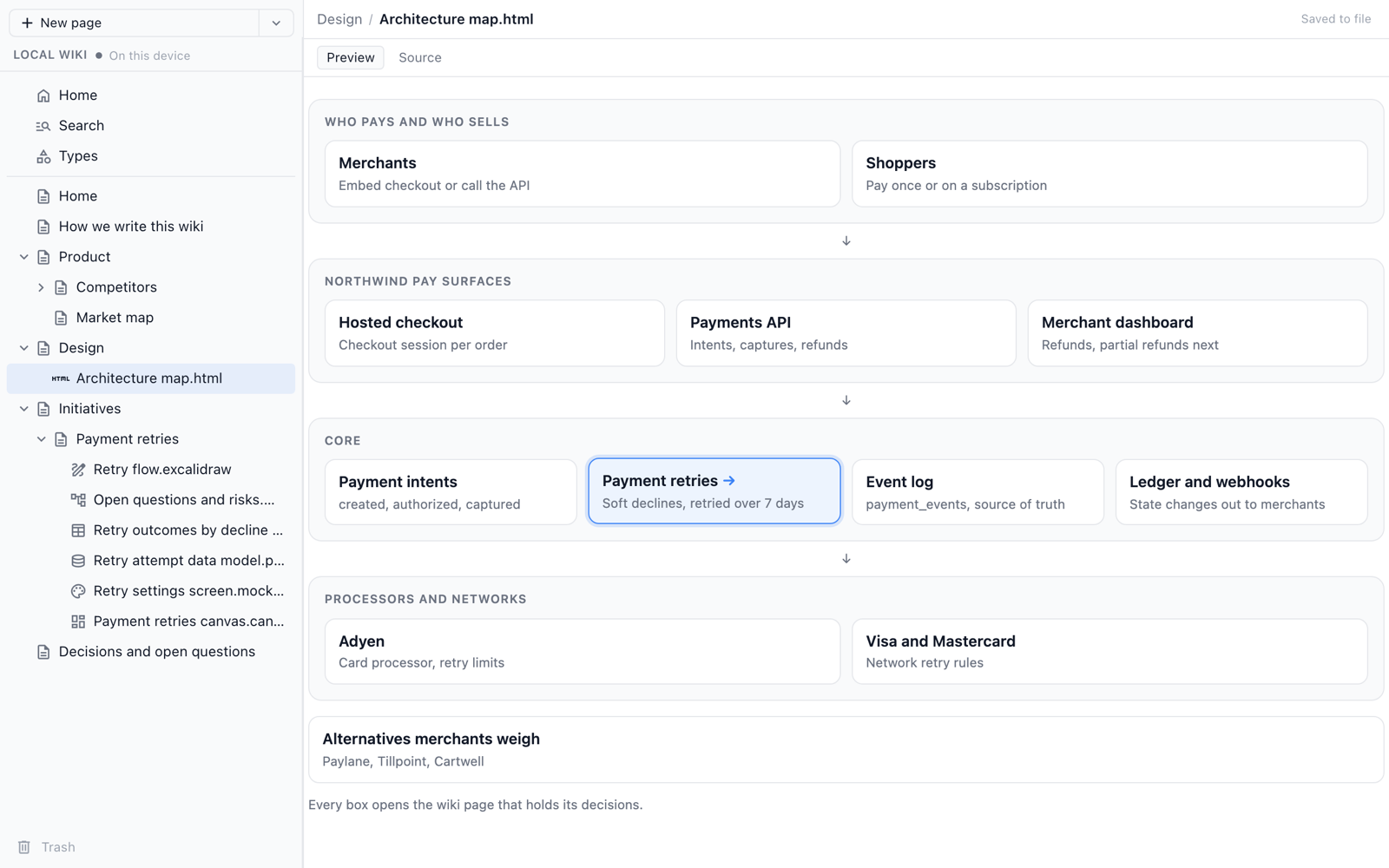
An interactive HTML page whose boxes open other wiki pages.
Live views of your types
A live view places a table of one type in any page, and stays current as its pages change. It can show as a table, board, list, timeline, 2x2, or chart, with its own columns, sort, filter, and grouping. In the app, type / and pick Table, Board, or 2x2 for a type.
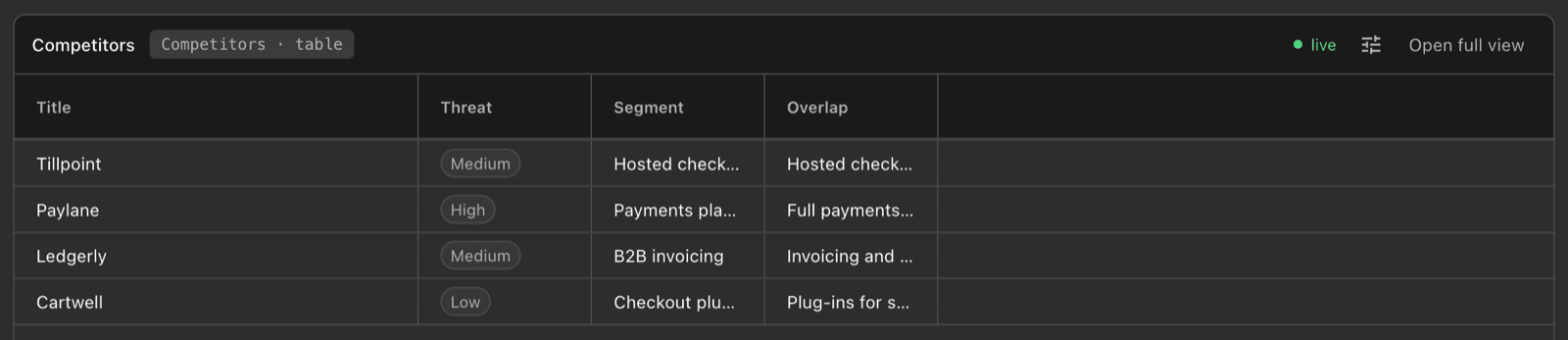
A live table of the Competitors type, placed in a page.
The settings live in the link, so everyone sees the same view:
[Competitors](.../view/type/competitor "cols=title,threat,segment sort=threat:desc")

[Landscape](.../view/type/competitor "mode=2x2 x=setupSpeed y=recovery")

[Revenue by tier](.../view/type/customer "mode=chart by=tier sum=arr chart=pie")
A Decisions list or Open questions list gathers every marked sentence across the wiki into one place, which is what makes a Home page useful. See Place live views.
Sources and references
Code excerpts
An excerpt quotes exact lines from a file in your repository, with the path, lines, and commit, so a reader sees the code a decision rests on.
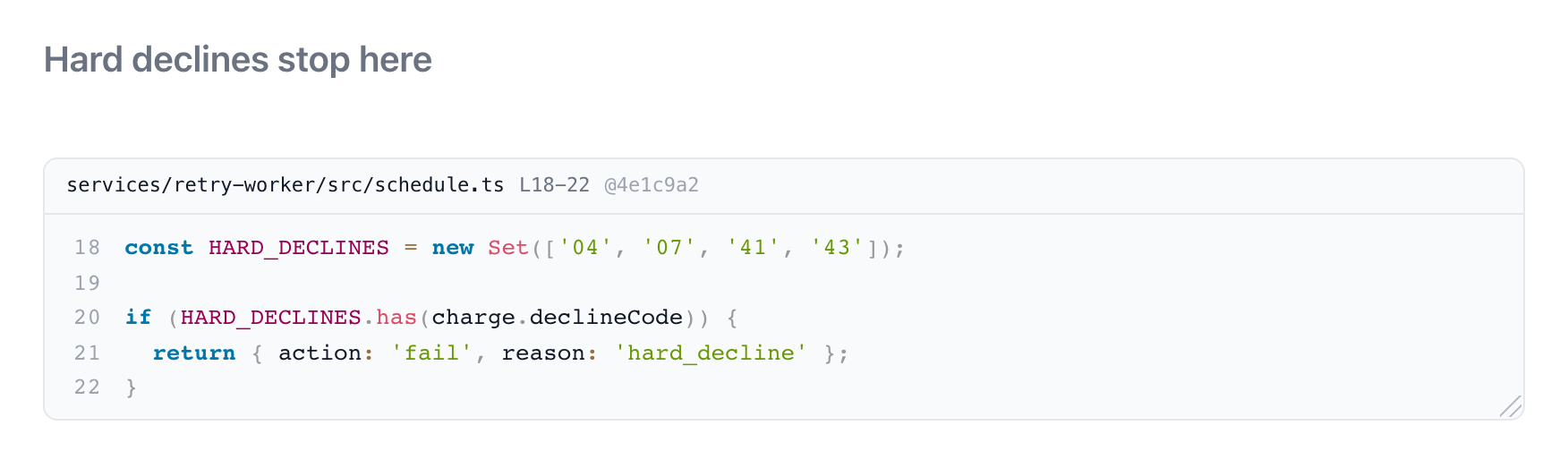
Five lines of the retry worker, pinned to a commit.
```excerpt
path: services/retry-worker/src/schedule.ts
lines: 18-22
commit: 4e1c9a2
---
const HARD_DECLINES = new Set(['04', '07', '41', '43']);

if (HARD_DECLINES.has(charge.declineCode)) {
  return { action: 'fail', reason: 'hard_decline' };
}
```
Link preview cards
A web link on its own line with preview=card shows a card with the page's title and site. preview=embed plays a video or design file in the page for sites that allow it.
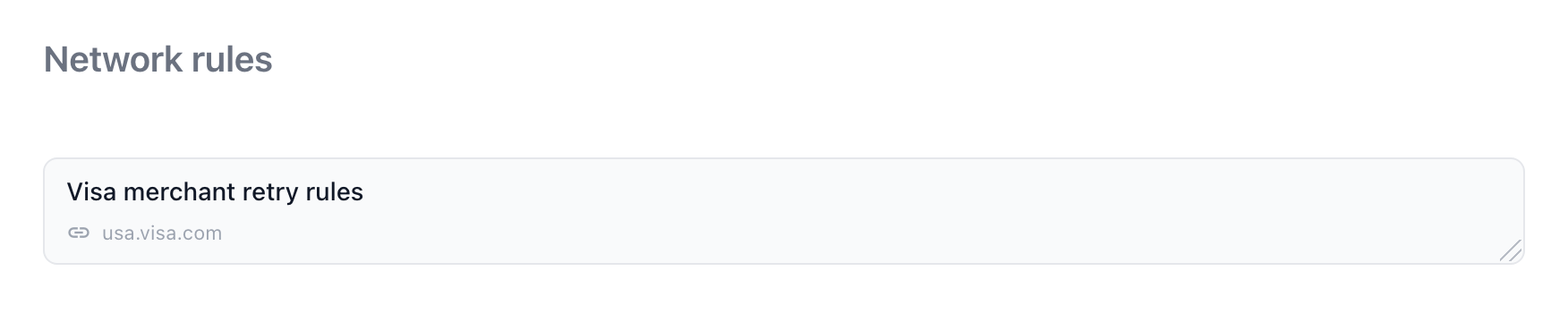
A link card for a source.
[Visa merchant retry rules](https://usa.visa.com/support/small-business/regulations-fees.html "preview=card")Transclusion
A link to a team page with the title transclude shows that page's body, or one section of it, inside this page. Use it sparingly, for a short section that must read the same in two places.
[Retry policy](.../page/retry-policy#the-policy "transclude")Buttons
Two buttons work in the desktop app. An action button starts an agent session with a prompt you wrote. A new item button creates a page of a type, optionally from a template. Put them on pages people start work from, such as a team Home page or a type's page.
```new-item
label: New competitor
type: competitor
```
```action
label: Refresh the competitor table
prompt: Check each competitor's pricing page and update their fields.
```What not to put in a page
Math ($x$), <details> collapsibles, and board-table blocks stay as plain text in a wiki page. Use tabs for content a reader should be able to fold away, and a live board view for a board of items.