Browser
Preview HTML files and live URLs in the built-in Chromium browser, right next to your project files and your AI coding agent conversation.
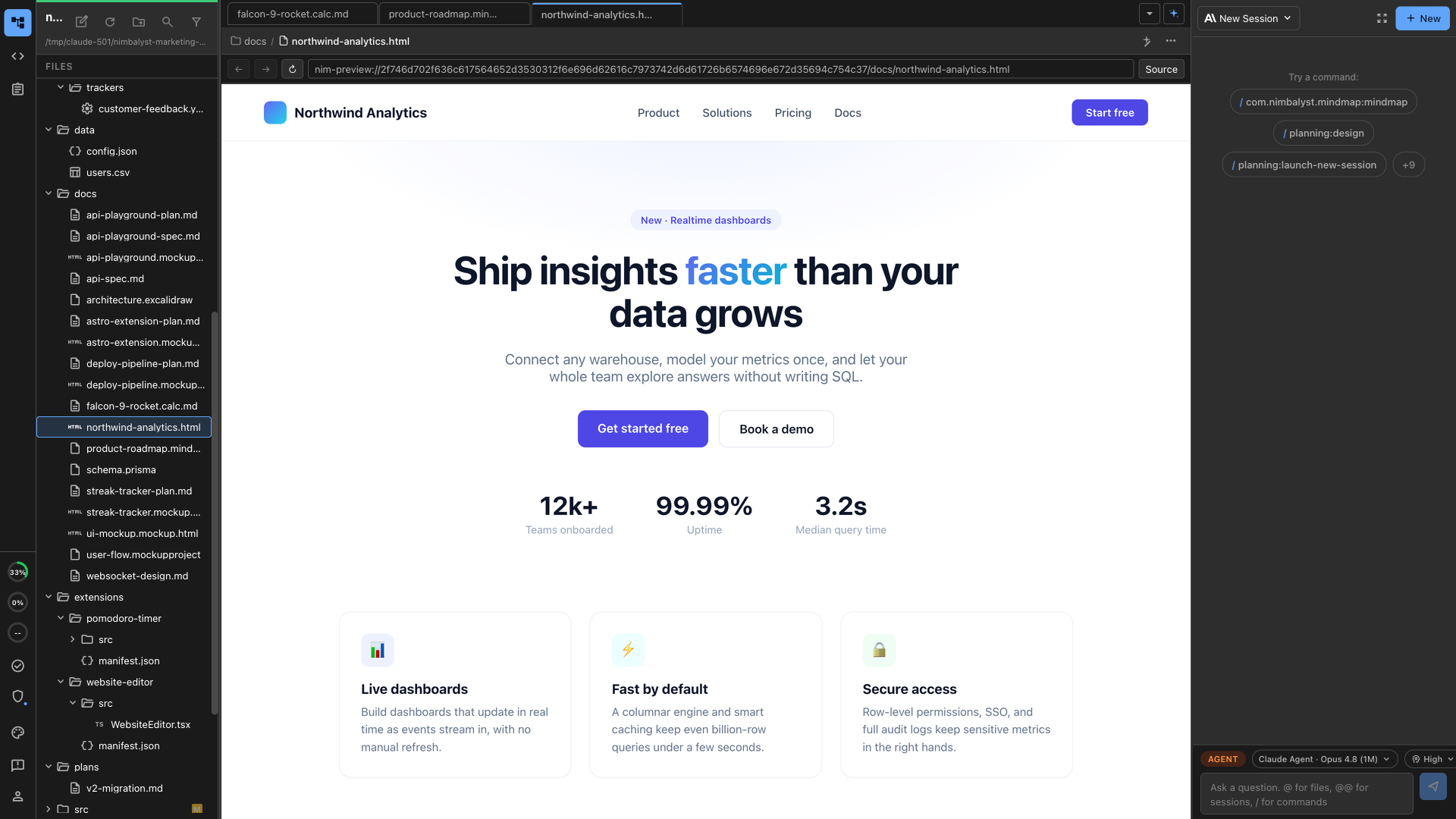
Nimbalyst includes an in-app Browser editor for previewing HTML files and live URLs without leaving your workspace. It opens pages in a real Chromium view, next to your files and agent conversation.
Use it when you want to see a generated page, review an HTML mockup, or check a live URL while Claude Code, Codex, or another agent keeps working in the same project.
The browser extension page covers what an agent can do inside the in-app browser.
What the Browser Is Good For
- Previewing
.htmland.htmfiles directly from the file tree - Opening a live URL beside the code, notes, and agent transcript
- Reviewing frontend changes without switching to a separate browser window
- Checking generated mockups and landing pages as rendered pages
- Letting an agent inspect, click, type, scroll, evaluate, and screenshot a page
Built-In Capabilities
- Real Chromium rendering, not an iframe
- Back, forward, reload, and URL bar controls
- Source toggle when you want to move between rendered preview and file source
- Workspace-scoped local preview URLs for files
- Fileless browser tabs for live pages
- Agent tools for navigation, page inspection, clicks, typing, scrolling, screenshots, and JavaScript evaluation
Browser vs Code Editor
Use the Browser when you need to inspect the rendered result of an HTML file or URL.
Use the Code Editor when you need to edit the source of the HTML, CSS, JavaScript, or TypeScript file.
In practice, you often use both: edit source in one tab, open the Browser in another tab, and ask your agent to revise the page while you review the rendered result.
Working with AI
Your coding agent can use the Browser to verify UI work in place. Good prompts include:
- "Open this HTML file in the Browser and check whether the CTA button is visible."
- "Change the hero copy, then preview the page in the Browser."
- "Click through the form and tell me what breaks."
- "Take a screenshot of the current page state."
- "Inspect the page and summarize the visible headings and links."